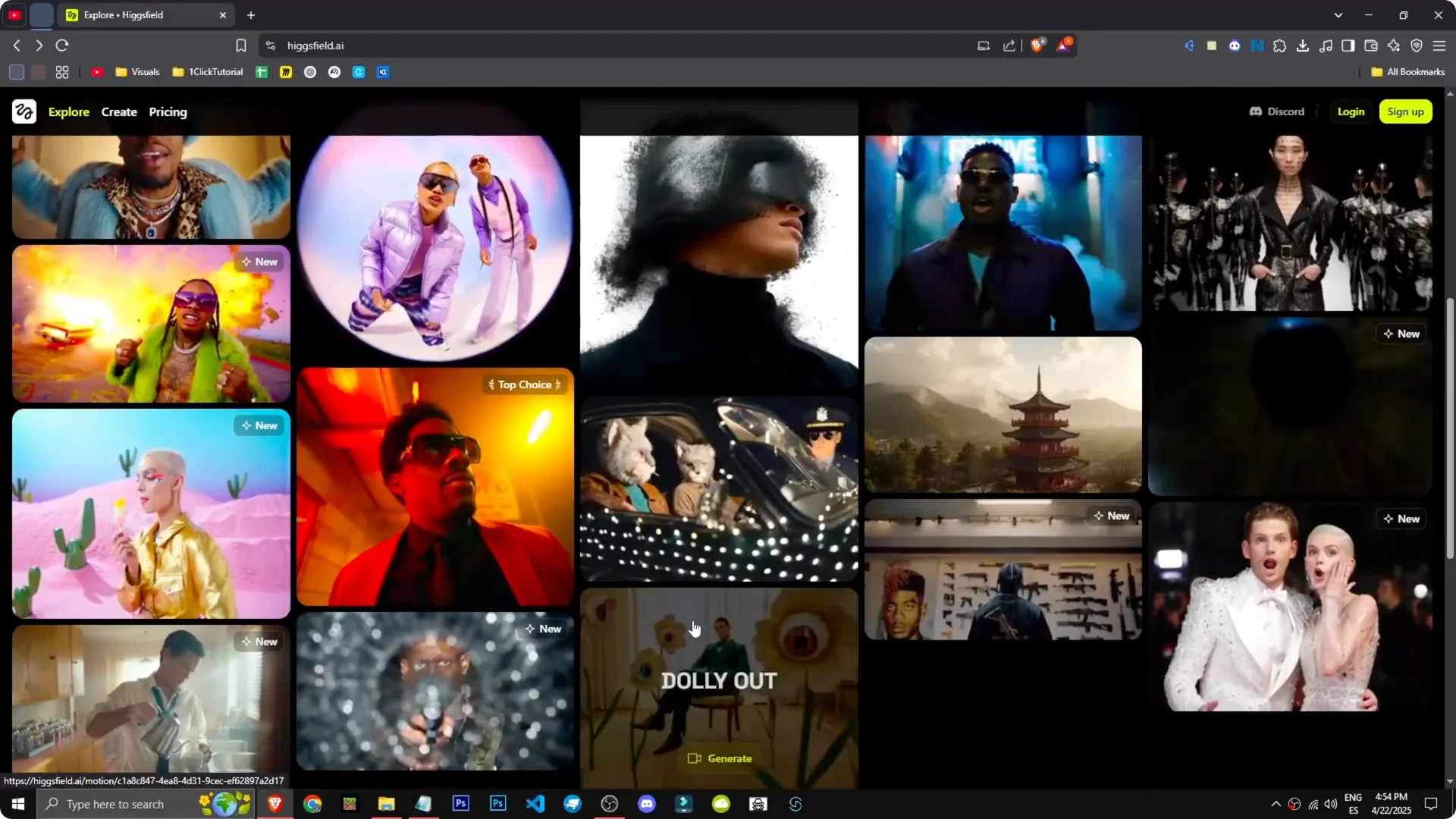
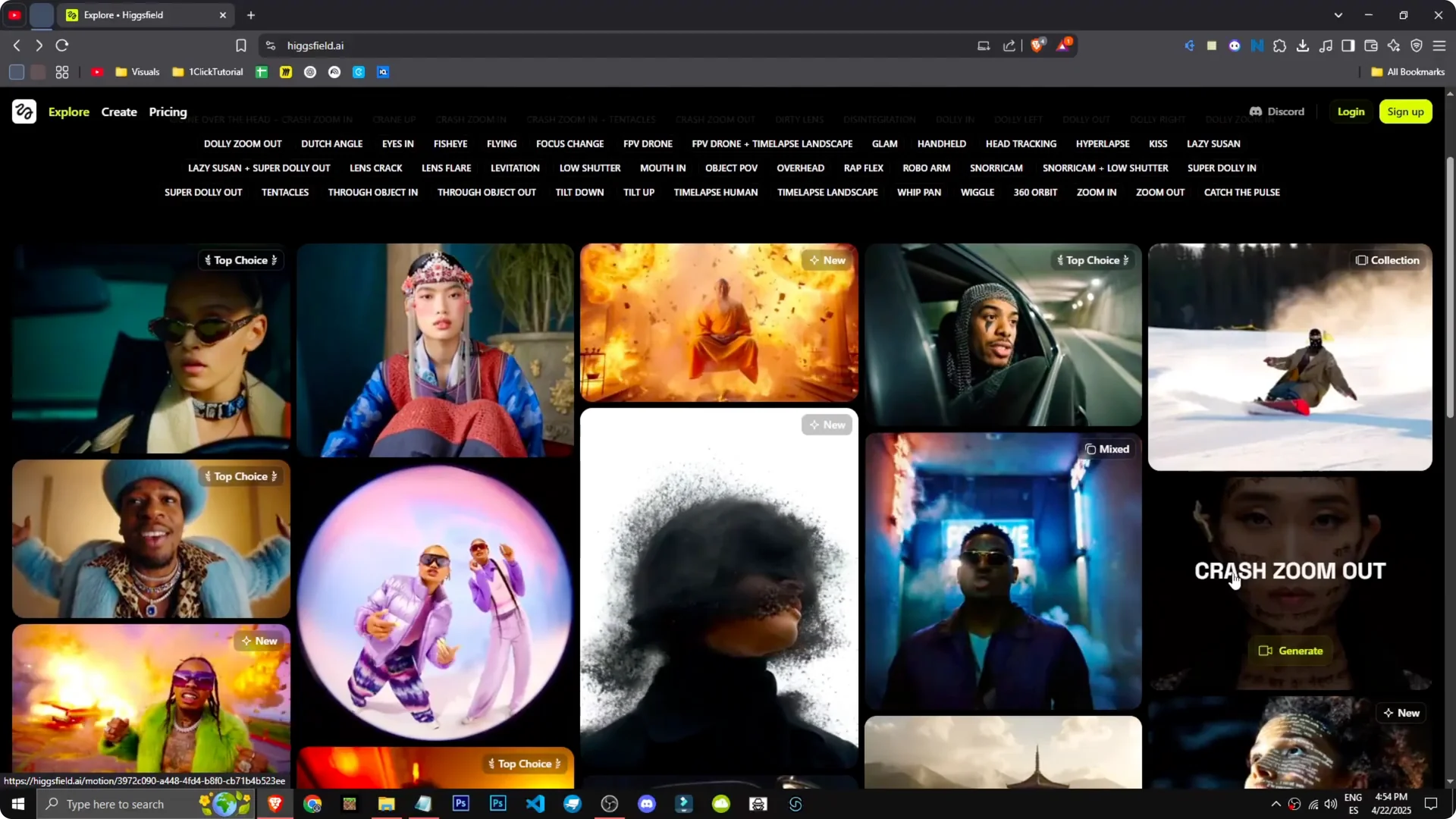
This AI tool allows me to enhance both image and video creation. I see various examples with effects like explosions, cars, rhythms, zoom outs, and zoom ins. It feels like part of the editing process.
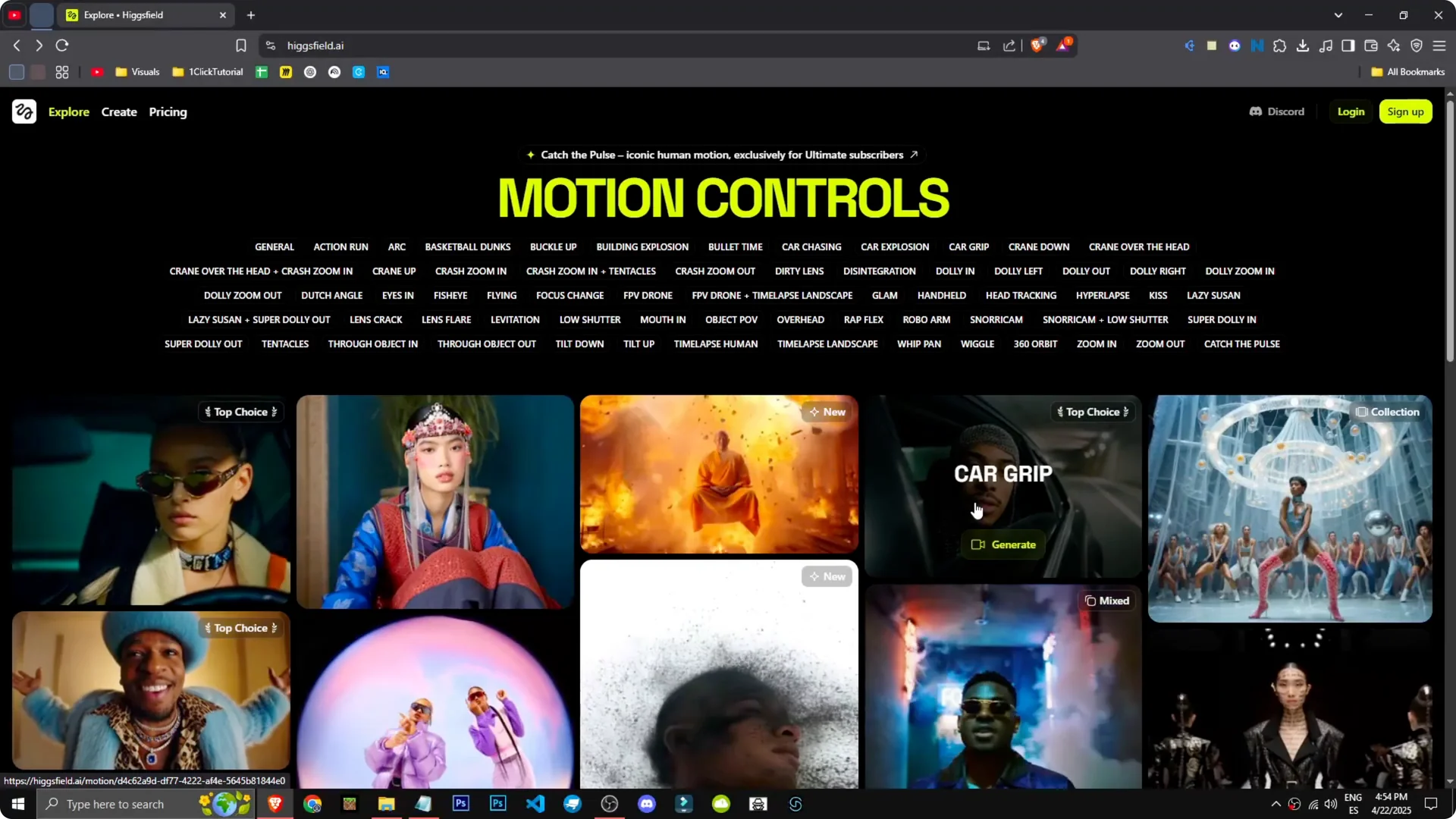
Higgsfield AI Features and Pricing – Overview
The interface is straightforward once you are logged in.
To start creating, just go to Create.
Read More: Vfx Higgsfield Ai
Higgsfield AI Features and Pricing – Getting Started
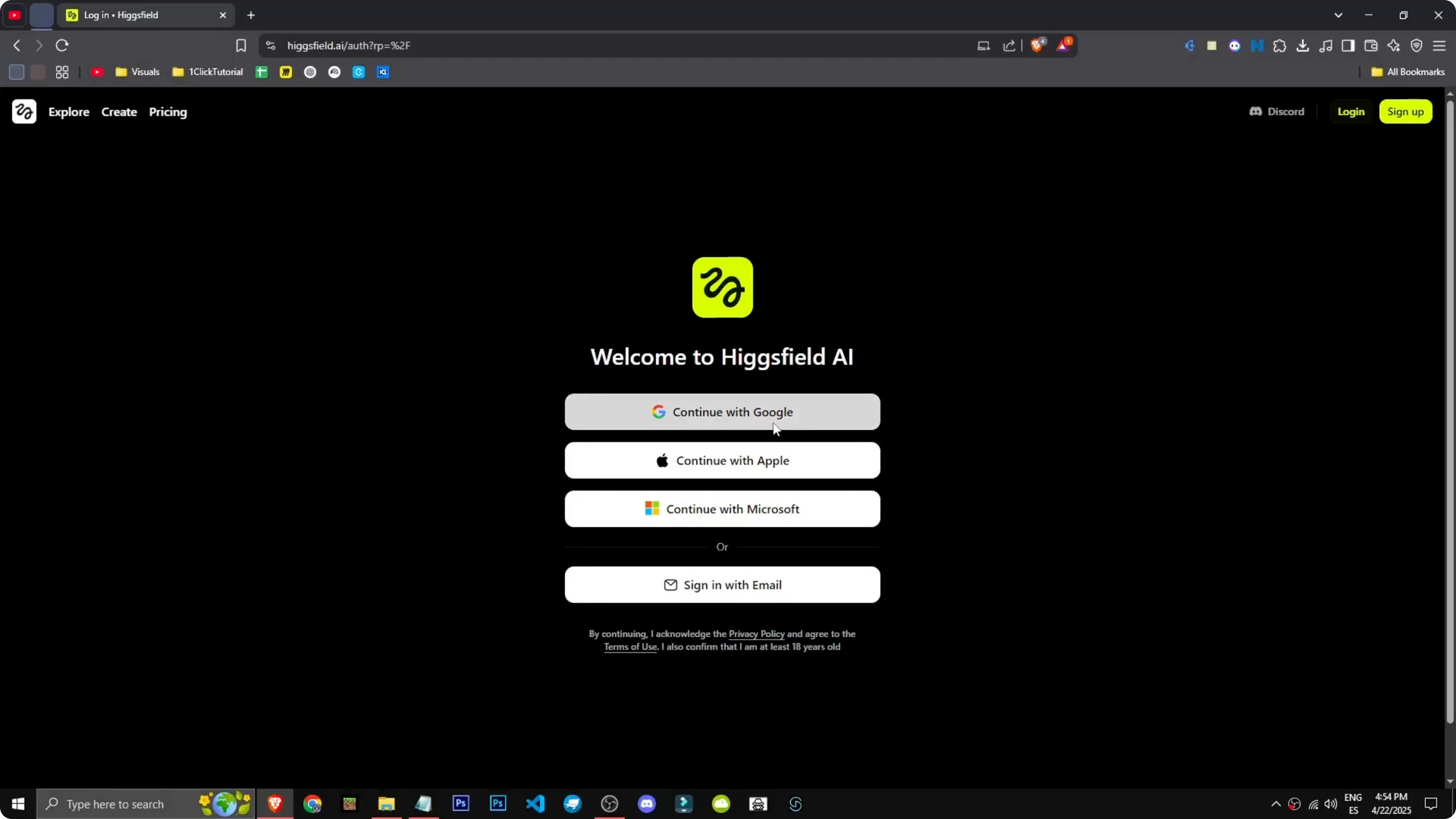
Sign up: Select Sign up, continue with Google, and you are in. I was already logged in.
Open Create: Go to Create to begin. You can upload an image, convert text to image, or image to video.
Pick a mode: Choose the option that fits your project. It is that straightforward.
Read More: Consistent Character Creation Higgsfield Ai
Higgsfield AI Features and Pricing – Plans and Credits
On the pricing platform, the starter plan is $6 a month with 150 credits, no watermark, and commercial use.
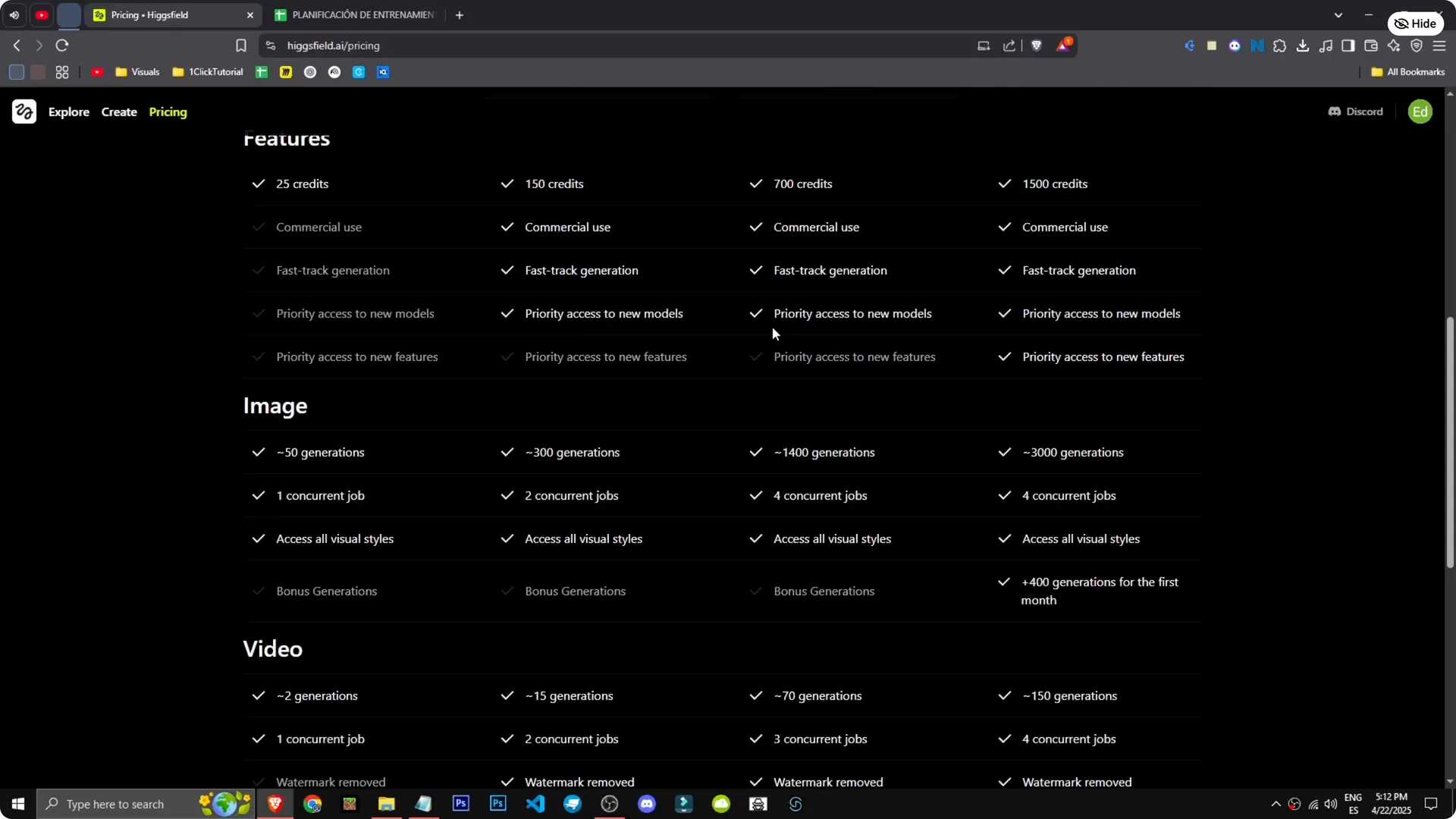
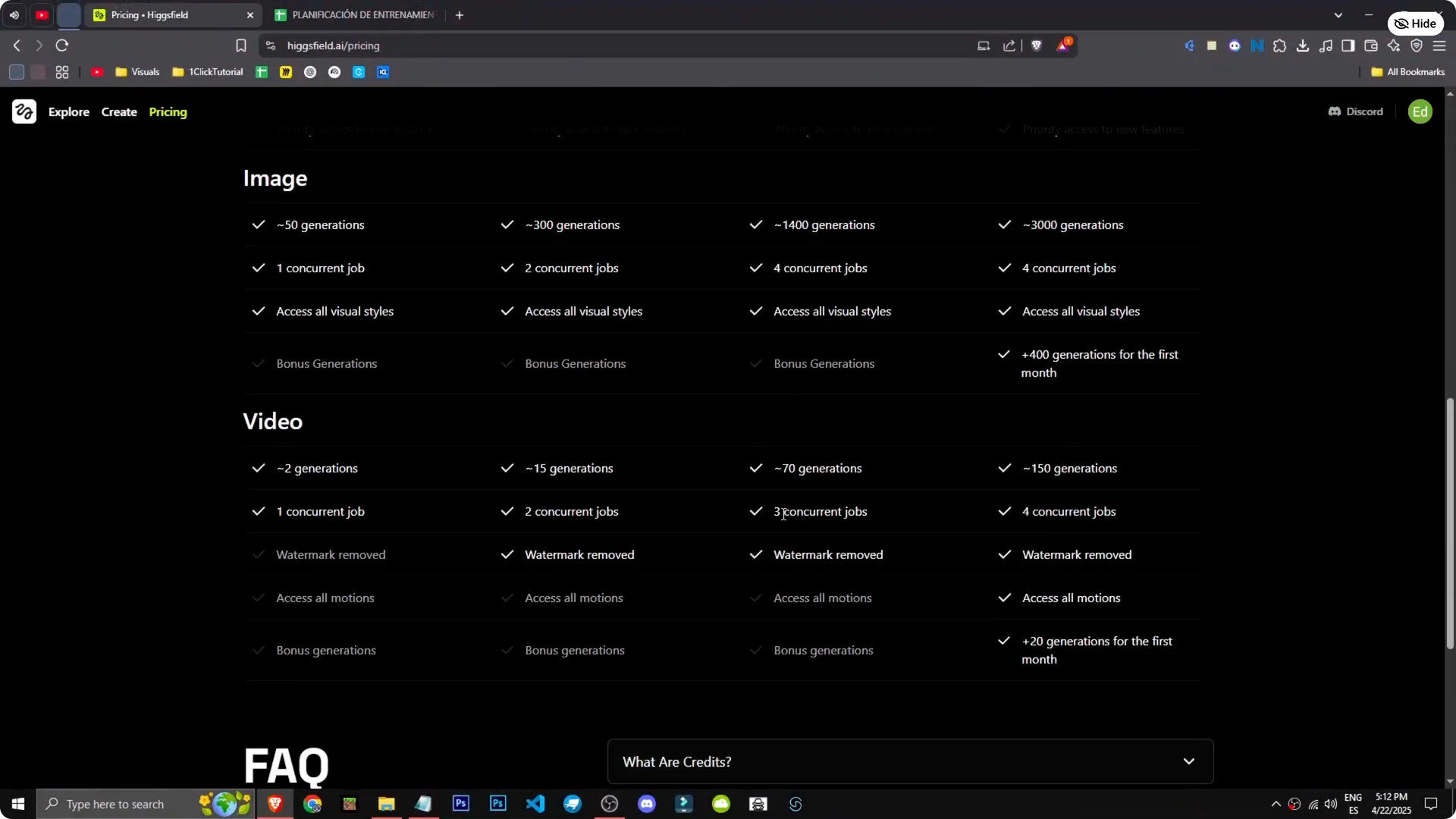
150 credits give us about 300 image generations and 15 videos. The videos look amazing, and 15 generations is a lot.
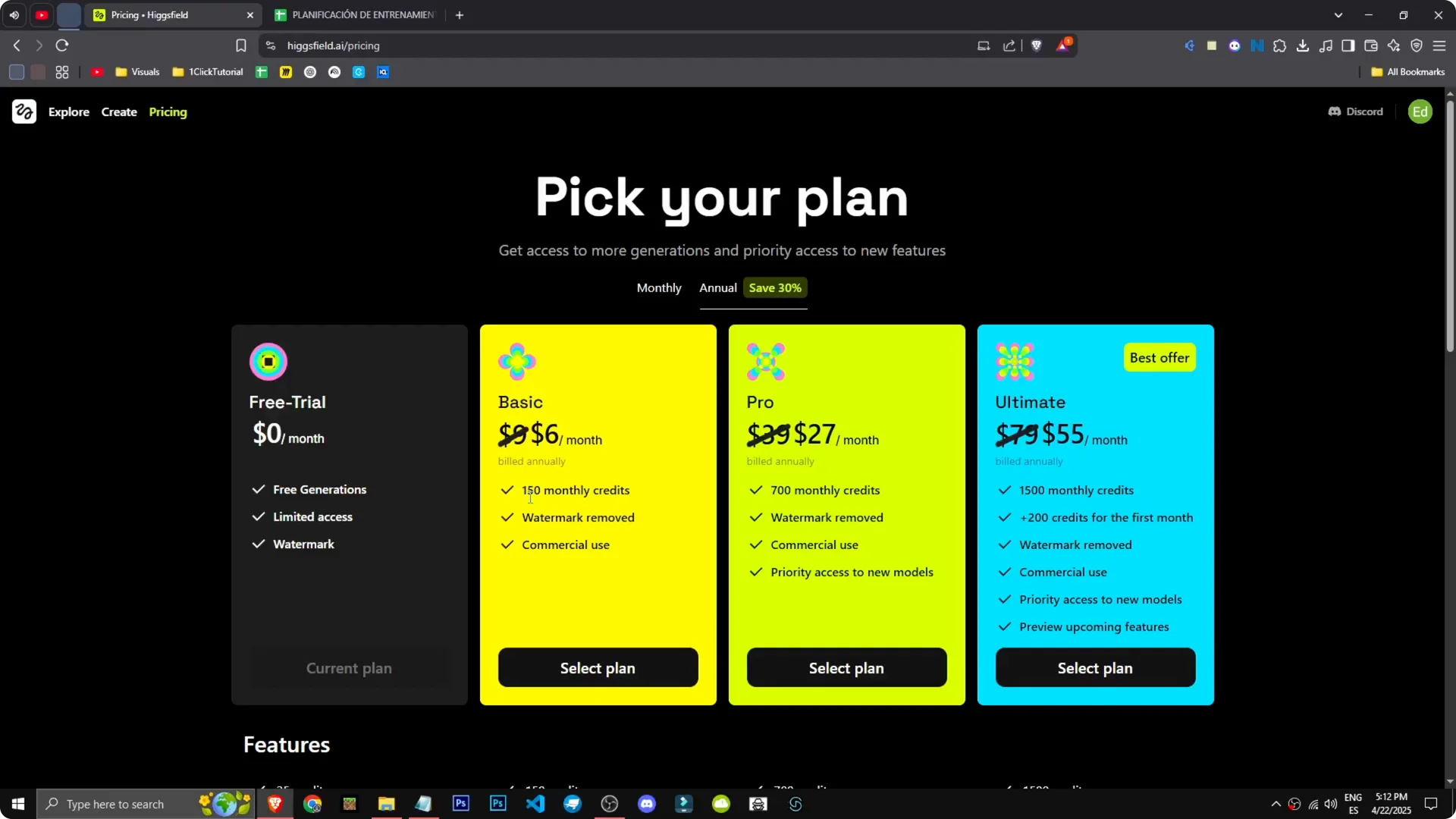
Higher tiers are $27 or $39 per month, depending on the plan we choose.
We get 1,400 image generations, up to 150 videos, three simultaneous jobs, and some extra features.
It is a great tool.
Read More: Cancel Higgsfield Ai Subscription
Higgsfield AI Features and Pricing – Explorer
The Explorer section looks unreal, like stock images, but it is all AI generated by them.
It is impressive to browse.
Final Thoughts
Higgsfield AI makes it easy to create images and videos, with clear options and strong output. The pricing is straightforward, with good credit counts for both images and videos. I hope you found this helpful.