Kling O1 on Higgsfield can relight your videos, replace specific subjects while keeping the original action intact, reframe your compositions to modify camera angles, remove unwanted objects, instantly shift color grades, and even extend your shots to any length. It has become industry first by integrating diverse video tasks into a single unified architecture. This is the only guide you would need to understand everything about its capabilities and hidden powers.
For setup and usage tips before you start, see our Kling O1 overview for Higgsfield.
Kling O1 Higgsfield Review: Image-to-Video
I put the image-to-video feature to the test by uploading two separate photos. One was our character and another was the background city scene. Basically, I told the AI, put this person in this place.
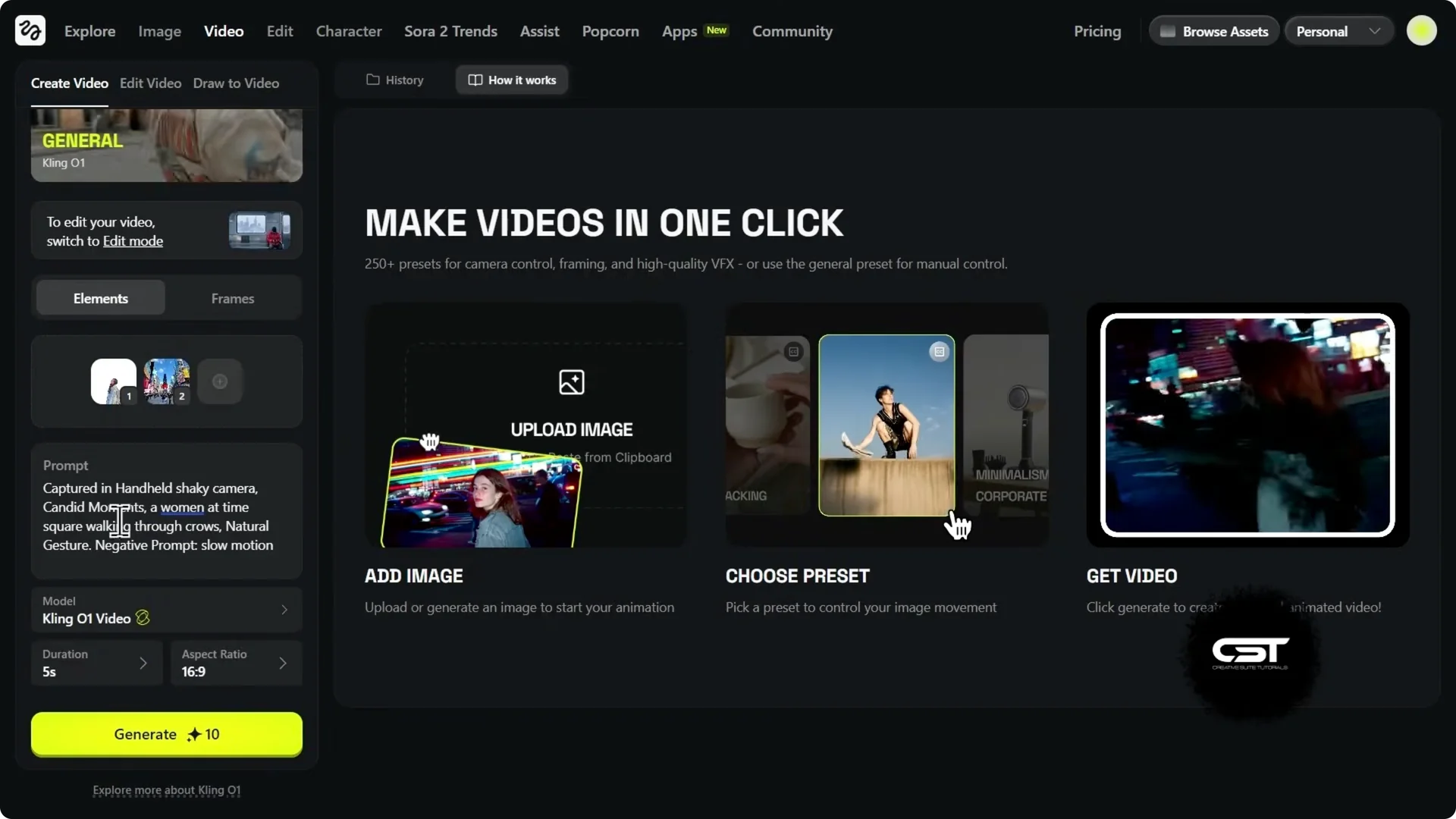
Step 1: Upload the subject image and the background image.
Step 2: Add a clear prompt describing the action or vibe.
Step 3: Adjust settings, choose duration and aspect ratio, then generate.
It took those two static JPEGs and turned them into a moving shot. The movement feels natural, the character doesn’t warp, and the background stays locked in. This model stands out for this workflow because it lets you use up to seven different elements to build your scene.
Kling O1 Higgsfield Review: Video Edit Model
Clicking into the video edit model brings up the main dashboard. On the right, you see use cases like relighting scenes, swapping objects, reframing shots, smart cleanups to remove background items, and recoloring or keyframing footage. You can upload a reference video and add up to four specific elements or images to appear in the video.
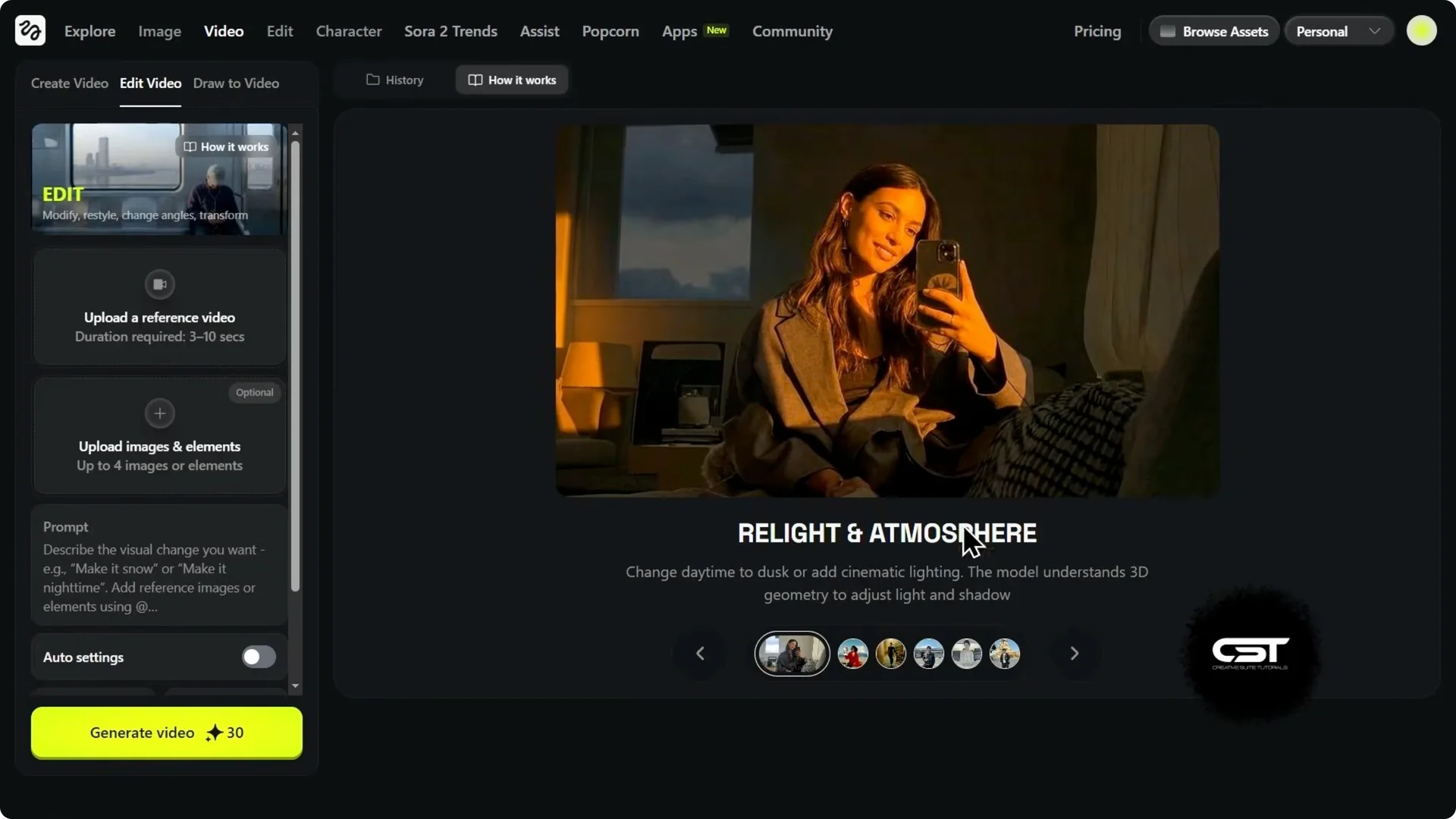
Down below, there is a text prompt field plus settings for duration and aspect ratio. I uploaded a time-lapse of the Statue of Liberty and asked for a strict edit. My prompt was: turn this time-lapse into nighttime and do not change anything else.
It followed the instructions. It added stars, shifted the ambience to an evening vibe, and kept the camera motion exactly as in the original. That stability is super important for real edits.
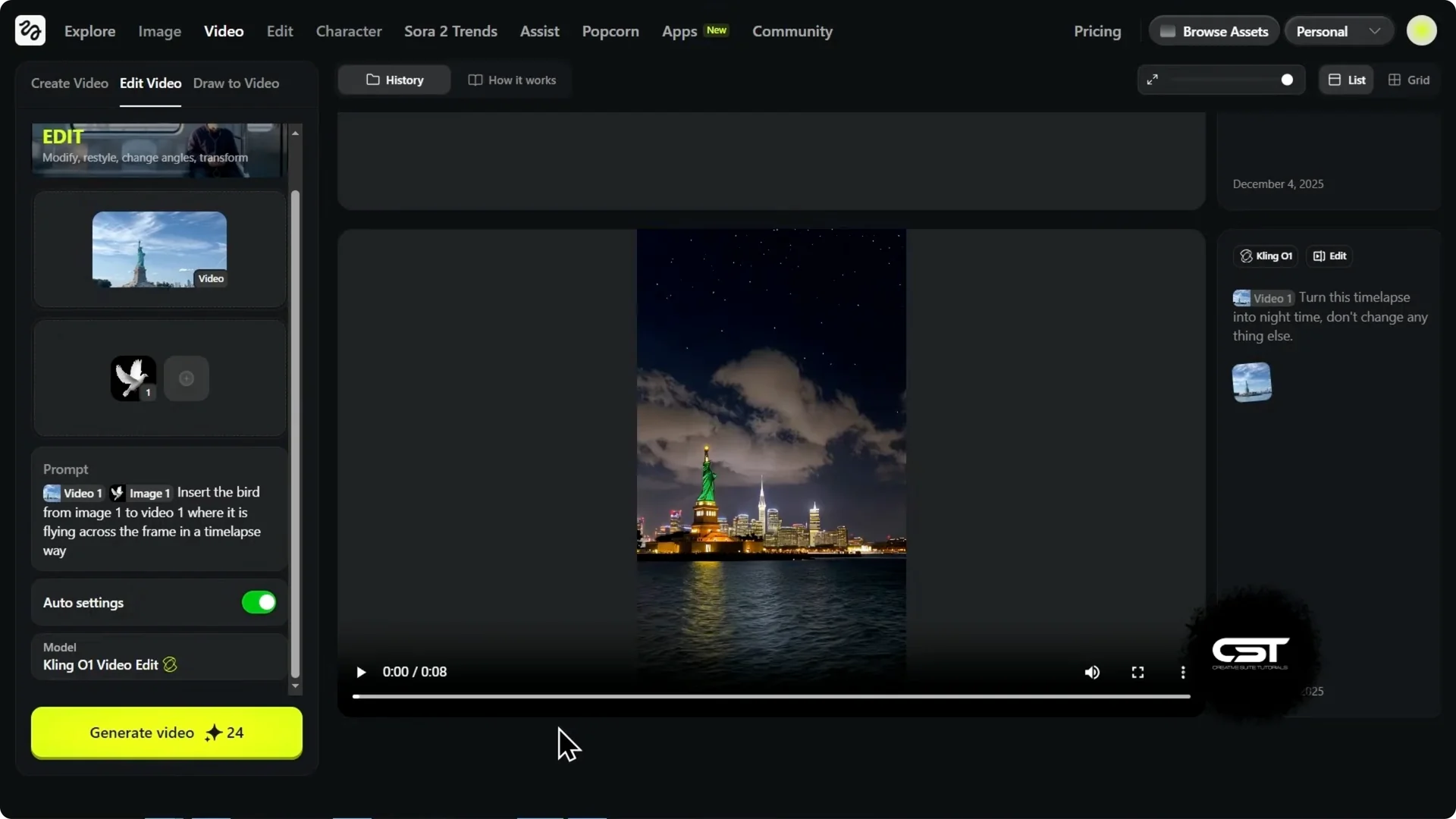
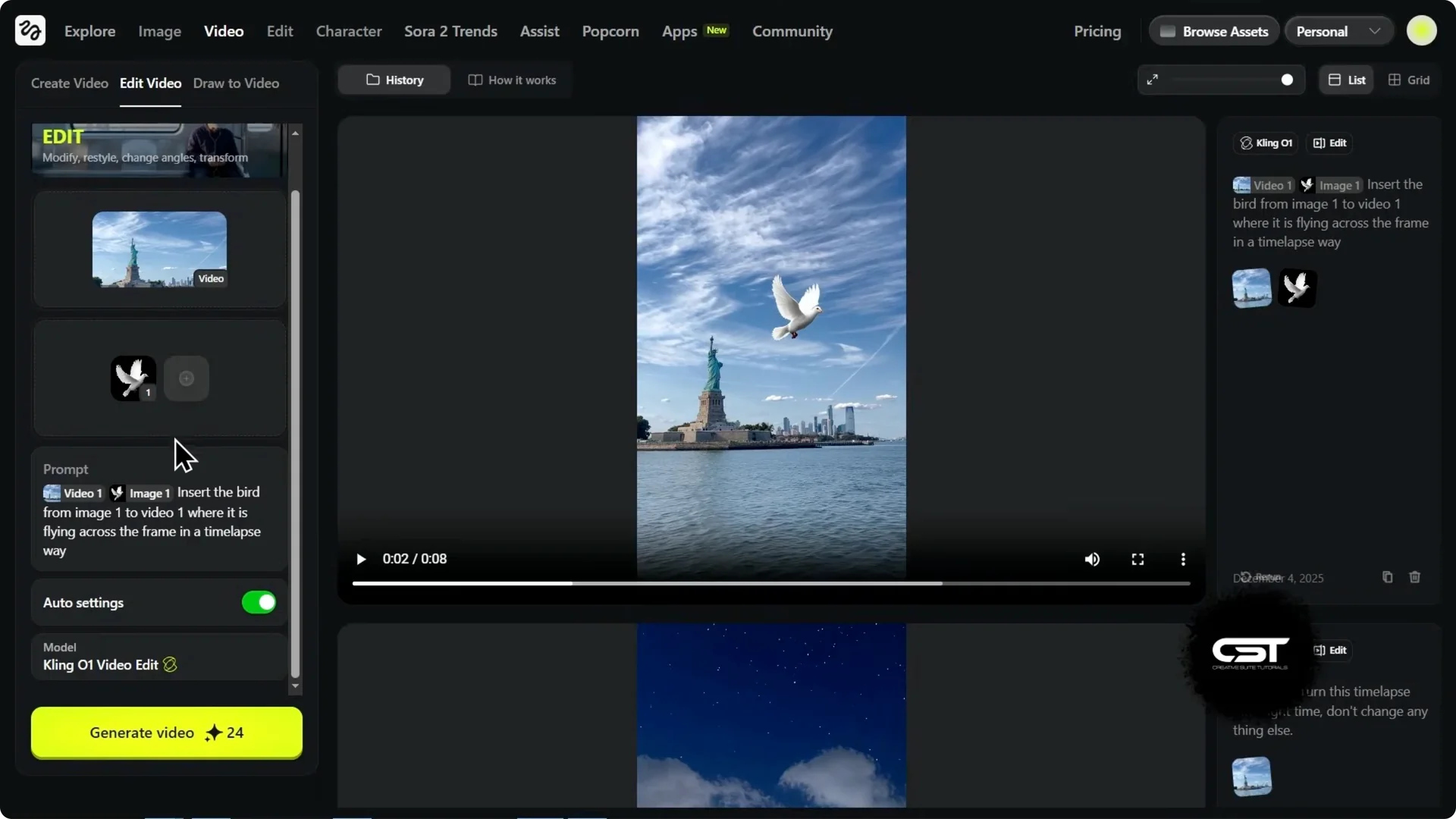
For a second experiment, I added a bird image as an element and prompted: insert the bird from image one flying across the frame in a time-lapse way. It animated the static bird across the scene while the background video stayed stable. If you tried to do this in a traditional editor, you would be stuck masking and blending layers for a long time.
If your output needs extra crispness after generation, see these tips to upscale video quality in Higgsfield.
Masking Test: Strict Sky Swap
I ran a pure text edit with strict constraints. I told it to keep the camera, the subject, and the background identical, but change only the sky to a dramatic purple and orange sunset. This was a masking test to see if the AI could distinguish sky from statue automatically.
The result was flawless. It gave me the dramatic color palette I asked for, and the Statue of Liberty remained untouched. Camera movement matched the original, which is a major time saver.
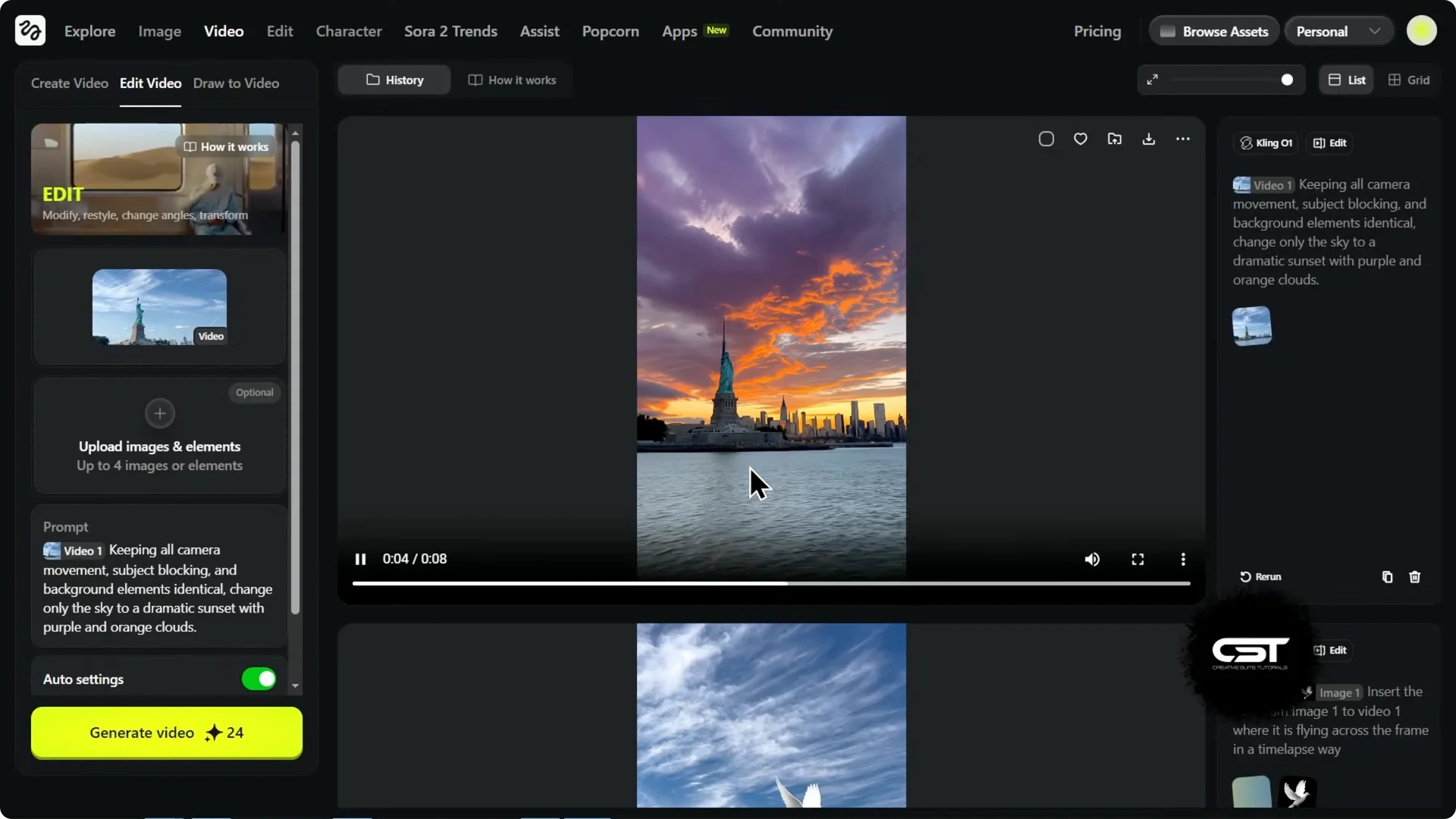
Here is a pro tip. Because the model kept the camera movement and the subject identical to the original video, you can use this to create perfect match cut transitions. It makes continuity edits faster while staying faithful to your base footage.
Kling O1 Higgsfield Review: Text-to-Video Reality Check
You might think you can just type a prompt and go, but Kling O1 requires at least one image reference to start. It does not do pure text-to-video from scratch like older models. If you want pure text generation, Kling 2.6 is the way to go, and I will show that in a moment.
To work within O1, I grabbed a stock photo of Times Square as the reference image and kept my original prompt. I asked for a candid, natural video of a woman walking with a handheld shaky camera feel. The result followed the prompt, added the desired subject, and delivered motion that feels like someone actually filmed it on a phone.
Start and End Frames
I tested the start and end frame feature with a specific camera move. I used a wide crop of a woman’s face for the start and a tight crop of her eye for the end. I told it to create a subtle handheld zoom between them.
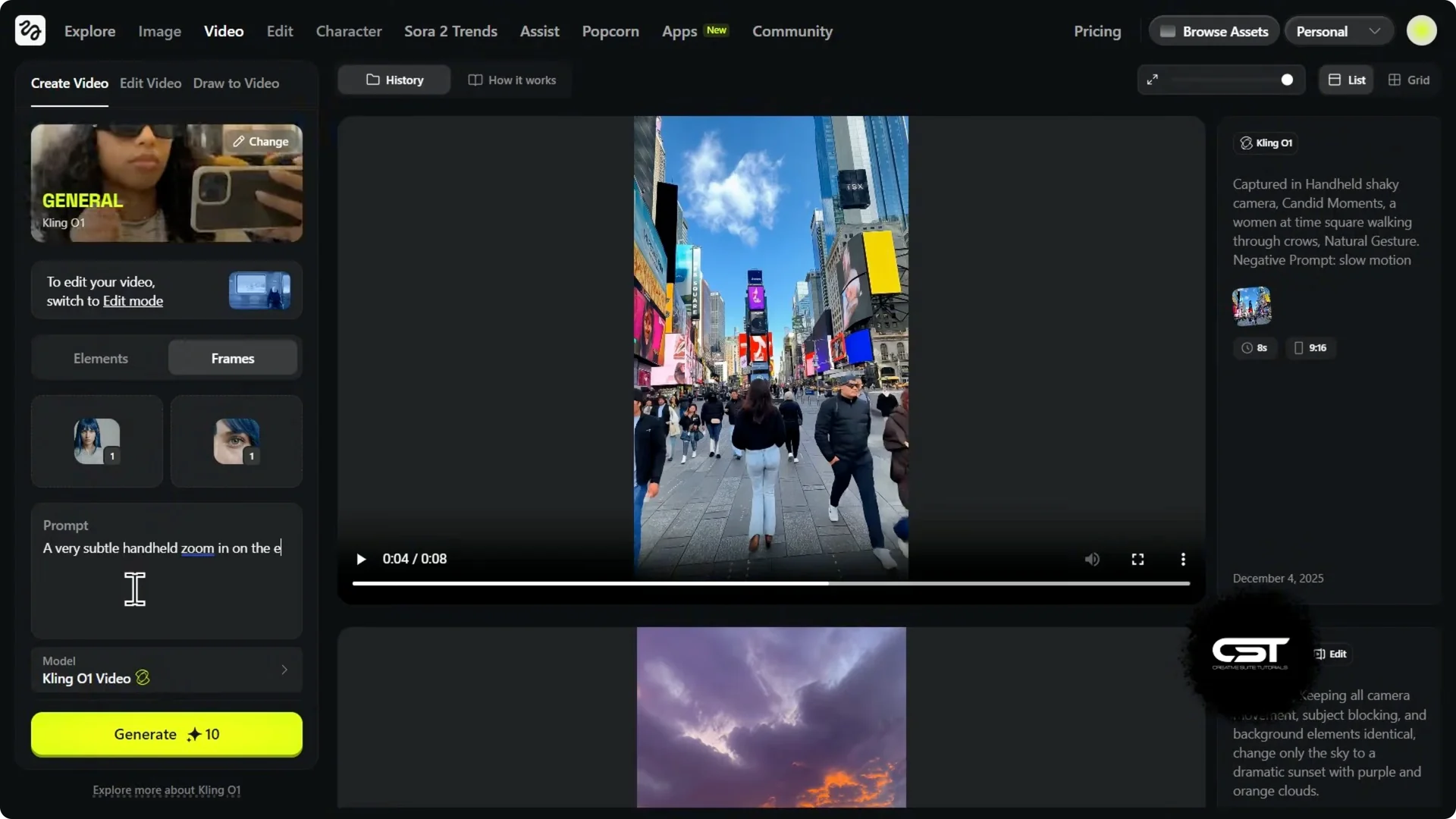
It smoothly interpolated between the two frames. It started wide, zoomed in to the eye, and kept that natural handheld motion throughout. This shows that Kling O1 is understanding 3D space and camera movement to bridge the gap cleanly.
Kling O1 Higgsfield Review: Pure Text With Kling 2.6
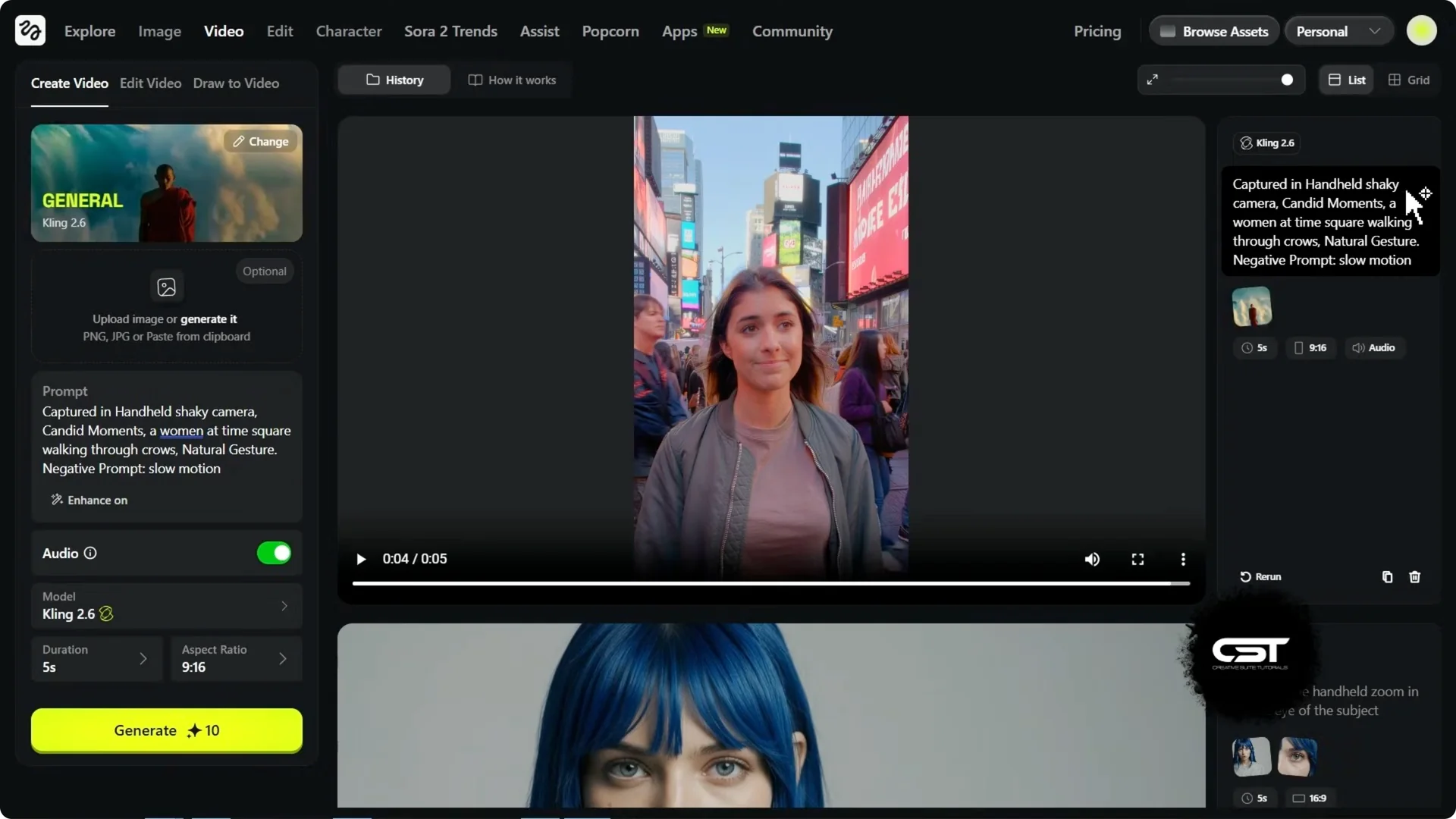
If you want to create something from scratch, Kling 2.6 delivers pure text-to-video and adds native audio. I used the exact same prompt as before: a candid handheld shot of a woman walking through Times Square. I kept the settings on auto and toggled audio on.
The result nailed the handheld instruction and felt like someone was walking backward filming her. The lighting is realistic and she fits convincingly into the Times Square environment. Best of all, it did this from just text and generated ambient city sounds to match.
Kling O1 Higgsfield Review: Extend Your Shot
I took the clip of the girl in Times Square and uploaded it back into the model to extend the scene. I did not want the clip to just end. I wanted to tell a story.
Step 1: Upload the generated clip as your source.
Step 2: Write a continuation prompt with specific actions and camera behavior.
Step 3: Generate and review for subject and location consistency.
My prompt asked to continue the shot as the character walks toward the camera and sits on a bench. This is a hard test because sitting involves complex body mechanics and many models lose the face or outfit during big moves. The result showed her walking forward, shifting weight, and sitting down naturally while keeping the jacket, face, and location consistent.
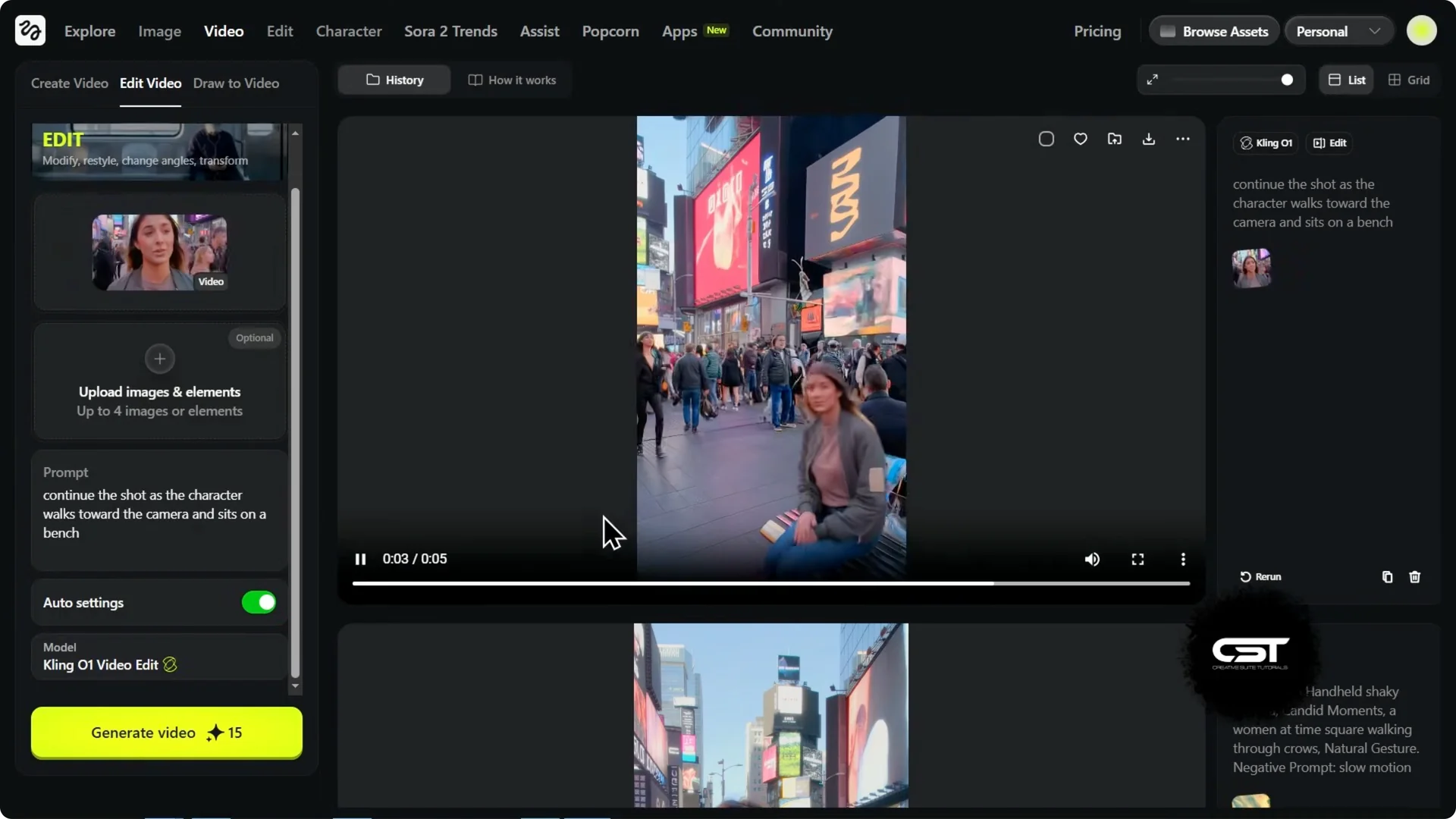
This is huge for creators. It means you can build full UGC or blog-style scenes piece by piece while preserving continuity. For longer move-outs and compositional reveals, see this Higgsfield zoom-out technique.
Final Thoughts
Kling O1 on Higgsfield relights, reframes, replaces, cleans up, recolors, and extends shots while preserving motion and subject stability. It excels with reference-driven edits, precise masking, and camera-aware interpolation, and Kling 2.6 adds pure text generation with native audio. You can build an entire story without picking up a camera, and the results speak for themselves.