Before getting into detailed testing, here is a quick overview comparison based on my direct experience using the same images and prompts on both platforms.
Pika vs Sora Overview Comparison:
| Feature | Pika 2.1 | Sora |
|---|---|---|
| Input Type | Image to video | Image to video |
| Prompt Accuracy | Moderate | Low |
| Motion Consistency | Better | Inconsistent |
| Character Control | More stable | Hard to control |
| Camera Movement | Predictable | Random |
| Physics Handling | Weak in complex scenes | Strong on feathers and motion |
| Ease of Prompting | Easier | Very difficult |
| Output Reliability | Acceptable | Unreliable |
| Tier Placement | A Tier (4 stars) | B Tier |
Intro: Why I Tested Pika vs Sora
I tested the new Pika 2.1 versus Sora so you do not have to pay $10 per month just to see how these tools perform. I used the exact same three images and the same prompts, put them into both platforms, and ranked them based on which one I personally liked the best.
By the end of this comparison, you will clearly see where Pika stands compared to Sora and if it can beat my previous favorites.
Pika 2.1 Trailer – First Impressions
Before testing, I looked at the Pika 2.1 trailer. Everything shown there was generated by the community. Right away, it was clear that the quality had improved compared to earlier versions like Pika 1.5 or Pika 2.
The main focus of this update was faces, and they looked very sharp. That said, there were still some visible limits. I noticed a bit of that blue tone that appears in many video generators. Some bloom effects were also visible, and there were clear signs of AI generation in certain shots.
Water scenes, especially waves, are hard for video generators, but some shots were still impressive. Overall, I was impressed, but since it was only a trailer, I needed to test it myself.
Test Setup: Same Images, Same Prompts
To keep things fair, I used the same three images and prompts for both Pika and Sora:
- A gangster panda counting money
- A humanoid woman walking on a balcony
- A follow shot of a bird flying over a village
The goal was to get a clear overview of which model performs better under identical conditions.
Pika 2.1 – Image-to-Video Results
Shot 1: Panda Counting Money
The first Pika generation showed a wide camera shot zooming out. The panda was counting money with his hands.

Issues I noticed:
- The money started morphing
- Bills wrapped around the table
- The mouth opened unnaturally wide at the end

There was a lot of morphing happening here, which affected realism. This was not a strong result.
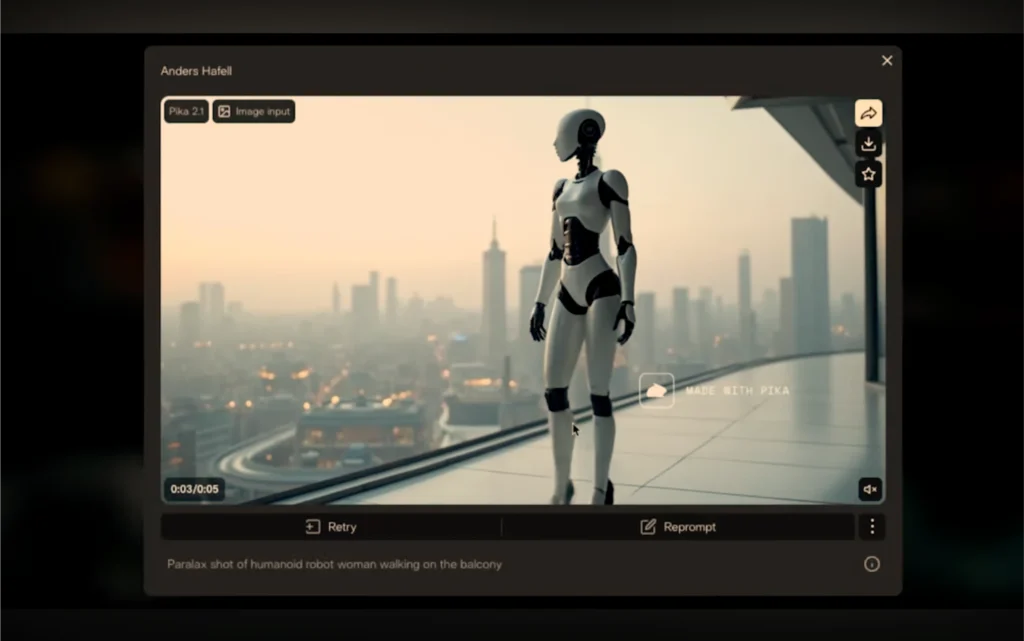
Shot 2: Humanoid Woman Walking on a Balcony
This was a parallax-style shot of a humanoid robot woman walking on a balcony.
What worked well:
- Legs did not merge into each other
- Shoulder movement and head bounce looked natural
What could be better:
- Arms and shoulders needed more movement
- The walk looked slightly stiff, almost like a Bambi-style walk
Still, this was a decent result and held up reasonably well.
Shot 3: Bird Flying Over a Village
This was a very difficult shot for any video generator.
Observations:
- Wings were flapping
- Minimal morphing
- Motion felt slow and lacked real physics
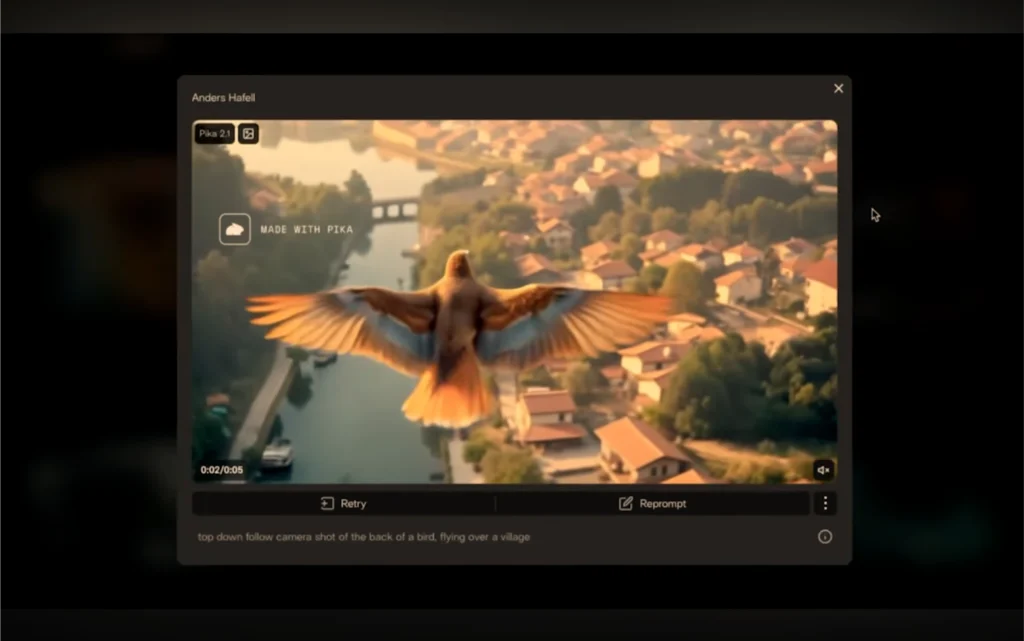
Even with limitations, I liked the ending shot. Seeing the horizon was a nice touch. Overall, this shot worked better than expected.
Overall Pika Impression
Straight away:
- The bird shot looked good
- The humanoid walking shot was solid
- The panda shot was weak
This gave me a clear baseline before comparing it with Sora.
Sora AI – Using the Same Inputs
Next, I tested Sora, using the exact same images and prompts. I generated two variations for each scene.
Shot 1: Panda Counting Money
The first generation zoomed out behind the panda. Things quickly went off track.

Issues:
- Random changes in the scene
- Unexpected second character
- Prompt intent was not followed
In the second generation:
- The camera rotated around the room
- The panda stood still instead of counting money
It looked like he froze in place. The prompt coherence was weak.
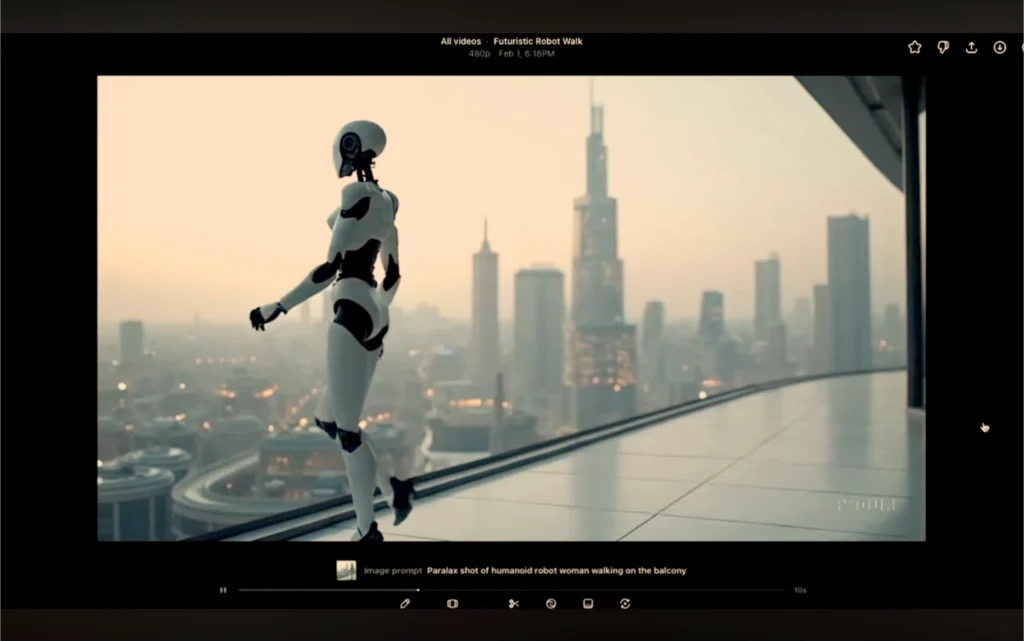
Shot 2: Humanoid Woman Walking
In the first generation:
- The walk looked sterile
- The scene abruptly cut to a new shot
In the second generation:
- Very aggressive camera movement
- Walking backward and forward
- Not the parallax follow shot I expected
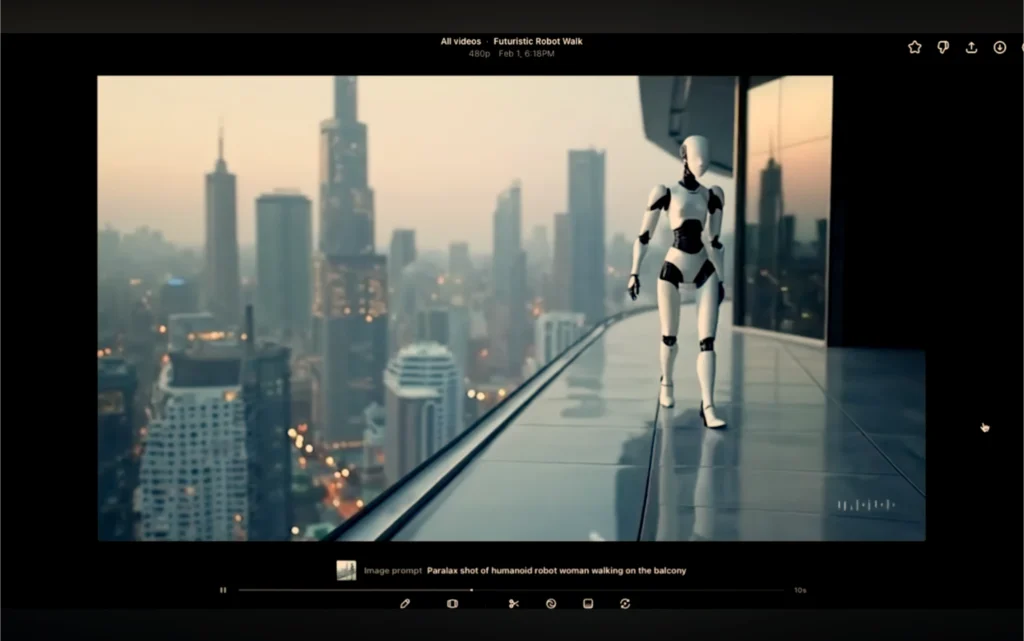
This was not what I was aiming for, even with clear prompts.
Shot 3: Bird Follow Shot
First generation:
- Bird floating in the air
- Background stayed static
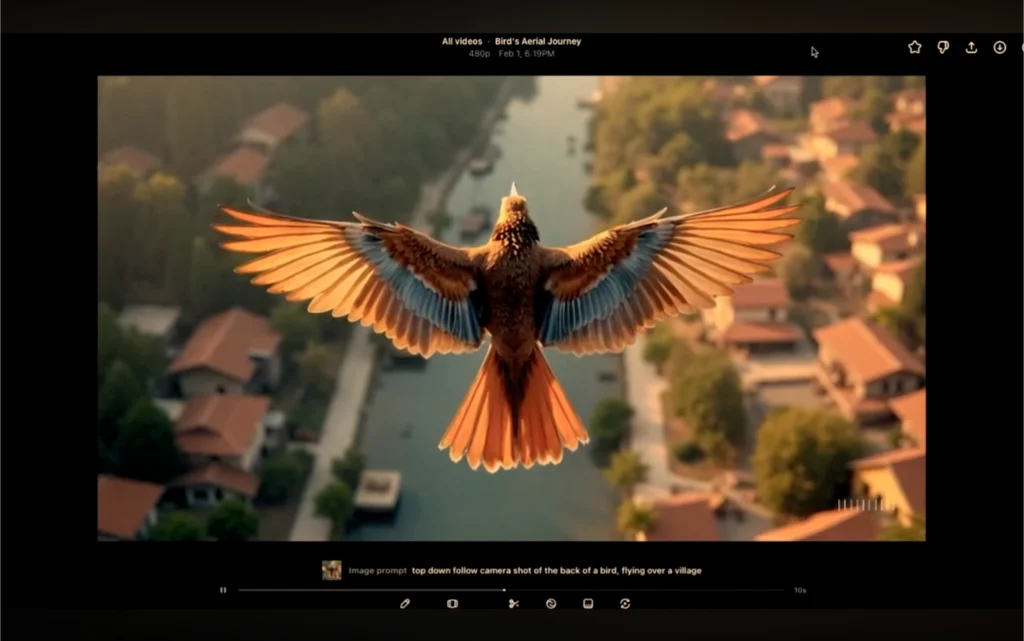
Second generation:
- The camera followed the bird
- Background still did not move
What did work:
- Feather motion
- Bird movement physics
If the bird was isolated, it could be useful, but as a full scene, it did not work.
Prompt Control and Consistency in Sora
Using Sora straight out of the box was very difficult.
Problems I faced:
- Prompts were not followed accurately
- Results changed randomly
- Output was inconsistent
Even simple walking scenes were unreliable. Control was the main issue here.
Step-by-Step Summary: Pika vs Sora
Step 1: Input Images
- Same three images uploaded to both tools
Step 2: Prompts
- Identical prompts used without changes
Step 3: Generation
- Pika produced predictable motion
- Sora produced varied and unstable motion
Step 4: Review
- Pika stayed closer to prompts
- Sora introduced unexpected behavior
Step 5: Usability
- Pika easier to manage
- Sora harder to guide
Pros and Cons
Pika 2.1 – Pros
- Better prompt adherence
- More predictable motion
- Strong humanoid walking scenes
- Decent bird follow shots
Pika 2.1 – Cons
- Morphing in complex hand interactions
- Weak physics in some scenes
Sora – Pros
- Strong feather and bird motion
- Interesting camera ideas
Sora – Cons
- Very hard to prompt
- Inconsistent results
- Scene changes without instruction
- Poor control over characters
Pika Vs Sora Pricing Overview:
| Feature | Pika | Sora |
|---|---|---|
| Free Plan | Yes | Yes (invite-only beta) |
| Starting Price | $0 | $20 / month |
| Paid Plans | $10, $35, $95 per month | $20 (Plus), $200 (Pro) |
| Credit System | Monthly video credits | No fixed credits |
| Monthly Usage | 80 to 6000 video credits | Limited to account plan |
| Video Resolution | 480p (Free), higher on paid plans | 720p (Plus), higher on Pro |
| Generation Speed | Normal to fastest (by plan) | Varies by plan |
| Download Without Watermark | Yes (all plans) | Not clearly specified |
| Commercial Use | Yes | Unclear |
| API Access | No | Yes (pay per second) |
| API Pricing | — | $0.10/sec (standard), $0.50/sec (Pro) |
Final Tier Placement
After reconsidering everything, I believe Sora belongs in B Tier. It is extremely hard to prompt, and the output is never consistent.
Pika 2.1 takes the A Tier position with four stars.
If I received a Pika generation like the ones I tested, I would not be unhappy. However, reliability and control are essential, and Sora simply does not deliver that yet.
Final Verdict: Pika vs Sora
Pika 2.1 performs better in:
- Prompt control
- Scene consistency
- Character movement
Sora struggles with:
- Following instructions
- Stable output
- Predictable results
Pika now holds a solid A Tier position, while Sora moves down due to control issues.
That is the full comparison based strictly on real testing using the same images and prompts.