Kling AI just dropped its new Elements feature and it is mindblowing. With Elements you can create AI video scenes with multiple consistent characters and keep everything consistent from objects and garments to environments, matching perfectly. You can even create AI ads featuring products with consistent branding. The age of consistent everything has begun for AI videos.
Kling AI Elements Tutorial: Getting Started
To access Elements:
- Click on AI Videos and ensure Image to Video is selected.
- Under Image to Video you will see two options:
– Frames: upload a single image and Kling animates it.
– Elements: upload up to four images to build a scene with consistent characters, objects, garments, or environments.

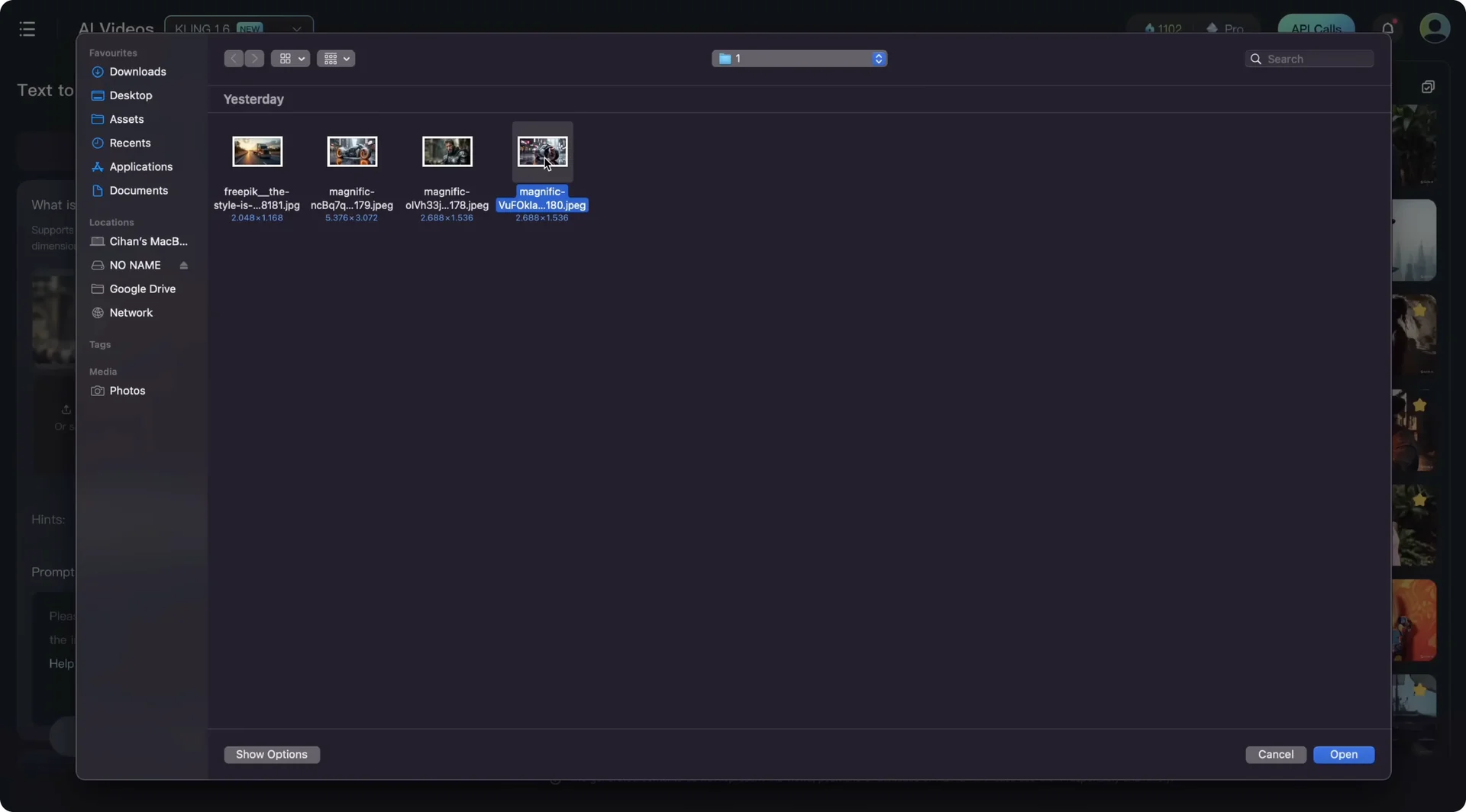
Upload four different images. These can be multiple characters, a piece of clothing, objects, environments, even animal faces for animal face consistency.
Prompt is required. You need to describe how these elements connect to each other and what the context is. I wrote this prompt: cinematic the man with armor riding the futuristic motor bike chasing a truck on the highway speeding up hyper fast while camera follows them dynamically.
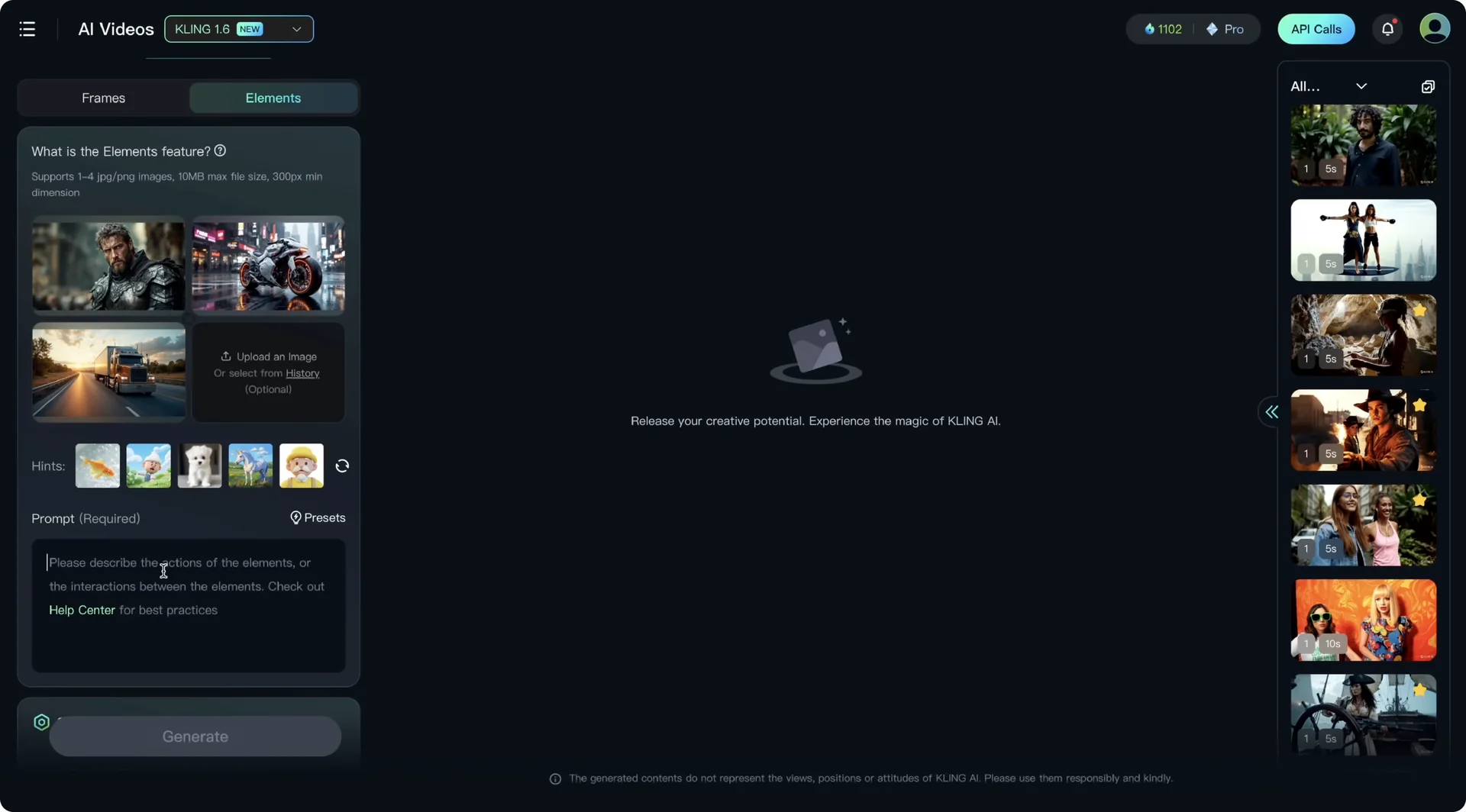
If you want to connect a camera motion, add it in a while camera doing format, exactly like I used here. Always start by describing your subjects and objects. This is very important and is also recommended by Kling’s official prompting guide.

You can choose the length, aspect ratio, and generate multiple videos. I highly recommend adding a negative prompt as well. It really makes a difference. I added morphing, anatomical errors, and glitch as a negative prompt, then hit Generate.

Formats and limits
- Supported formats: JPEG and PNG
- Maximum file size: 10 MB per image

Kling AI Elements Tutorial: Example – King Arthur Motorcycle Chase
I uploaded:
- The face of King Arthur, a new interpretation as a motorcycle gang leader
- Excalibur as a futuristic motorcycle
- A highway scene with a truck moving fast
Result: King Arthur is placed on top of the Excalibur motorcycle and basically chasing this truck. It is not perfect. There is a bit of scale mismatch and a small morphing moment when passing the truck. If you focus on King Arthur’s face and the motorcycle design, you will see a significant amount of consistency that was not possible before with other tools.

Character consistency was possible by training a Flux LoRA or using character reference on Midjourney, but combining a character reference with an object reference is new. For the record, Pika had a similar feature, but Kling’s implementation is much more smooth and works much better.
Kling AI Elements Tutorial: Example – Caveman and Scooter with Selective Picking
I uploaded an image where a caveman is running away from a dinosaur and added a scooter to test object consistency.
If you have an image with a complex composition and the scene is crowded, Kling allows you to choose a single element within an image, which is a great convenience feature. Click the icon to open a new window, crop your image, and ensure that Kling will focus on this particular element and ignore the rest.

For the prompt, think of Elements as a mini storyboard. I used consecutive prompting, putting events on a timeline: a caveman jumping to a scooter, then running away from a dinosaur while the scooter moves. Kling does really well with consecutive prompting.
You will see the action start with the caveman jumping on the scooter, then the dinosaur comes out of the cave and chases him.
There is a bit of limping and some glitches, but overall it is very impressive.

Kling AI Elements Tutorial: Multiple Consistent Characters
I uploaded images of two women with different looks and outfits and wrote: two women are walking together in the jungle while camera follows them.
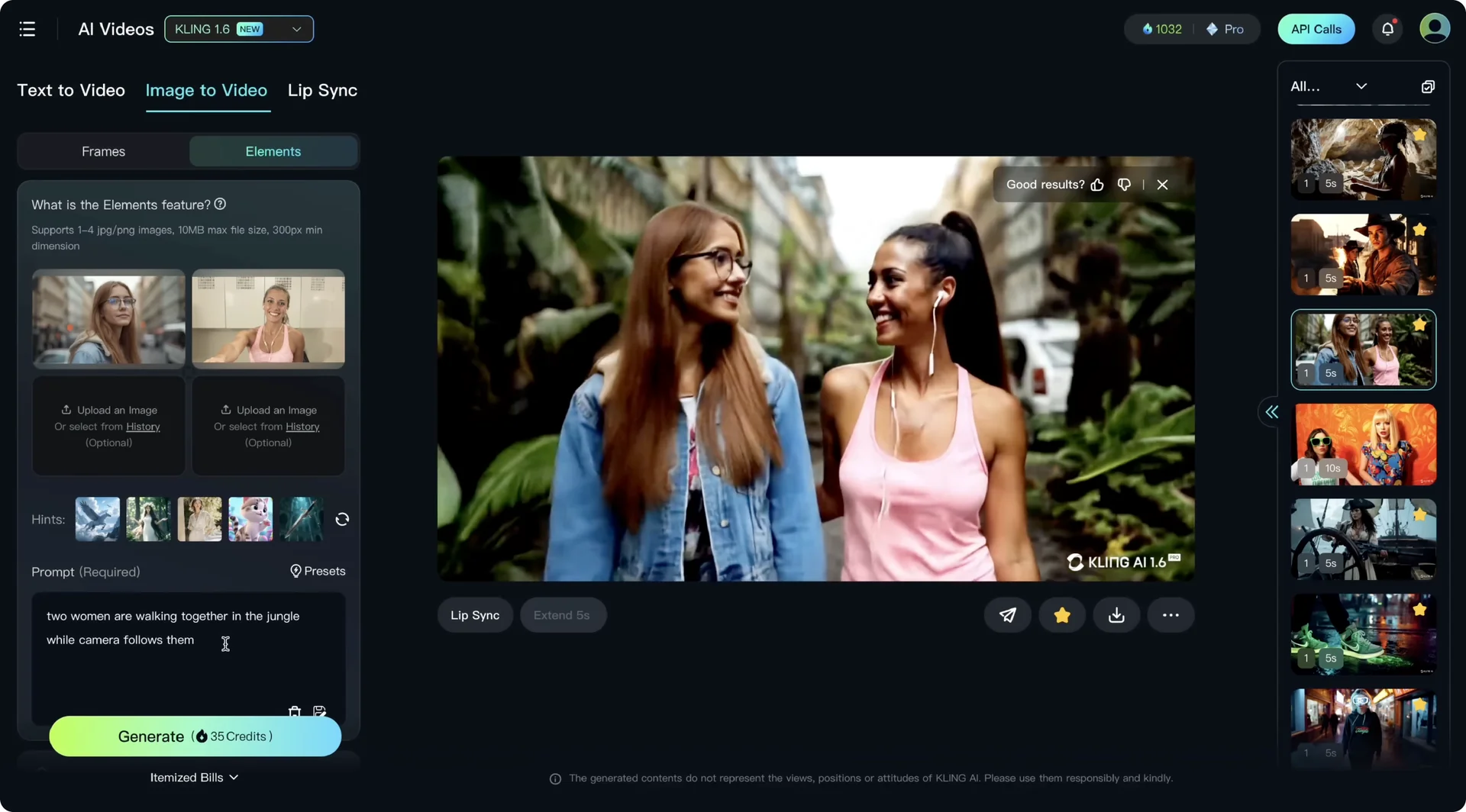
If you are using multiple consistent characters, do not overcomplicate the prompt. If your prompt is too complex you will see morphing start between characters. Keep it simple for more optimized results.
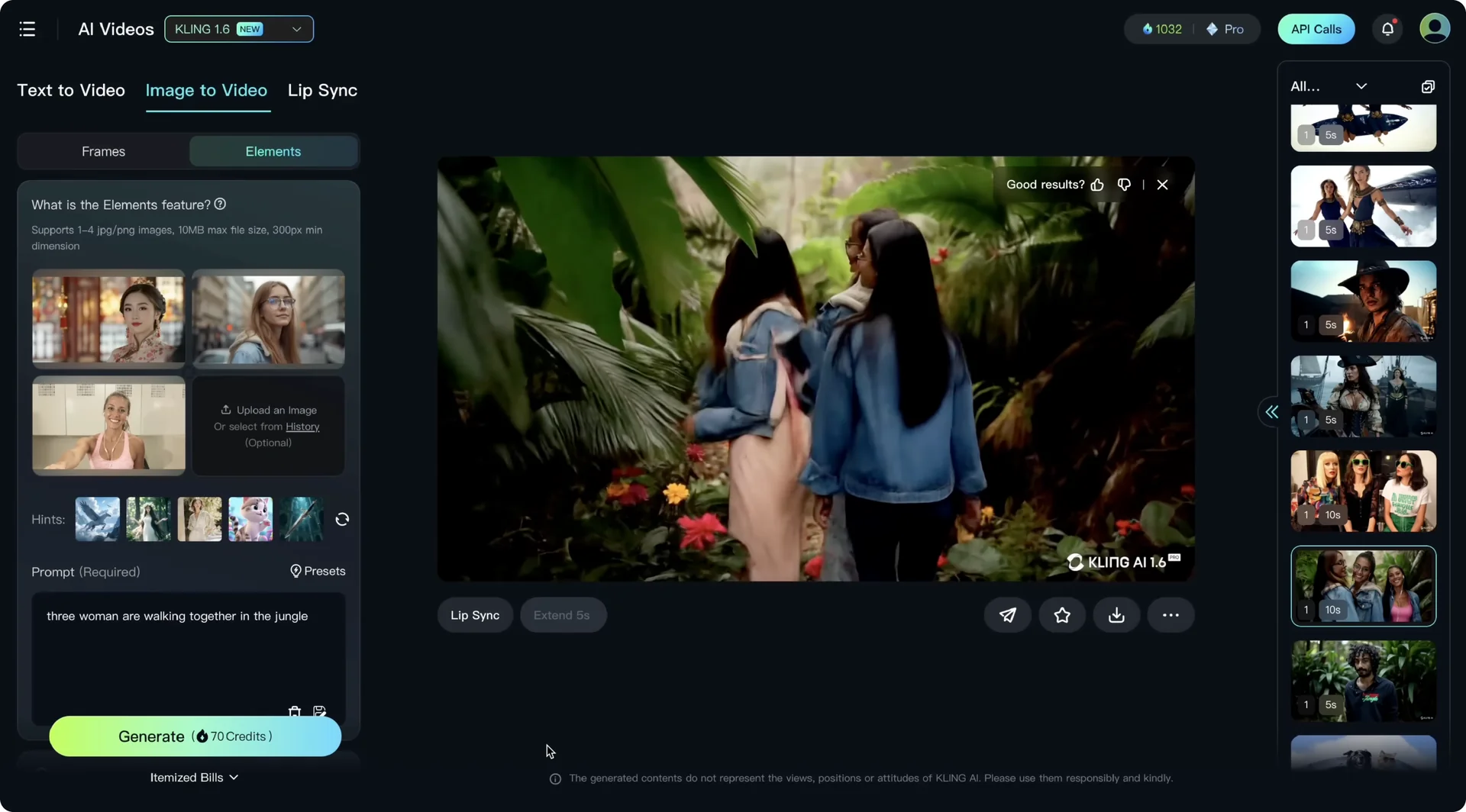
I also recommend using up to two consistent characters maximum. When I added a third character, things mixed up and consistency and coherence really dropped.
I also tried a complex crowded scene with a character in it. Even without using the selective element feature, it was able to understand and give unprecedented character consistency, including clothing and face features.
Another example had some morphing and anatomical weirdness, but the rest of the shot was usable and it gave nice consistent looking characters, including the candle he is holding.
Another tip: for consistent elements, use selective picking within the image or use images with a white background. You can generate your image with a white background to make picking cleaner. I added a camera motion too.
It is not a perfect camera orbit, but there is a slight orbit motion, which is fine. One issue was that boxing gloves mixed up among two characters. One character got the second boxing glove. Rerun to get better results.
Solo character note
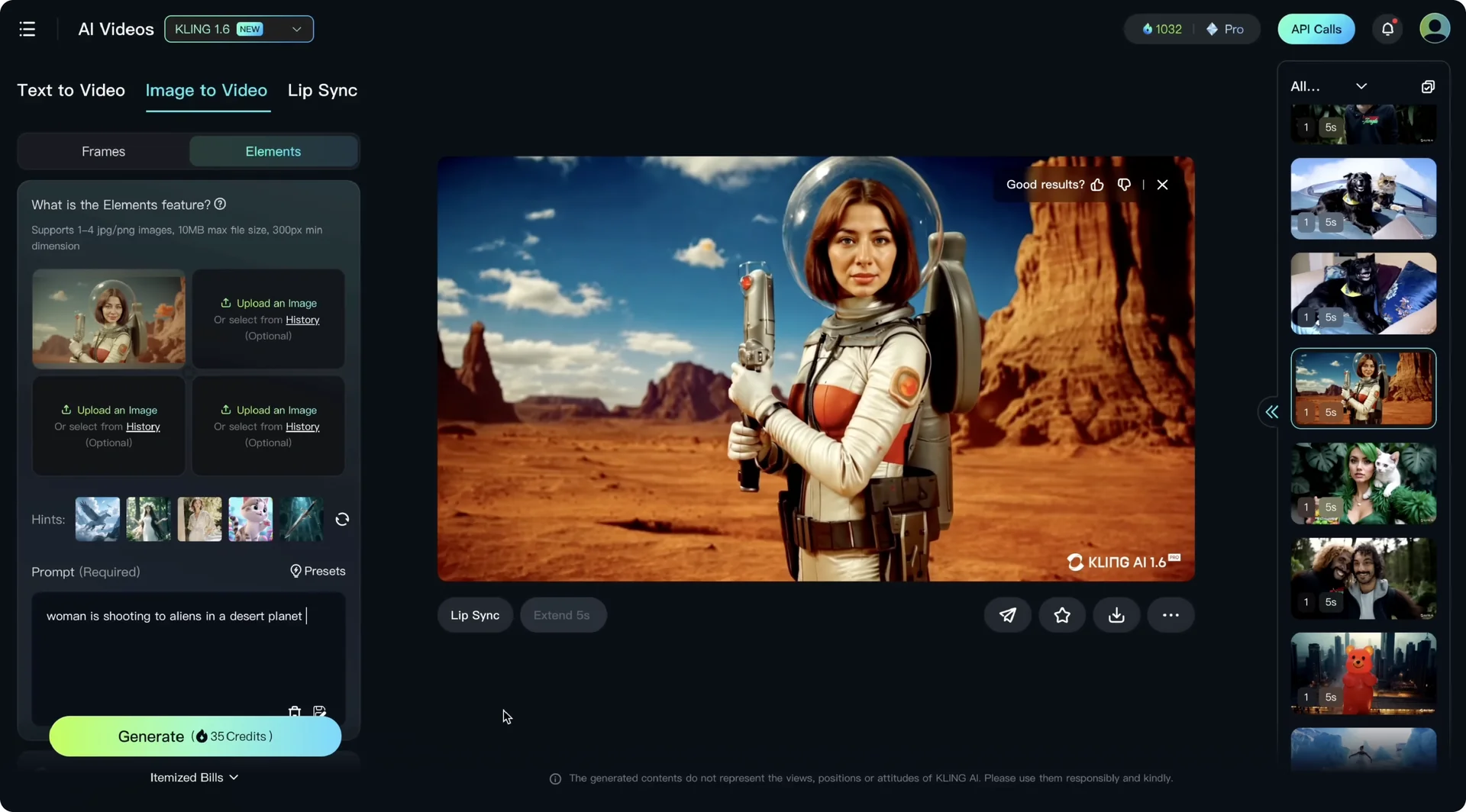
I also tried solo character consistency by uploading a single image as a character reference and creating a scene out of it. When you upload a single image, it treats it as Image to Video and animates the image, but it does not treat it as a character reference point.
I wrote woman is shooting to aliens in a desert planet, and it just animated the image. This feature does not work for solo character consistency. You definitely need multiple images and you need to create a context.
Kling AI Elements Tutorial: Consistent Clothing and Garments
Consistent clothing means uploading images of outfit pieces plus a character image, and Kling puts these garments on your character.
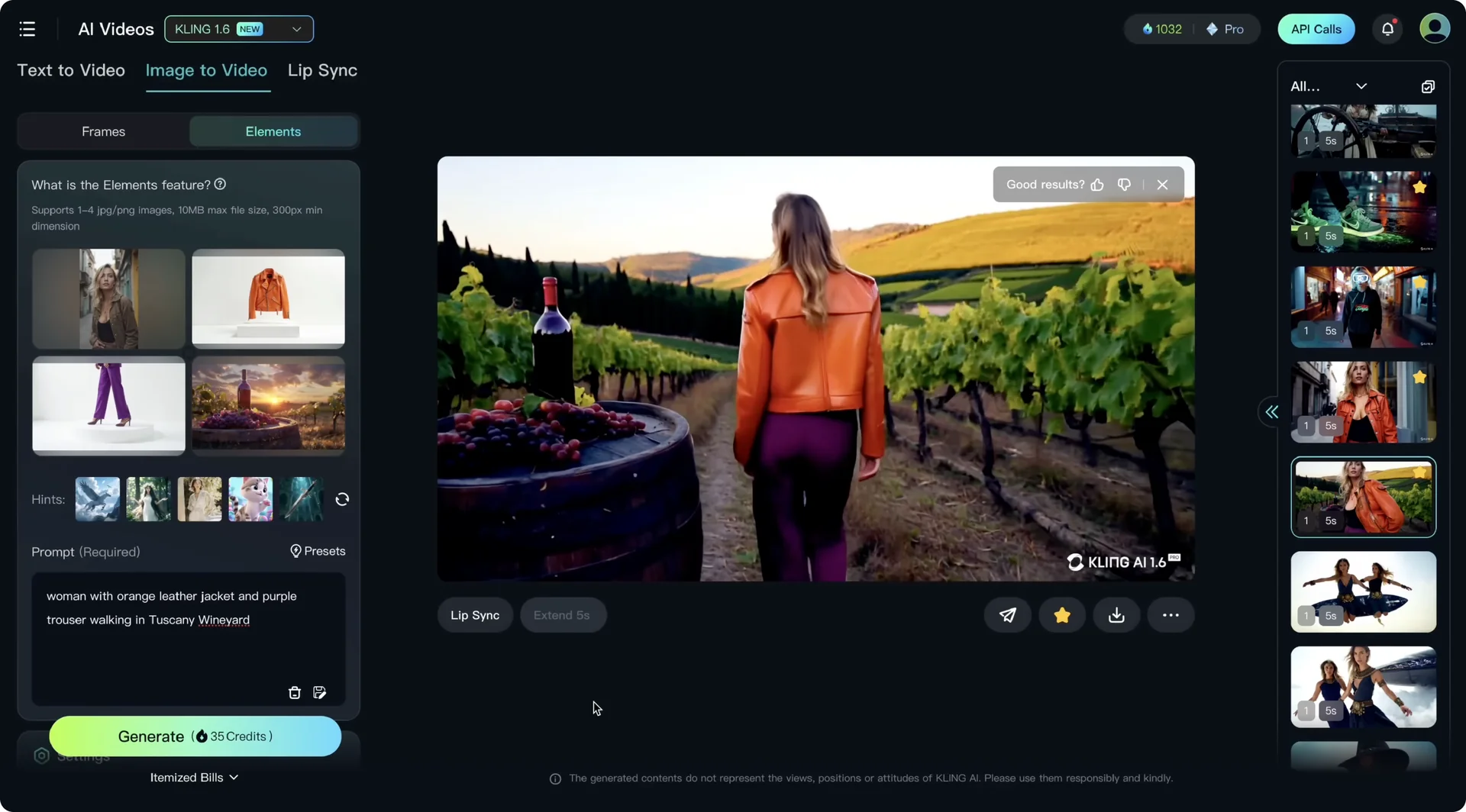
- Example 1: I uploaded an orange leather jacket and purple trouser, plus an environment to test environment consistency. Prompt: woman with orange leather jacket and purple trouser walking in Tuscan vineyard. The result was perfectly consistent.
- Example 2: I removed the environment and put her on a street. There is a bit of limping and unnatural walking, but face consistency is very impressive.
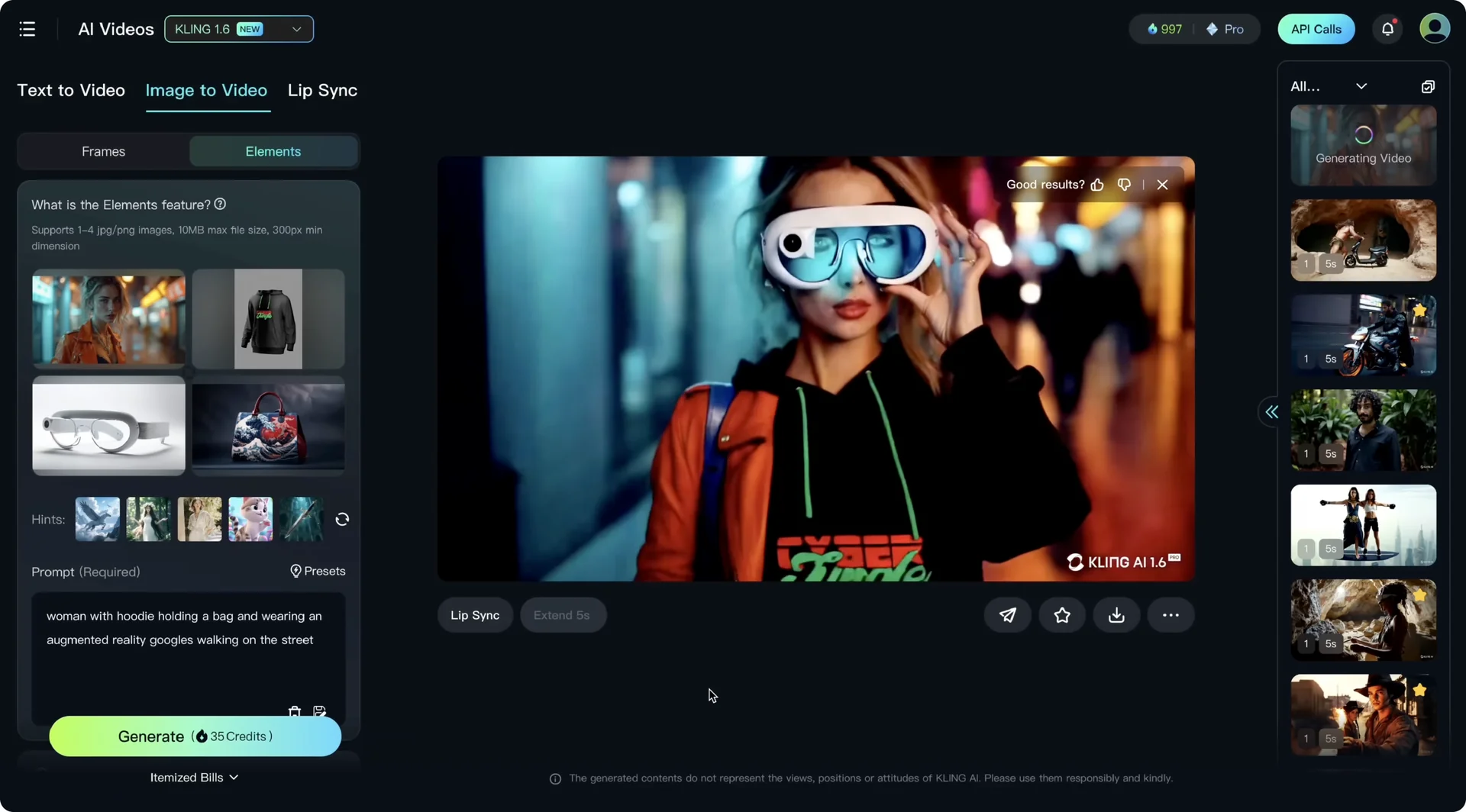
- Example 3: I uploaded four elements – one model, a cyber jungle hoodie, augmented reality glasses, and a bag. It did not put the bag in the scene because I did not mention the bag in the prompt. It is really important to mention all details in your prompt. After updating to woman with hoodie holding a bag and wearing augmented reality goggles walking on the street, I managed to put all elements in the scene. The hoodie mixed up with a leather jacket, the bag details were not great, and the glasses scale was off. My recommendation: stick to three elements and do not overdo it, and mention all garments in your prompt. It is not enough to just add them as an element. Context in your prompt is also very important.
In the last clothing example, I tested shoes consistency. I used four elements and pushed the model a bit. The cyber jungle branding looked consistent, the shoes looked consistent, the augmented reality glasses worked, and the model’s face looked consistent.
There was a bit of mixing between a leather jacket and a hoodie, but it was a minor error. If you cherry pick you can find small glitches, but the overall result is impressive.
Kling AI Elements Tutorial: Consistent Products and Objects
I tested a product shot with two elements – a cyber jungle yummies jar and a female model. There was also a cat in the image. Prompt: woman is holding a jar of candies and she is very happy, cat looks at the candies.
Kling needed to render the woman, the cat, and the product. In the result it was not able to render the cyber jungle brand consistently. Rolling can help keep brand elements consistent, and it also depends on how many elements you used.
Even though brand consistency did not hit here, it understood my consecutive prompt perfectly.
I then tested object consistency with a pirate and a rifle. The rifle looked very consistent, around 60-70 percent consistency for the rifle in my view.
There was some anatomy weirdness in the hands, but character consistency stayed around 90-95 percent, which was all I needed for a simple scene. This opens up new narratives for AI filmmaking where you can use objects, not only characters, as the center of the story, just like Lord of the Rings where the ring was in the center of the story together with the fellowship.
Kling AI Elements Tutorial: Consistent Environments
I tested environment consistency with a ballerina dancing in Antarctica using two images – a ballerina and Antarctica with a polar bear.
I did not mention the polar bear, so it did not add a polar bear to the scene. If it is not in the prompt, it will not appear in the final video.
Another test: a giant gummy bear attacking the city using a city photo. We managed a significant amount of environment consistency, and character consistency is superb. Even the texture looks like a gummy bear reflecting exactly the original character reference.
Kling AI Elements Tutorial: Consistent Animals
I used a photo of my dog Lony and an AI generated image of a super cool cat. I put them in the context of flying a fighter jet together. Kling was not able to put them in the cockpit, but the consistency level for Lony and the cat is impressive. It even kept Lony’s yellow scarf and the cat’s sunglasses and leather jacket.
In my tests it struggles when you have both the face of a person and the face of an animal. The consistency of the animal character drops. If you want to use an animal and a human together, that may be a bit of a challenge.
Kling AI Elements Tutorial: Tips and Best Practices
- Use up to two consistent characters for best results.
- Keep prompts simple for multi-character scenes to avoid morphing.
- Mention every element in your prompt. Do not rely only on uploads.
- Use selective picking or images with a white background for cleaner control.
- Add negative prompts like morphing, anatomical errors, and glitch.
- Use consecutive prompting to lay out actions as a timeline.
- Rerun outputs when small mix-ups happen, like props swapping between characters.
Final Thoughts
Kling Elements is a great leap forward for AI filmmaking. This opens up new options where we can use animal faces, objects, and pieces of clothing as the center of the narrative because we now have significant – not perfect – consistency for these objects. Dialogue scenes with two consistent characters are much easier to generate now. Kling AI’s team is really cooking and shipping fast, with a strong creator focus that keeps bringing new tools to our toolbox.