Skip to content

Pika Labs AI

  • Home
  • Text To Video
  • Pika Prompt Generator
  • Pika 2.5
  • Pikaffects
  • Discord

pikalabsai.org

Mastering Higgsfield AI for Smooth Transitions Quickly
23 March 2026 by pikalabsai.org
Mastering Higgsfield AI for Smooth Transitions Quickly screenshot 1

I use Higgsfield AI Transitions to create smooth changes between two images or clips. For example, I made a car go from a summer vibe into a winter season, and it looked very cool. Here is exactly how I set it up. Find Higgsfield AI Transitions Step 1: Open the Apps menu. Go to Apps … Read more

Categories Higgsfield Leave a comment

Quick and Easy Ways to Use Higgsfield Popcorn

22 March 2026 by pikalabsai.org
Quick and Easy Ways to Use Higgsfield Popcorn - Featured Image

Here is how to use Higgsfield Popcorn to create visual stories. I walk through selecting the model, using Automatic and Manual modes, and the Insta Dump feature. You can generate scenes from a single image and turn the results into short films. Higgsfield Popcorn Tutorial: Getting started Step 1: Under Platform, hover over Image. Step … Read more

Categories Higgsfield Leave a comment

Creating UGC Ads with Higgsfield: A Quick and Easy Guide

22 March 202622 March 2026 by pikalabsai.org
Creating UGC Ads with Higgsfield: A Quick and Easy Guide screenshot 4

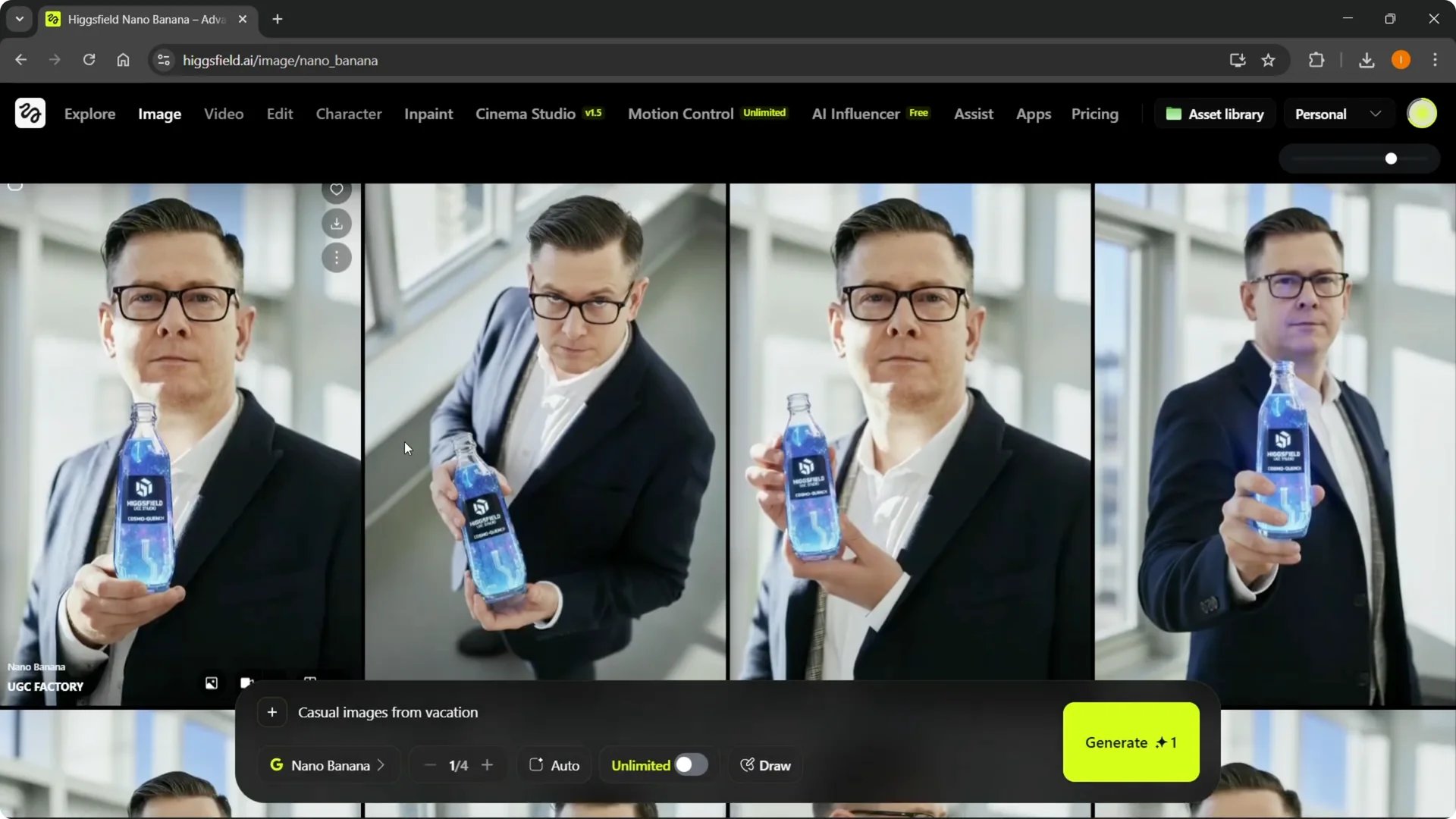
I’m going to show you how to make UGC ads with Higgsfield AI. Higgsfield UGC Ad Creation setup Step 1: Go to Video in the menu in higgsfield.ai, hover over it, and click UGC Factory.A creation box will open where you can build your UGC ads from start to finish. Step 2: Select a template.You … Read more

Categories Higgsfield Leave a comment

Mastering Sora 2 on Higgsfield: A Quick & Easy Guide

21 March 2026 by pikalabsai.org
Mastering Sora 2 on Higgsfield: A Quick & Easy Guide - Featured Image

I’m going to show you how to use Sora 2 on Higgsfield AI. This walkthrough covers selecting the model, setting up your prompt and options, and generating results that match your scene. You can create Sora 2 videos directly in the model’s workspace. The General model is currently the only option for Sora 2 right … Read more

Categories Higgsfield Leave a comment

How to Easily Change Backgrounds in Higgsfield AI

21 March 2026 by pikalabsai.org
How to Easily Change Backgrounds in Higgsfield AI screenshot 7

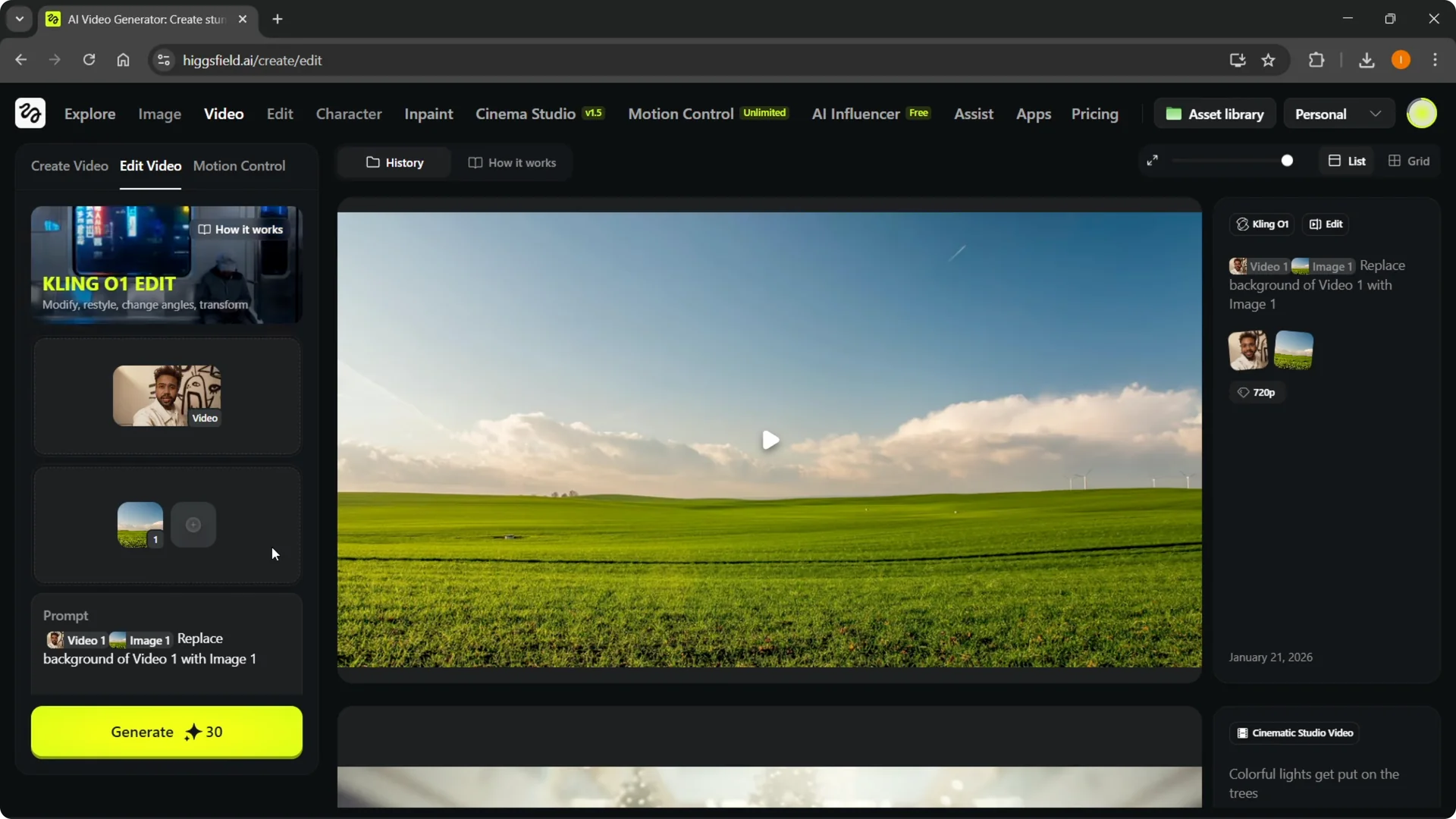
I’m going to show you how to change a background in Higsfield AI. There are a bunch of different models and ways to do this. I’m showing the one I like using, and I think it is efficient. Go to the video tab up top and select Kling O1 Edit. From here you can start … Read more

Categories Higgsfield Leave a comment

How to Quickly Create an AI Influencer in Higgsfield

21 March 202621 March 2026 by pikalabsai.org
How to Quickly Create an AI Influencer in Higgsfield - Featured Image

I’m going to show you how to create an AI influencer in Higgsfield AI. You’ll start in the AI Influencer Studio, set up your character, write a prompt, and generate the result. If you don’t like the first version, you can make a new one and try again. Higgsfield AI Influencer Creation studio Step 1: … Read more

Categories Higgsfield Leave a comment

How to Quickly Delete Your Higgsfield Account with Ease

21 March 202620 March 2026 by pikalabsai.org
How to Quickly Delete Your Higgsfield Account with Ease - Featured Image

I’m going to show you how to delete your Higgsfield AI account. It’s actually very simple. Higgsfield AI Account Deletion Access your account Step 1: First, you have to sign into your account. Step 2: Go to the top right and hover over where your account profile icon is. Read More: Higgsfield Ai Zoom Out … Read more

Categories Higgsfield Leave a comment

How to Quickly Upscale Video Quality in Higgsfield

20 March 202620 March 2026 by pikalabsai.org
How to Quickly Upscale Video Quality in Higgsfield - Featured Image

Here is how I upscale video quality in Higsfield AI. Start by getting to the right place and uploading your video, then pick the model and scale you want, and run the upscale. When it finishes, the quality looks much better and the video is upscaled. Higgsfield Video Upscaling setup Step 1: Under Website, go … Read more

Categories Higgsfield Leave a comment

Using Nano Banana Pro with Higgsfield: A Quick Guide

20 March 2026 by pikalabsai.org
Using Nano Banana Pro with Higgsfield: A Quick Guide - Featured Image

I’m going to show you how to use Nano Banana Pro with Higgsfield AI. The first thing you want to do once you’re on the website is hover over Image at the top. Go to Models, click Nano Banana Pro, and it will open right away. You can start creating the way I’m going to … Read more

Categories Higgsfield Leave a comment

How to Use Higgsfield AI Zoom Out Quickly and Easily

19 March 2026 by pikalabsai.org
How to Use Higgsfield AI Zoom Out Quickly and Easily - Featured Image

I’m going to show you how to use the Higgsfield Earth Zoom Out to create a clean zoom from a single image. This effect pulls back from your first frame and builds out the scene automatically. If you’re just getting set up and need to apply a discount, see this quick guide on applying a … Read more

Categories Higgsfield Leave a comment
Older posts
Newer posts
← Previous Page1 … Page6 Page7 Page8 … Page17 Next →
  • How to Quickly Change Your Higgsfield AI Username - Featured Image
    How to Quickly Change Your Higgsfield AI Username
  • How to Quickly Update Your Higgsfield AI Cover Image - Featured Image
    How to Quickly Update Your Higgsfield AI Cover Image
  • How to Link Your YouTube Channel in Higgsfield AI Quickly - Featured Image
    How to Link Your YouTube Channel in Higgsfield AI Quickly
  • How Higgsfield AI Upscales Images Without Quality Loss - Featured Image
    How Higgsfield AI Upscales Images Without Quality Loss?
  • How to Add a Payment Method on Higgsfield AI Quickly - Featured Image
    How to Add a Payment Method on Higgsfield AI Quickly
  • Home
  • Text To Video
  • Pikaffects
  • PikaFrames
  • Pikadditions
  • Pikamemes
  • PikaTwists
  • Pika Social App

Latest Posts:

  • How to Quickly Change Your Higgsfield AI Username
  • How to Quickly Update Your Higgsfield AI Cover Image
  • How to Link Your YouTube Channel in Higgsfield AI Quickly
  • How Higgsfield AI Upscales Images Without Quality Loss?

Pika Labs Model

  • Pika 1.0
  • Pika 1.5
  • Pika 2.0
  • Pika 2.1
  • Pika 2.2
  • Pika 2.5
  • Official Discord
  • Privacy Policy
Disclaimer: Pikalabsai.org is an unofficial educational blog. We're not affiliated with Pika.art, don't request any payments, and give full copyright credit to Pika.art. Our goal is to promote and share information only. | 7789 Broadway #202, San Francisco, CA 94111, United States