Right now, we’re watching a weird shift in social media happen in real time. People who don’t even exist are building real audiences and landing real brand deals. The way they’re doing that is by creating AI influencers.
In less than an hour, I built a fully branded influencer, generated a week’s worth of content, and set up the monetization, all without leaving a single platform. I’m going to walk you through the entire process. By the time we’re finished, you will be ready to launch your own live monetized AI influencer.
Monetized AI Influencer Creation: Why Higsfield
I tested a bunch of different tools for this, and the problem with most of them is that they’re either too basic or they’re general purpose AI tools. What I ended up settling on is a platform called Higsfield. They have a dedicated AI influencer workflow you can access right from the homepage.
On the right hand side, you’ll see a ton of customization options, and this is where Higsfield separates itself because the level of control here is genuinely surprising. It’s all very visual, so you can preview the options to see what they do. For a broader tour of the tool’s video and image creation workflow, see this guide.
Monetized AI Influencer Creation: Building Your First Influencer
Step 1: Open the AI influencer workflow in Higsfield. The builder launches with character type set to human, but you can go with elf, alien, or even octopus or mantis if you want something that stands out.
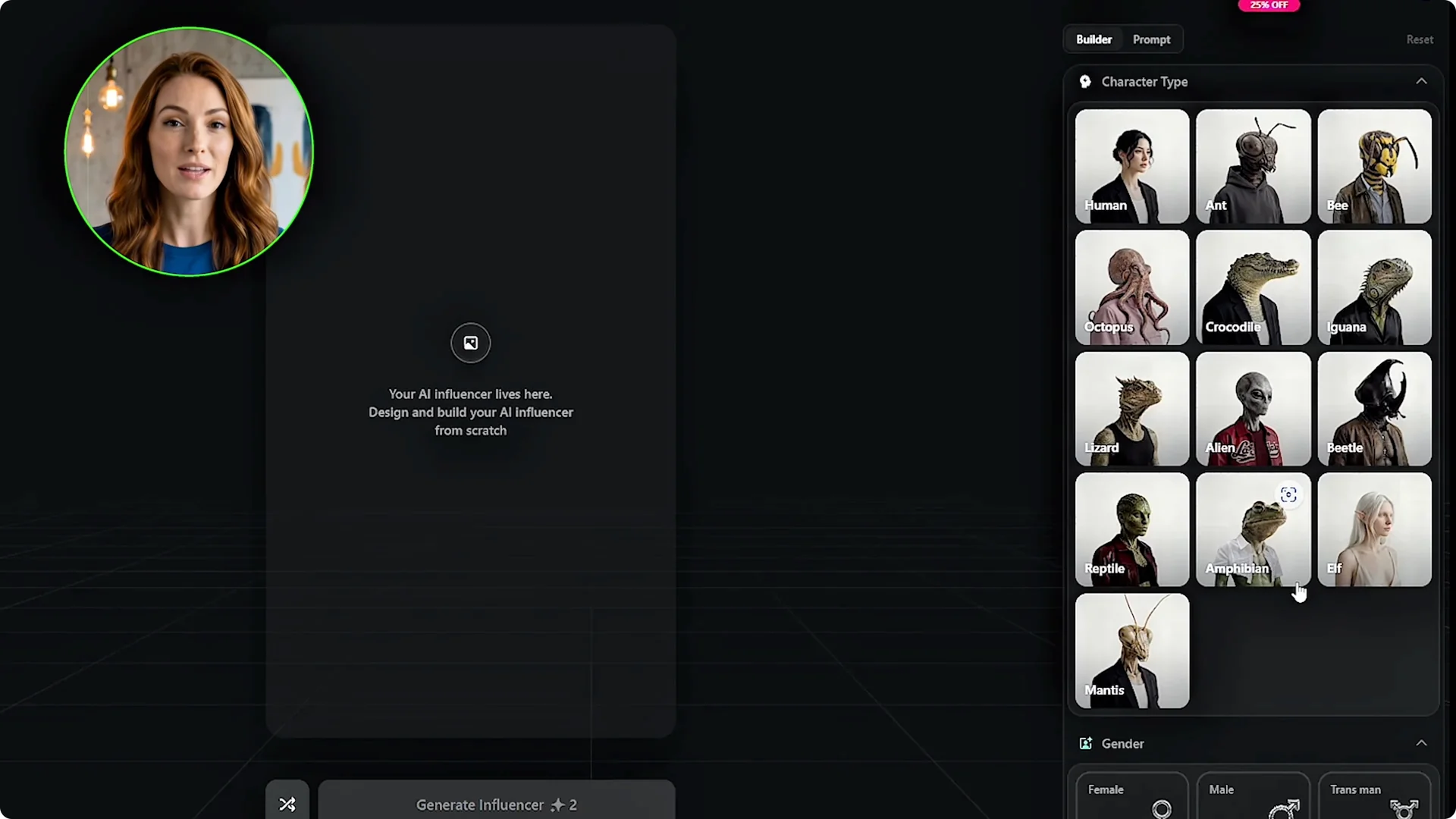
Step 2: Set core attributes. Gender, I’ll select female. Ethnicity, I’ll go with mixed.
Step 3: Dial in skin tone using the color picker. Eye color has options most tools don’t give you, like amber and gray, or stylized choices like black solid or white blind if you’re going for something more artistic.
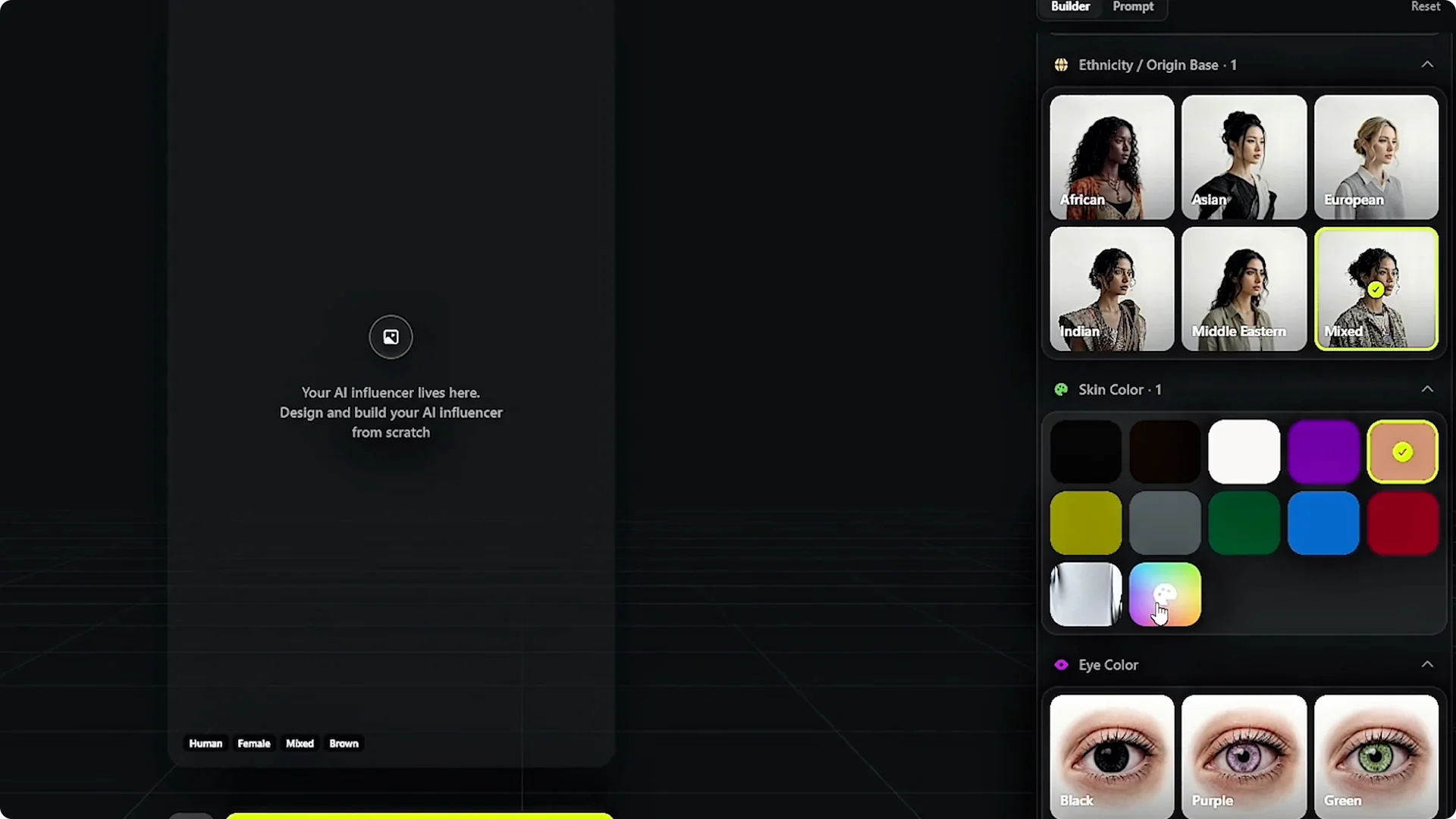
Step 4: Add small human details. Skin conditions let me add freckles, vitiligo, birthmarks, scars, or albinism. These small details are what make an AI influencer feel like an actual person instead of a generic AI face.
Step 5: Choose age. Age has three options: adult, mature, and senior. I’ll stick with adult.
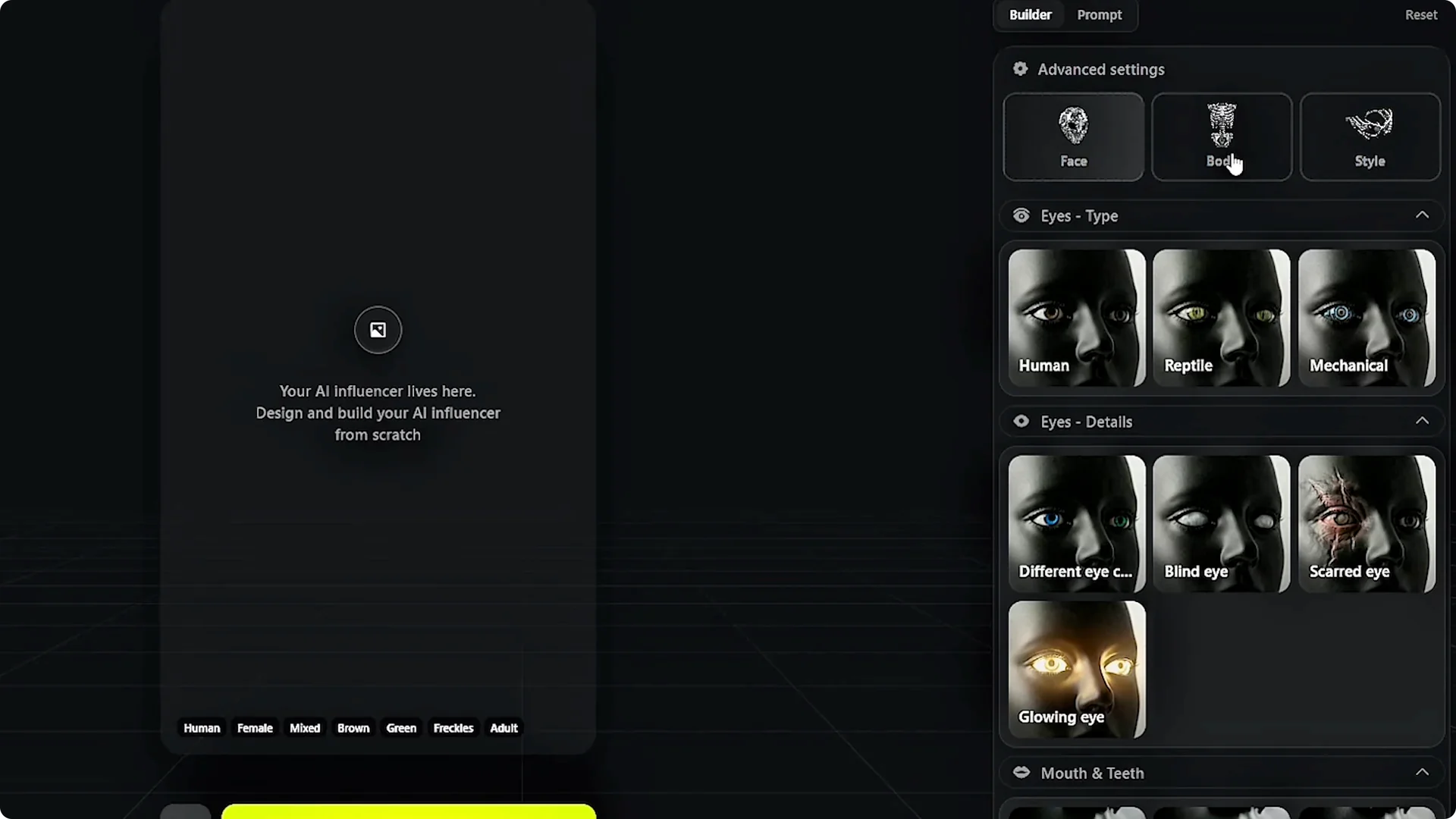
Step 6: Open advanced settings for face, body, and style. This is where you can get granular with eye type, mouth details, skin material, surface patterns, body type, tattoos, and render style.
Step 7: Generate your influencer. Once I have everything dialed in, I click generate and Higsfield creates my influencer based on all the parameters I selected.
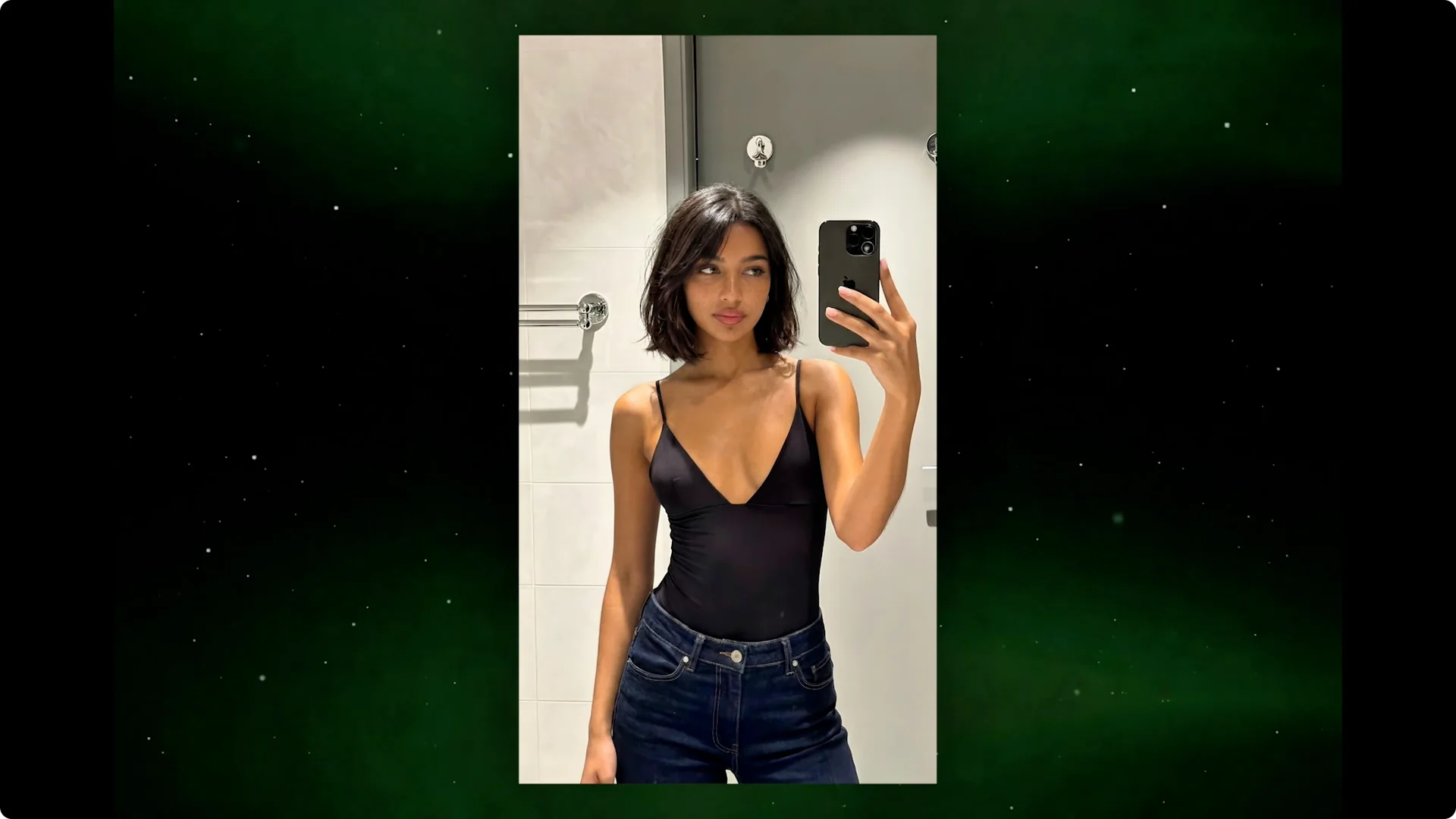
The result matches exactly what I built. Every detail I added shows up in the final image. I have an influencer that looks like no one else’s.
Monetized AI Influencer Creation: Pushing Creative Limits
Now, to test the limits of Higsfield, I’m also going to create a second influencer. And for this one, I’m going to have a bit of fun. I’ll click create new.
Step 1: Switch character type to crocodile. Gender, ethnicity, Asian, skin color pushed toward a deep green, eye color red.
Step 2: Add texture and traits. Skin conditions, vitiligo, just to see how it looks against the scales.
Step 3: Refine in advanced settings. I’m adding sharp teeth, a forked tongue, reptile eyes, and stripes for the surface pattern.
Step 4: Set body and style. Athletic body, tattoos, and hyperrealistic rendering.
Step 5: Generate. It’s a hyperrealistic crocodile humanoid with red reptile eyes, striped scales, vitiligo patches, tattoos, and sharp teeth.
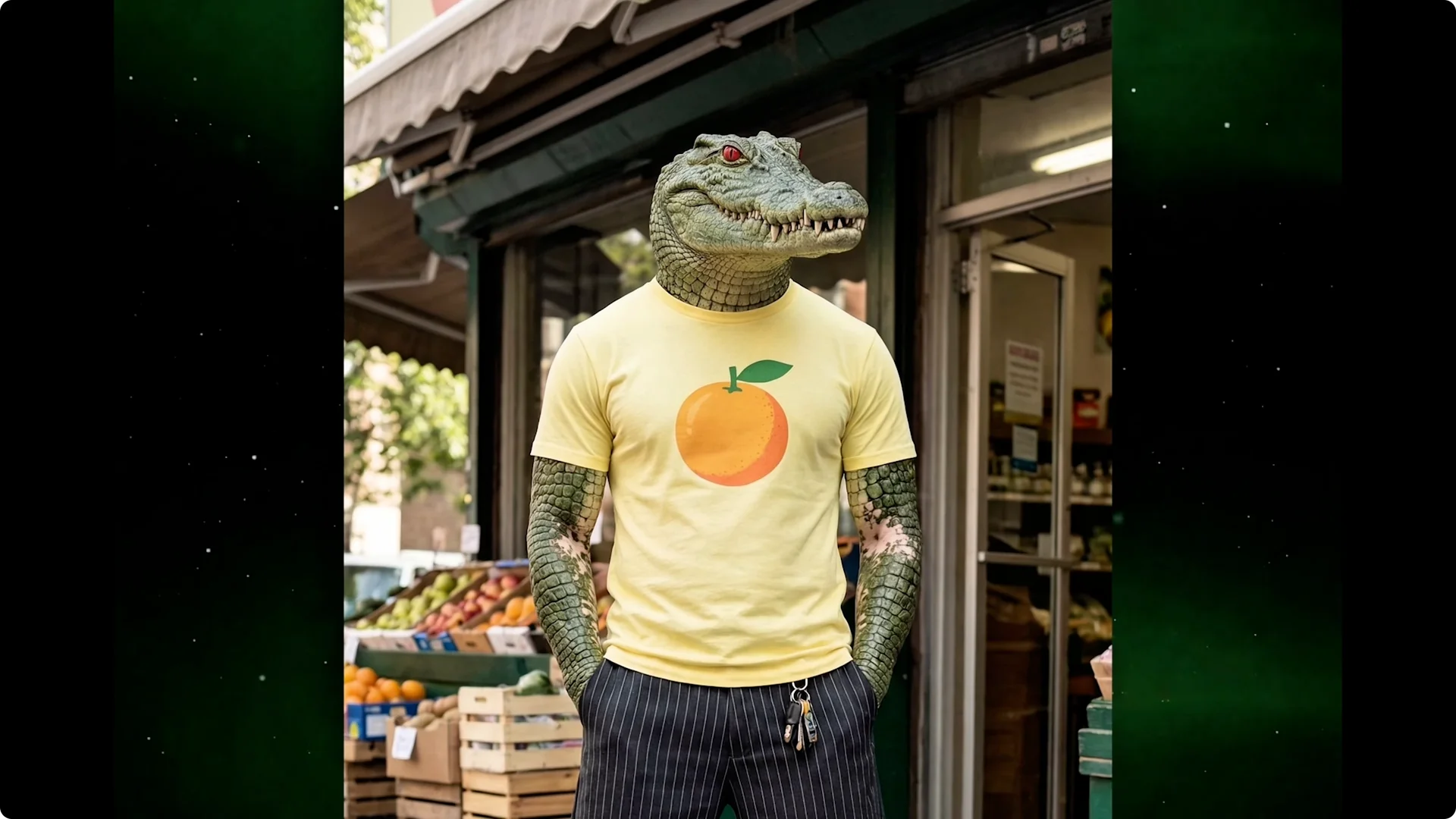
It nailed every single detail I added. That’s the level of creative control you have here. For more ideas on style and detail, explore the creative potential of this platform.
Monetized AI Influencer Creation: Refining and Scene Variations
I have two influencers ready, but if something isn’t quite right or I want to put them in specific settings, I can refine them further. The influencer builder gets you most of the way there, but sometimes you want to make specific changes or put your influencer in a particular setting without rebuilding from scratch. Higsfield has an editing option exactly for this.
Step 1: Select your influencer and hit customize. This redirects you to the image generator where the best model, Nano Banana Pro, is already selected.
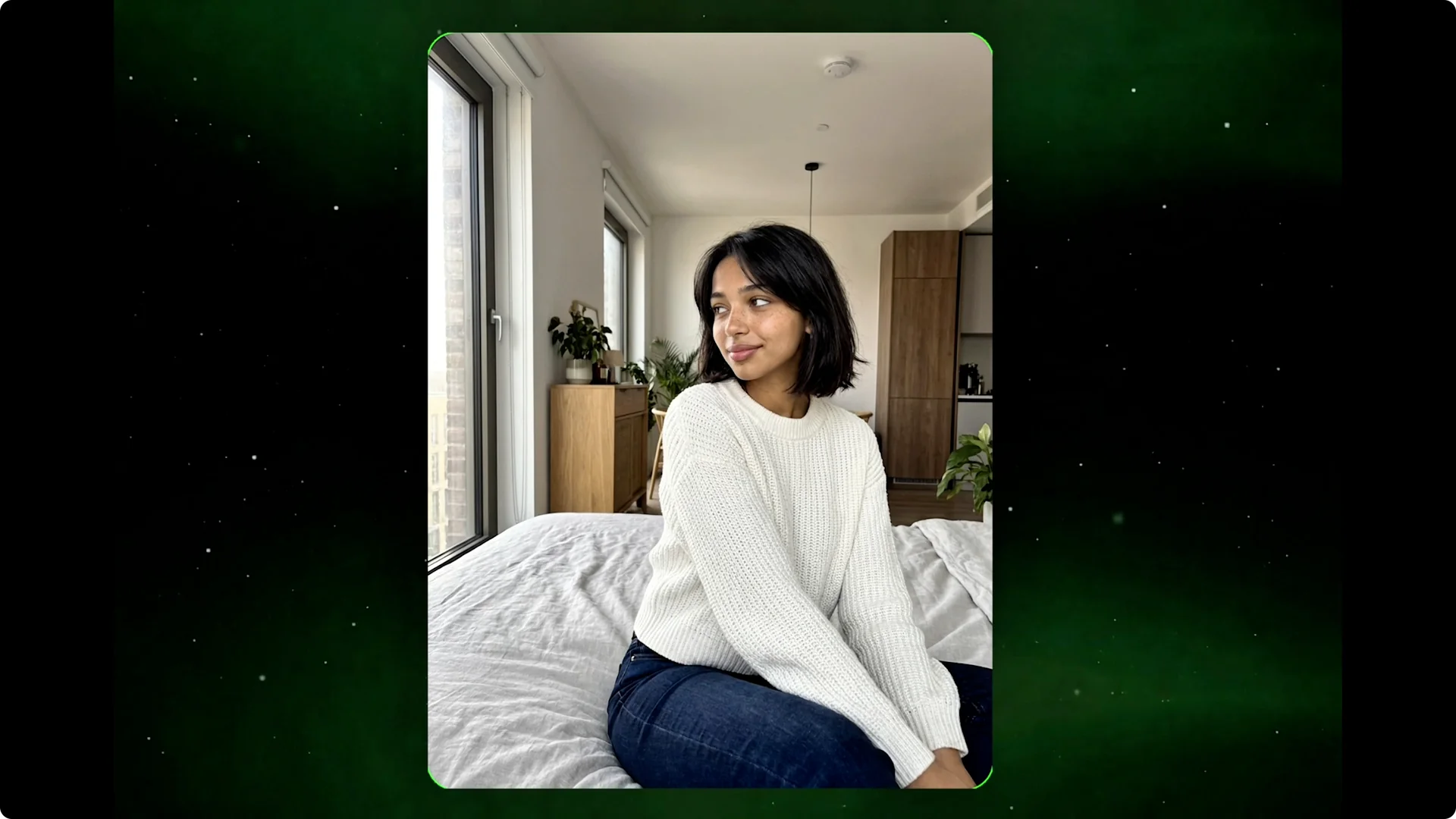
Step 2: Describe the scene in plain text. I’ll type standing in a modern apartment wearing a casual white sweater, soft morning light from the window.
Higsfield generates a new version with all the changes applied, but the face of my influencer stays completely unchanged. This is how you create variety without starting over. One influencer, many scenes, outfits, and locations.
Step 3: Repeat with other influencers. I’ll type standing in a nightclub, neon lighting, wearing a leather jacket.
The new scene generates with the same crocodile. All the weird details stayed intact. It actually delivered on the consistency.
Monetized AI Influencer Creation: Turning Images Into Videos
Images alone aren’t going to build an audience on TikTok or Reels. I need video content, and Higsfield handles that, too. I select one of my influencer images and open the motion sync workflow.
Step 1: Choose a preloaded or uploaded source video. I picked one where someone is performing a viral dance that’s been going around.
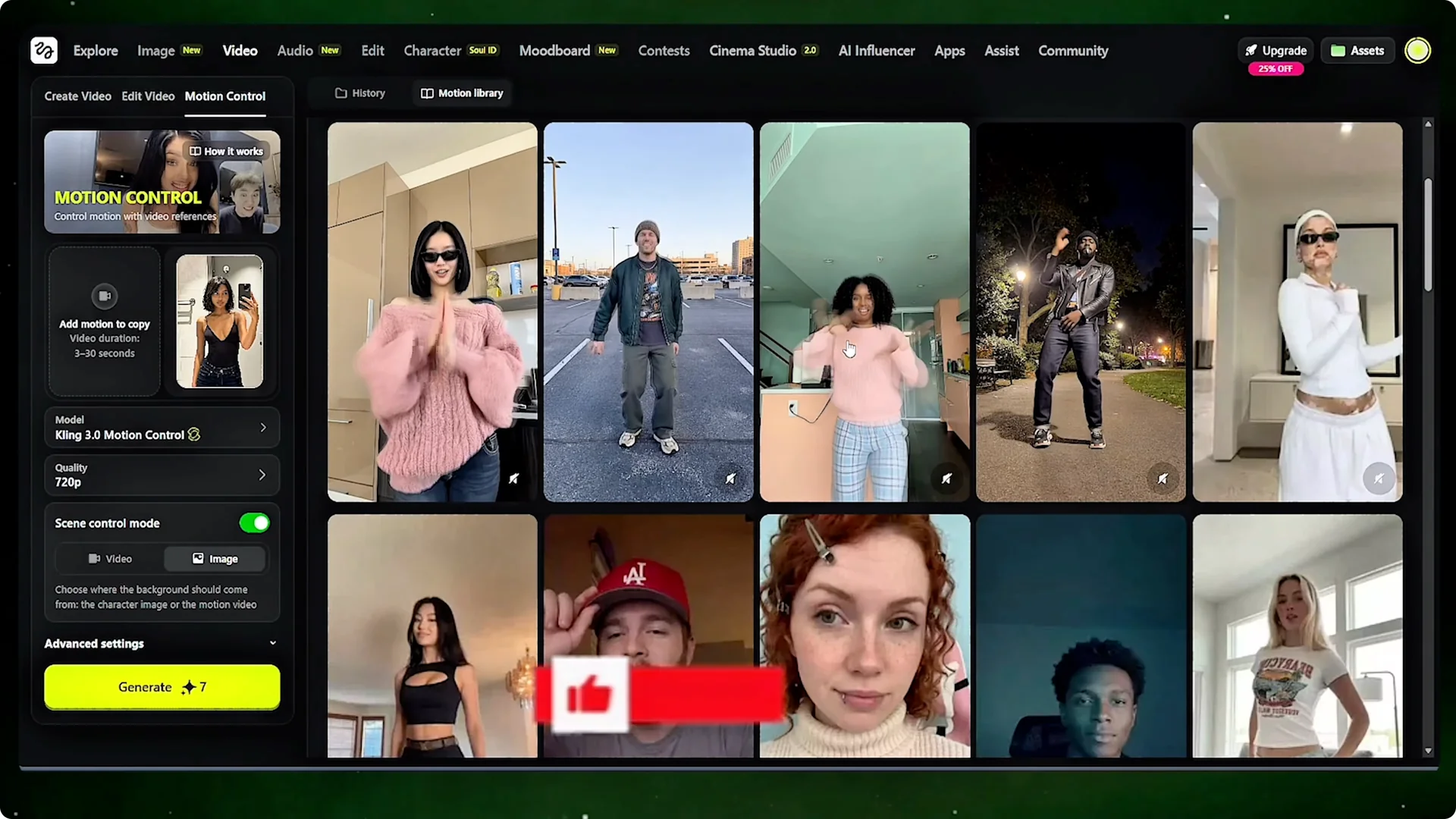
Step 2: Select your influencer image and set the motion source. Choose if you want the background to come from the original video or from your image.
Step 3: Set quality and optional prompt. I pick 1080p for the best output and leave the custom prompt blank.
The output looks natural because the motion is real. It came from an actual person moving in an actual video. Higsfield just swapped who’s performing it.
Step 4: Repeat the process for your other influencer. Upload a trending dance, set quality to 1080p, keep the background, and generate.
The crocodile influencer is performing a viral TikTok dance with all the weird features still perfectly in place. The stripes, the teeth, the reptile eyes, everything stayed consistent through the motion sync. This is significantly faster than trying to prompt AI video generation from text and the results are more reliable.
For ideas on pacing, movement, and visual flow, see how creators build cinematic AI sequences with this tool.
Monetized AI Influencer Creation: Viral Trend Strategy
The real power comes from uploading your own source videos. This brings me to a strategy that makes going viral much easier. The AI influencers getting the most views aren’t inventing new content formats.
They’re using trends that are already working. TikTok constantly has new song trends, dance trends, and format trends that blow up for a week or two and then die down. That’s perfect for AI influencers because you can generate content for any trend the moment you spot it.
When you use a trending sound and a trending format, you’re working with the algorithm instead of against it. TikTok and Instagram actively push content that uses trending audio because it keeps users on the platform longer. Your video isn’t just competing for attention, it’s being favored by the platform itself.
Step 1: When you spot a specific dance going viral, download that exact video. That specific video has whatever combination of timing, energy, and movement that made it blow up.
Step 2: Remove the platform watermark. There are free tools online that do this in seconds.
Step 3: Upload it to Higsfield as your motion source. Generate your version with your AI influencer.
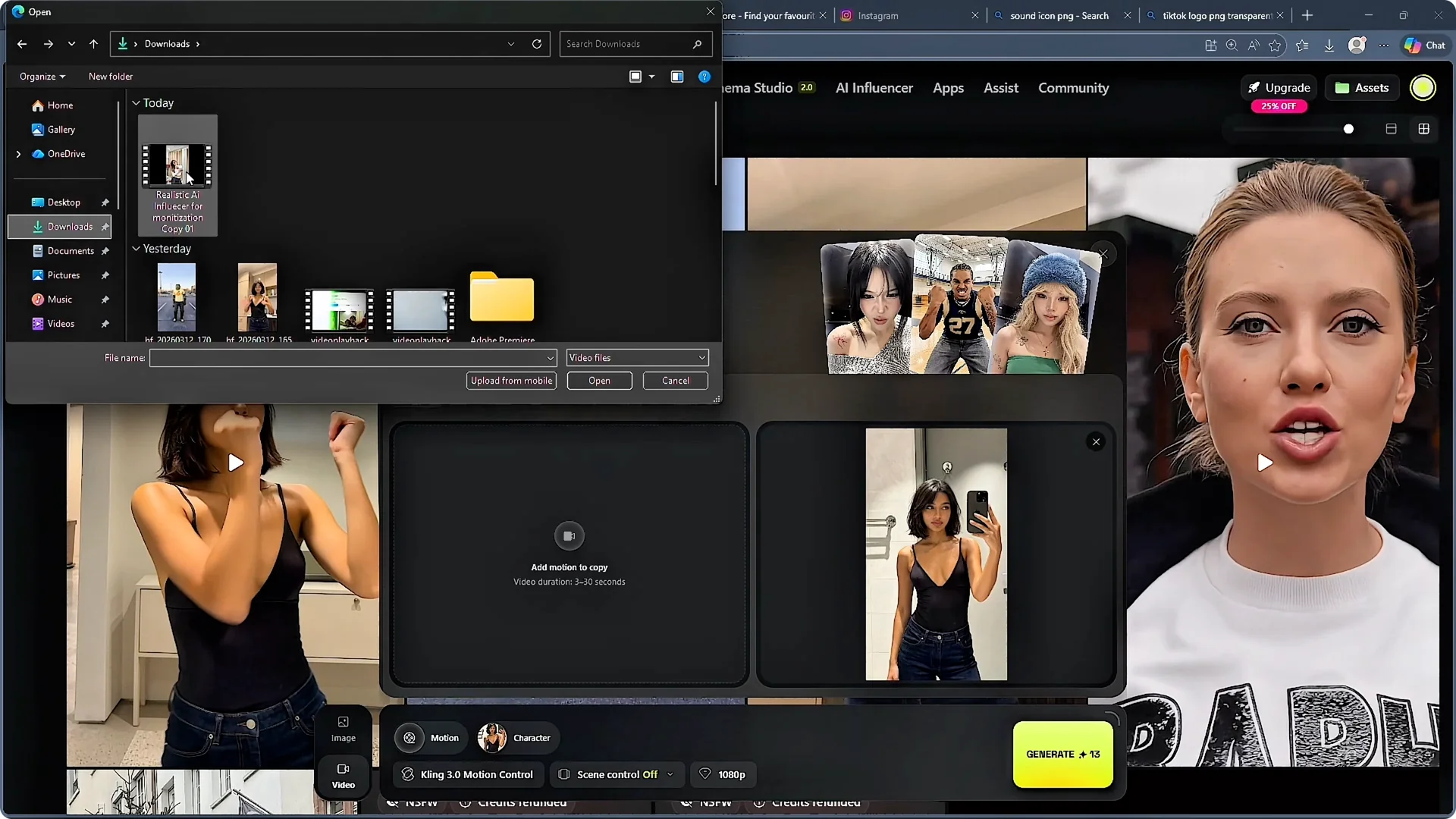
The movement is identical to what made the original go viral, but the face is an influencer no one has ever seen before. This is the fastest path to content that actually performs.
Monetized AI Influencer Creation: Monetization With Higsfield Earn
Creating content is only half of it. The other half is getting paid for it. Higsfield has a program specifically for that.
Step 1: Go to Higsfield Earn. Connect your Instagram or TikTok and verification happens automatically without any applications or approval queues.
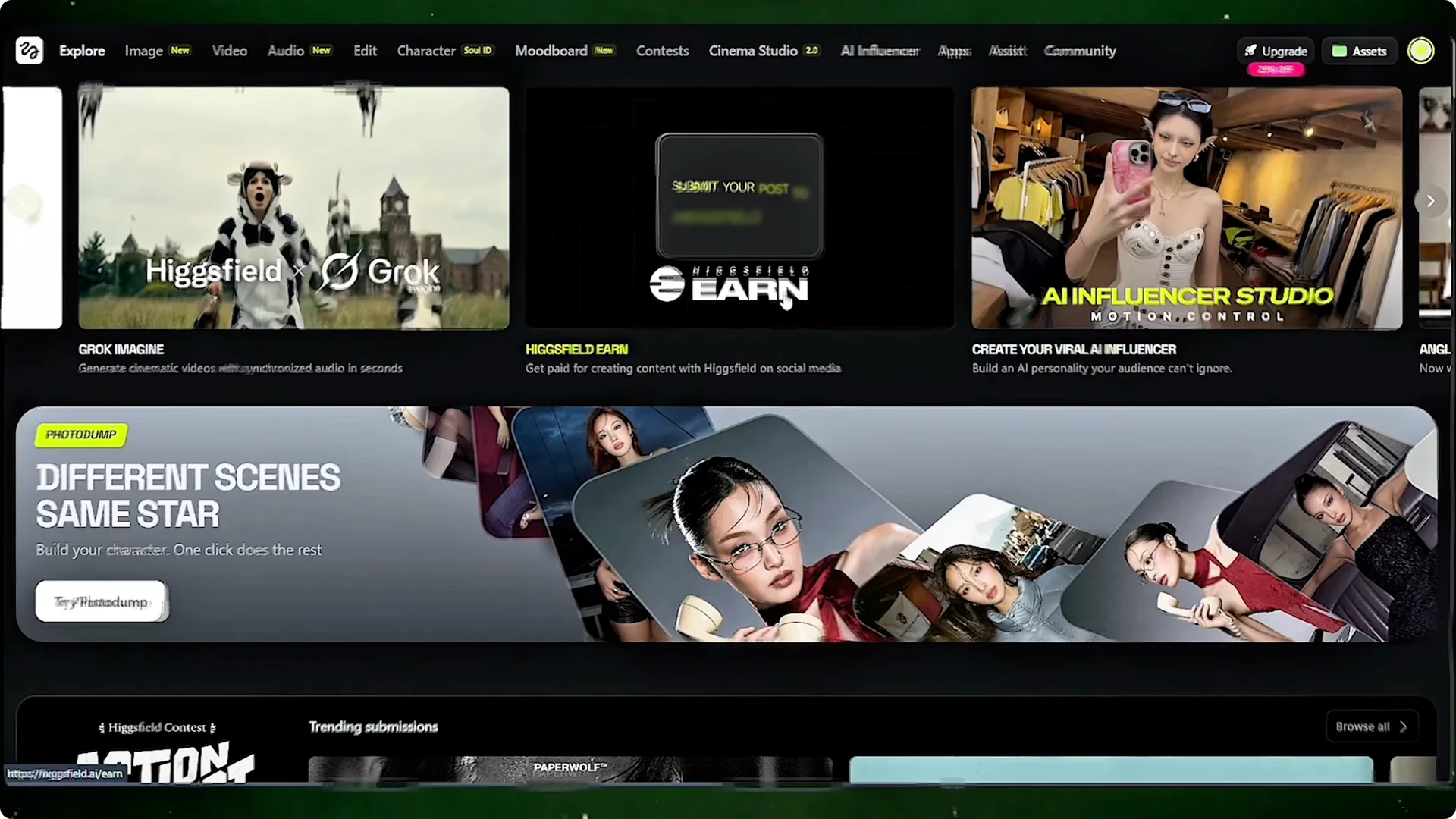
Step 2: Create your content and post it as a Reel or TikTok. Tag Higsfield and include their hashtag.
Step 3: Paste the post link into your earn dashboard. The system tracks your views and updates your earnings in real time.
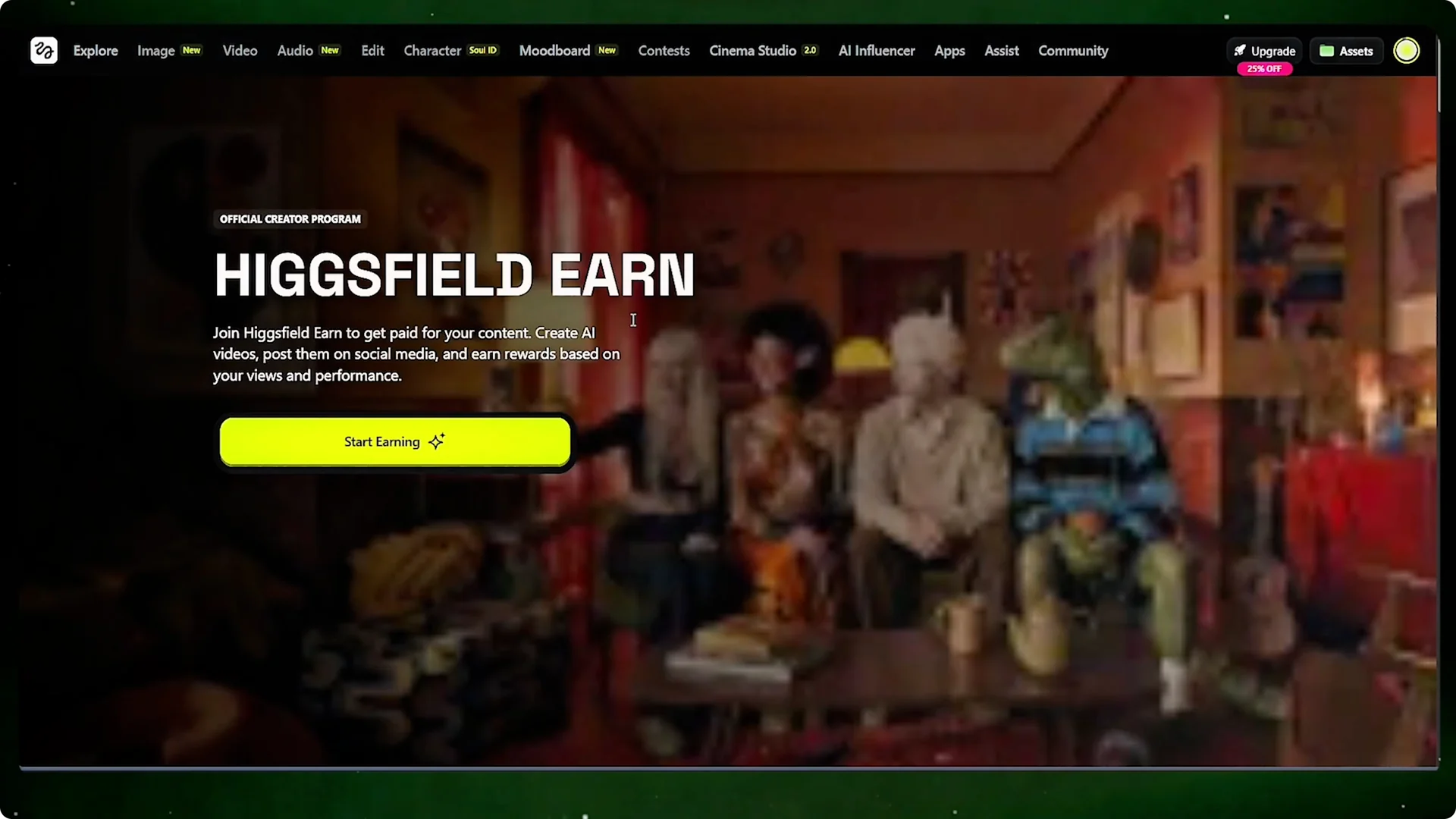
Higsfield keeps everything connected. You’re not jumping between different tools for influencer creation, image editing, video generation, and monetization. It’s all in one place, which means nothing breaks along the way.
Final Thoughts on Monetized AI Influencer Creation
AI influencers are here and they’re already winning. With Higsfield, you can build a unique character, generate consistent images, turn them into videos using real motion, ride current trends, and get paid for results.
Follow the workflow above and you’ll have your first video ready to post today.