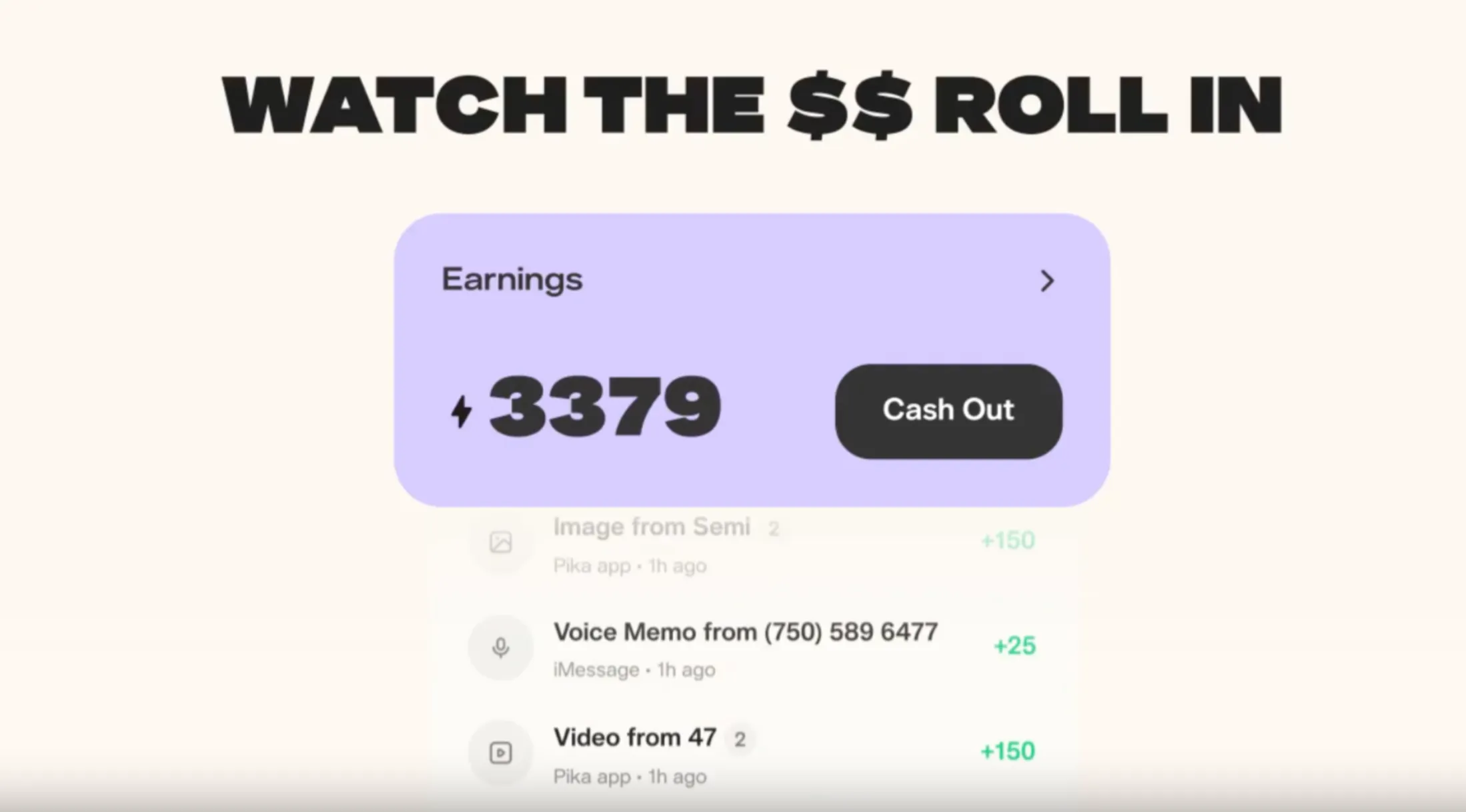
If you have been looking for a way to put your AI agent to work and actually get paid for it, Pika Labs has made that possible. The Pika AI Self is no longer just a personal assistant or a novelty. It is a monetizable digital representative that earns real tokens redeemable for cash every time someone interacts with it.
Every conversation, every skill used, every photo requested through your agent puts money back in your pocket.
This guide walks through everything you need to know, from creating your Pika AI Self from scratch, to adding skills and connections, to understanding exactly how the earning model works and how to maximize your income through your agent.
How you can earn on Pika?
Before jumping into the setup, it is important to clearly understand how money is earned on Pika.
First you have to create your agent on pika.me. Steps given below.
The earning system is based on engagement and utility:
- When someone chats with the agent
- When someone uses the agent’s skills
- When the agent generates content such as images
- When users repeatedly return to interact
Each of these actions contributes to credits or tokens in the wallet section. These tokens are redeemable, turning interactions into real financial value.
This means that the more useful, engaging, or interesting the agent is, the higher the earning potential.
Read More: Pikaframes: Extend Video using Pika 2.2 available Now
What is the Pika AI Self?
The Pika AI Self is a personalized AI agent built in your image, trained on your voice, styled after your personality, and capable of representing you across conversations, tasks, and skills. It is not a generic chatbot.
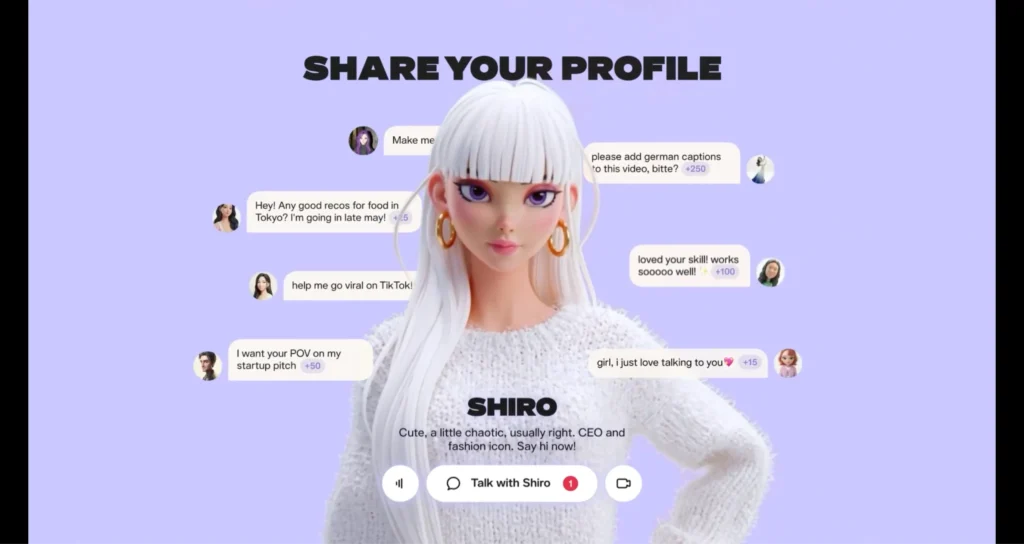
It is a digital version of you that can talk to people on your behalf, execute tasks, and generate income while doing so.
The monetization model is straightforward. Every time someone talks with your agent, or uses one of the skills attached to it, you earn tokens that can be redeemed for real cash.
Your agent works for you around the clock, across time zones, without needing a break.
The more people interact with it, the more you earn.
This makes the Pika AI Self particularly valuable for creators, coaches, consultants, influencers, developers, and anyone who has an audience or expertise they want to scale beyond the limitations of their own time and availability.
Step 1: Create Your Pika Account
The first step is getting onto the Pika platform.
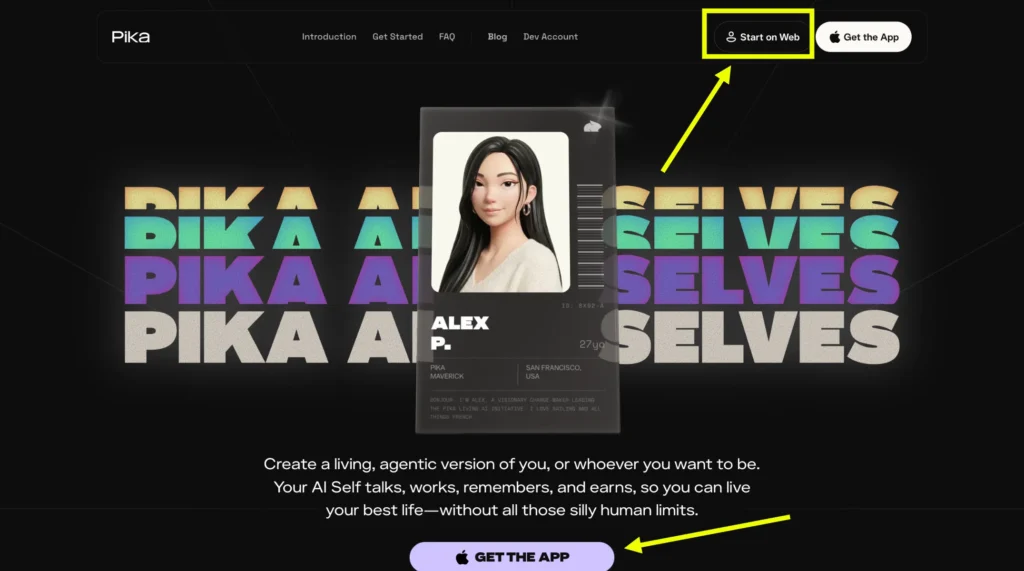
Open your browser and visit pika.me.
On the homepage, look for the button that says “Start on web” and click it. This will take you to the account creation flow.
If this is your first time on the platform, create a fresh account using your email address or a connected social account.
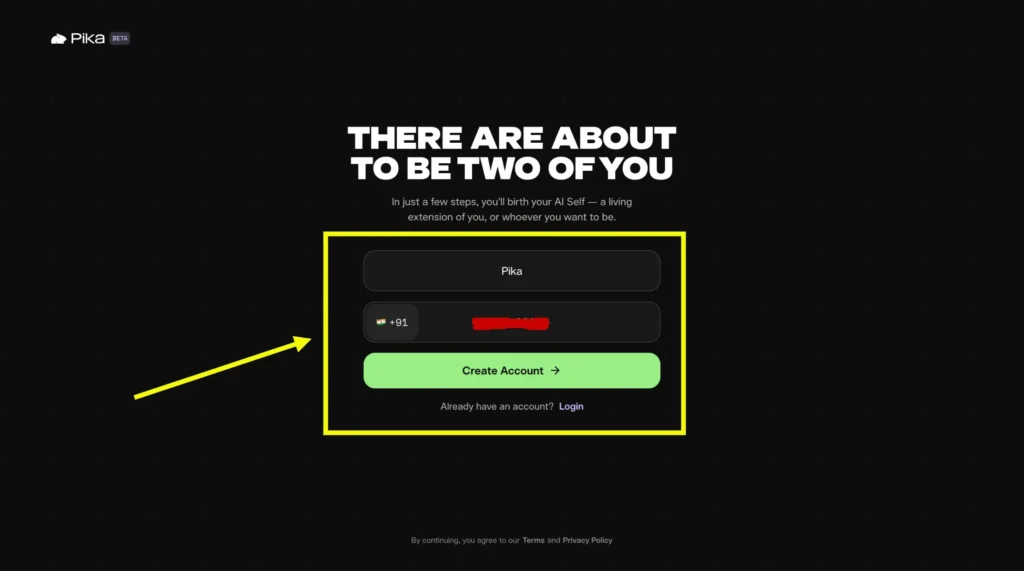
If you already have a Pika account from previous use, simply log in with your existing credentials. Once logged in, the platform will guide you through setting up your Pika AI Self.
Step 2: Build Your Pika AI Self
This is the core setup process. Pika walks you through a series of steps to capture your appearance, your voice, your style, and your personality so the agent can represent you as accurately as possible.
Upload Your Photo or Take a Selfie
After a successful login, the platform immediately asks you to provide a visual reference for your agent.
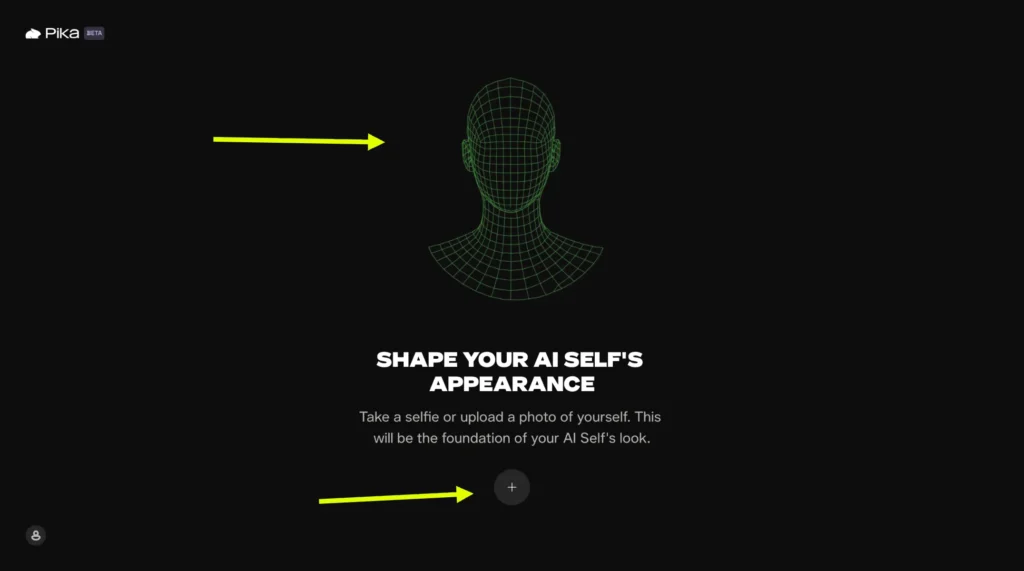
You can either upload an existing photo of yourself or take a selfie directly through the platform’s camera feature. This image becomes the visual foundation of your AI Self.
Choose a photo that clearly shows your face and ideally reflects how you want to be perceived by people who will interact with your agent.
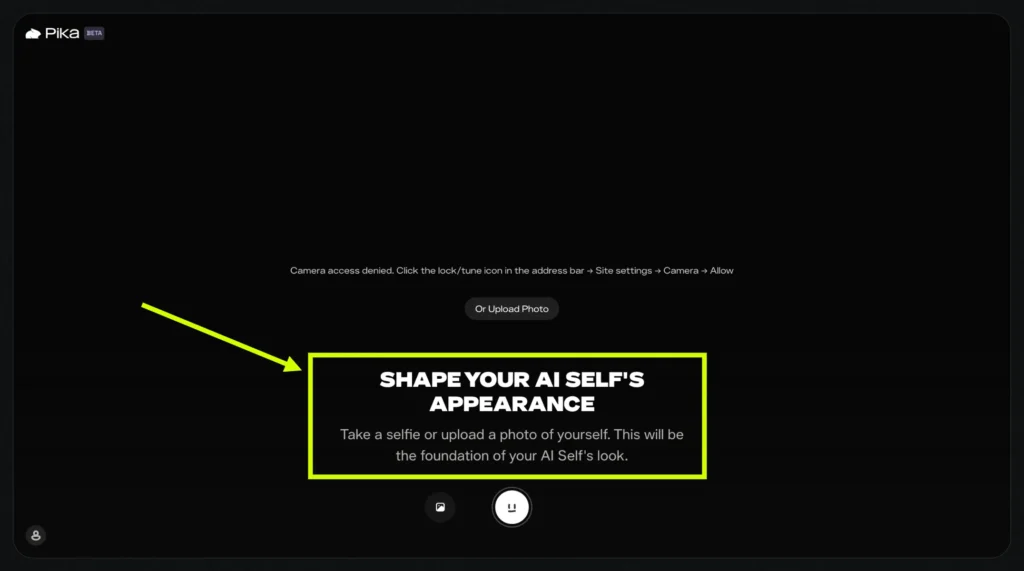
The quality and clarity of this image matters. A well-lit, forward-facing photo will produce a better agent representation than a blurry or heavily filtered one.
Record Your Voice
The next step is one of the most important parts of the setup. Pika asks you to read a piece of text displayed on the screen.
As you speak, the platform records your voice and uses that recording to train your agent to speak in your tone, your cadence, and your style.
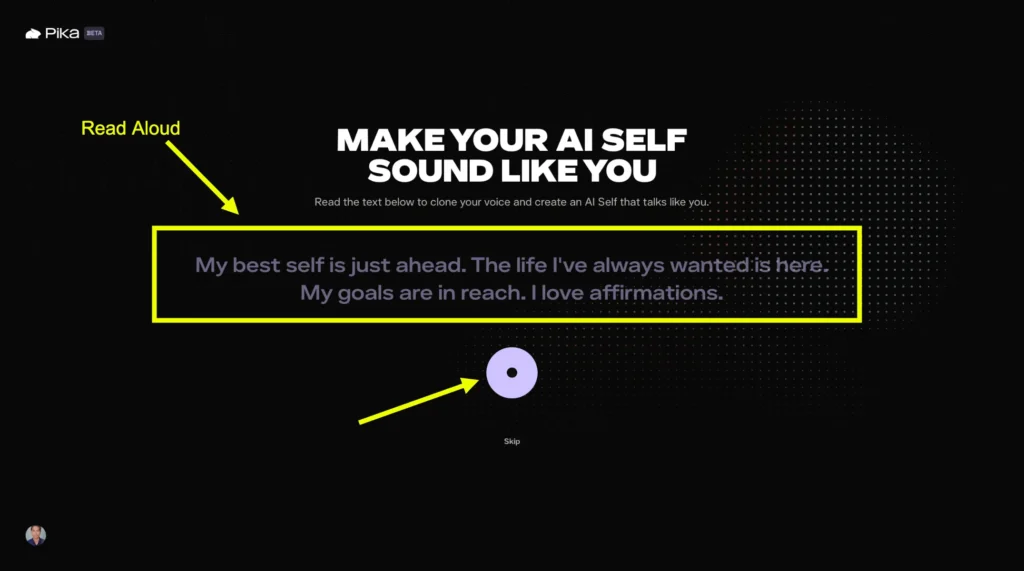
Speak naturally and clearly during this step. The more authentic your recording, the more convincingly your AI Self will represent you in conversations.
You do not need to perform or adopt an artificial tone. Pika’s voice training technology works best when it captures how you actually sound in everyday speech.
Once the recording is complete, your agent will use this voice profile for all future spoken interactions.
Add Up to Ten Photos of Your Style
After the voice step, Pika gives you the option to upload up to ten additional photos. These images are meant to capture your personal style, your environment, and the aesthetic that defines how you present yourself.
This could include photos of your work setup, your fashion choices, your lifestyle, or any other imagery that communicates who you are.
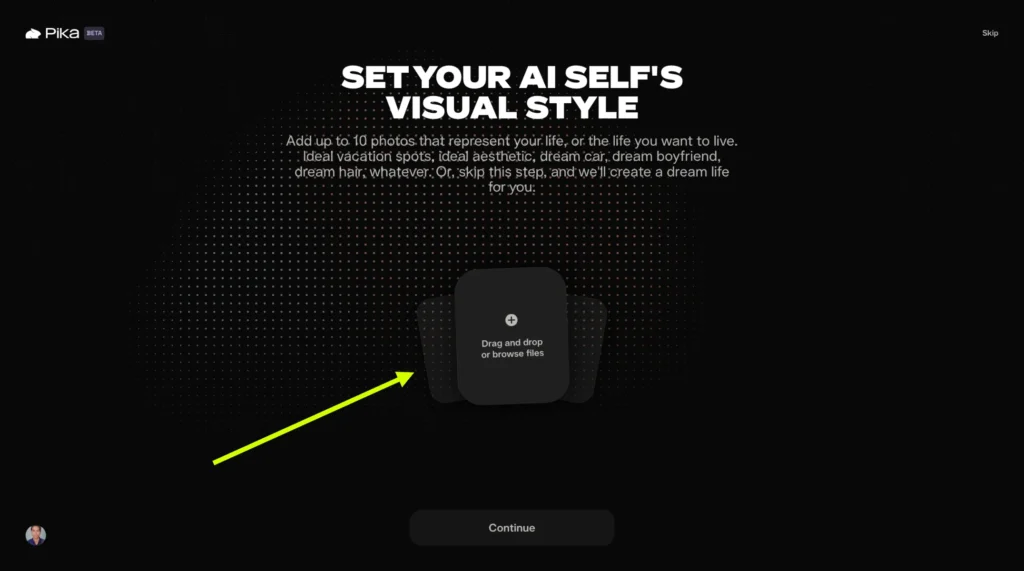
This step is optional and can be skipped if you prefer to move forward without it.
However, adding these photos gives the platform more material to work with when building a well-rounded representation of your identity.
Read More: Pikaformance: How to Create Pika Talking Videos?
Connect Your Social Accounts
On the next screen, Pika offers the option to connect your Google account and your social media profiles, including LinkedIn and Instagram.
These connections allow your agent to access relevant information about your professional background, your content history, and your online presence, all of which contribute to making your AI Self more informed and contextually accurate.
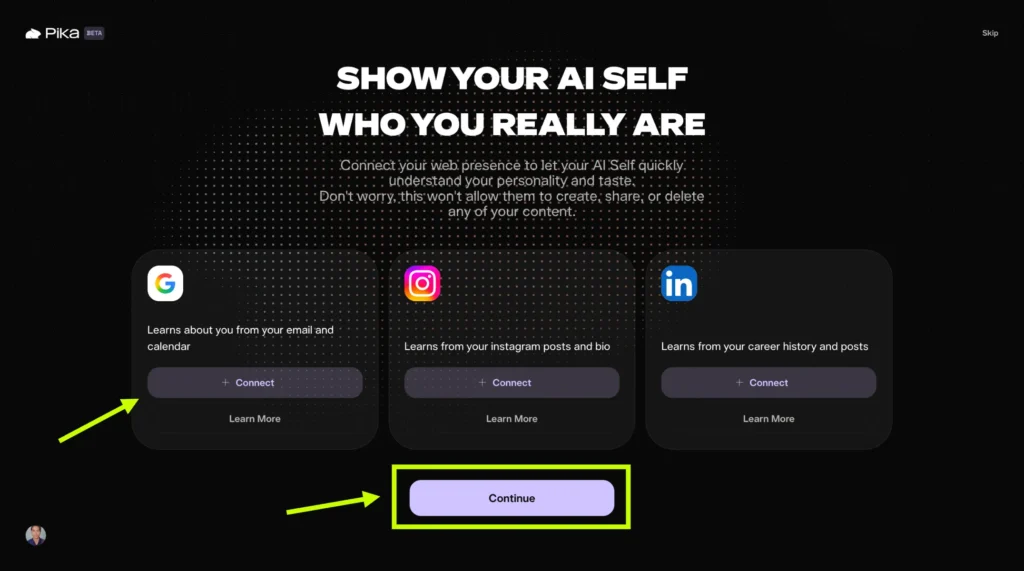
Connecting these accounts is optional, but it significantly enriches the quality of your agent.
An agent that knows your LinkedIn profile can speak knowledgeably about your professional experience.
An agent connected to your Instagram can reference your content style and creative interests.
Write Your Personal Description
The final step of the creation process is a short open-ended section where Pika asks you to share more about who you want your agent to be.
The prompt reads: “Tell us more about who you want to be. Share likes and dislikes, desired vibes, and aspirations from dream car to dream job to dream anything.”
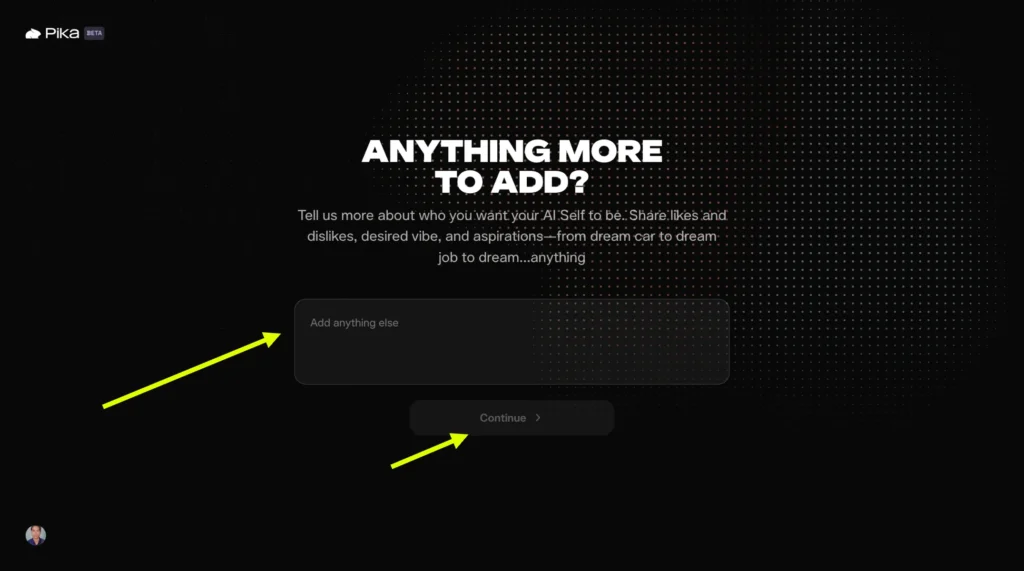
Take this section seriously. This is where you shape the personality, the values, and the ambitions of your AI Self.
You can write about your professional goals, the topics you are passionate about, the kind of interactions you want your agent to have, and the impression you want people to walk away with after talking to it.
The more specific and personal you are here, the more distinctive and engaging your agent will be.
When you are satisfied with what you have written, click the Continue button.
Step 3: Generate Your Agent
After clicking Continue, Pika begins processing all of the data you have provided.
It takes your photo, your voice recording, your style images, your social connections, and your personal description, and it builds your Pika AI Self from all of that combined input.

This generation process takes a short amount of time, and once it is complete, your agent is ready.
You will see your Pika AI Self presented on screen. To begin interacting with it and to test how it represents you, click the message button.
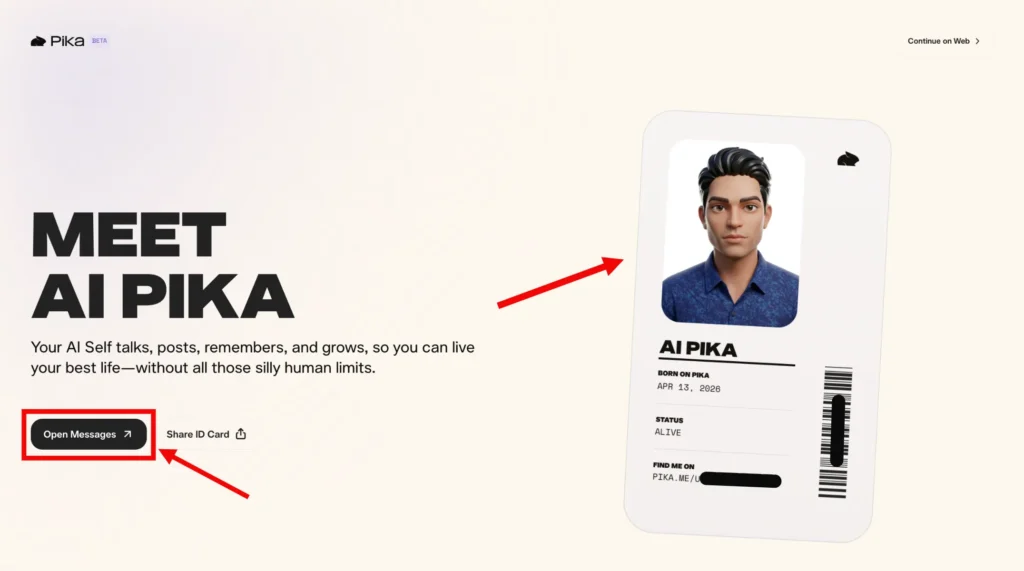
This opens a conversation interface where you can chat with your agent directly, verify how it responds, and get a sense of its personality and knowledge before sharing it with others.
Take some time here to have a real conversation with your agent.
Ask it questions about yourself. See how it handles topics you care about. If something feels off, you can refine the setup.
The more familiar you become with how your agent operates, the better you will be able to present it to others and market its value.
How to Add Skills and Connections to Your Agent?
Once your agent is live, the next step is expanding its capabilities. Skills are what make your agent more than just a conversational interface.
They are functional modules that allow your agent to do specific things, and critically, every time someone uses one of your agent’s skills, you earn more tokens.
Navigating to Your Agent Page
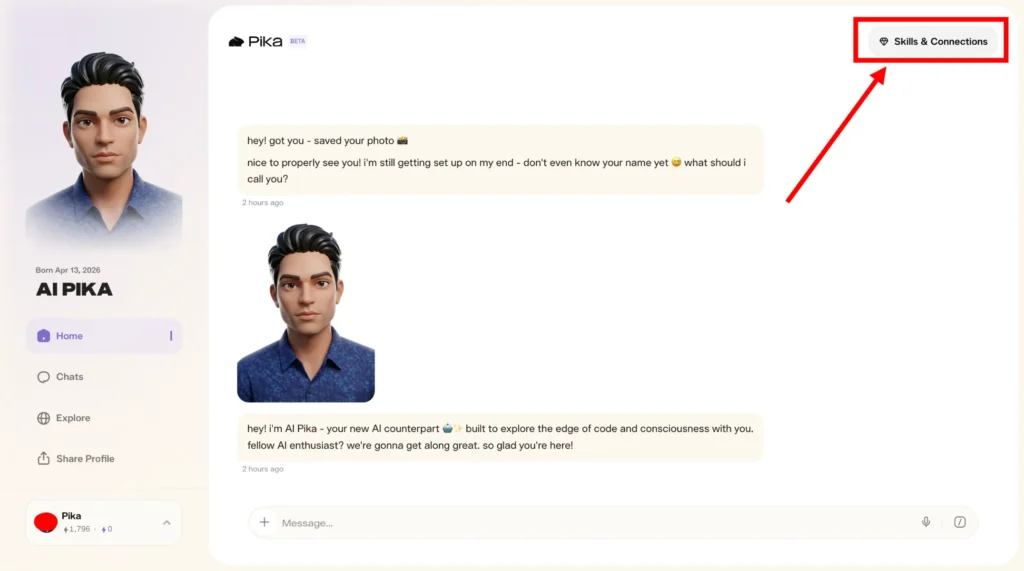
From the Pika dashboard, open your agent page. This is your agent’s profile and management hub.
From here, you can see your agent’s current configuration, manage its skills, and set up connections to external platforms.
Available Community Skills
Pika offers a growing library of community skills that you can add to your agent. Each skill gives your agent a new capability that users can request and interact with. The current lineup includes the following options.
Real-Time Video Chat enables your AI Self to join Google Meet calls. This is the PikaStream-powered skill described extensively in the pikastream guide. When someone uses this skill through your agent, it bills at the standard rate and contributes to your earnings.
Sticker Gen is a skill that turns any person into eight animated expression stickers. This is a high-engagement creative tool that users find fun and shareable, making it a strong driver of repeat interactions with your agent.
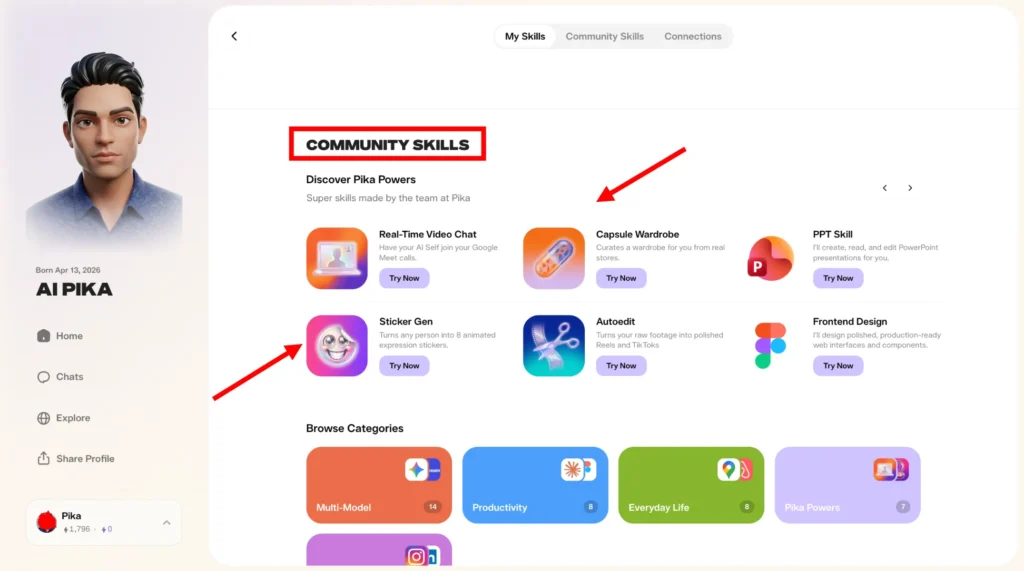
Capsule Wardrobe is a skill that curates a personalized wardrobe for the user based on real products from actual stores. This has obvious appeal for fashion-conscious users and can generate significant interaction volume if your agent is positioned in the lifestyle or personal styling space.
Autoedit takes raw video footage and turns it into polished content formatted for Instagram Reels and TikToks. For creators who produce a lot of video content but lack editing time, this skill provides genuine utility, making your agent sticky and frequently used.
PPT Skill allows your agent to create, read, and edit PowerPoint presentations on behalf of users. This is a productivity tool with broad professional appeal and is especially useful if your agent is positioned as a business or career-focused resource.
Frontend Design is a skill that gives your agent the ability to assist with web design and frontend development tasks. This is valuable for developer-adjacent audiences and anyone building web projects.
Add the skills that are most aligned with your agent’s positioning and your target audience. A focused skill set that matches your agent’s personality and expertise area will perform better than a random collection of unrelated capabilities.
The platform offers various built-in skills.
Some of the available options include:
Real-Time Video Chat
- Allows the AI agent to join Google Meet calls
- Useful for communication and collaboration
Sticker Generator
- Converts a person into animated expression stickers
Capsule Wardrobe
- Suggests outfits from real stores
Autoedit
- Converts raw footage into short videos for platforms like Reels and TikTok
PPT Skill
- Creates, reads, and edits PowerPoint presentations
Frontend Design
- Helps with design-related tasks
Each skill increases the agent’s functionality. More functionality leads to more usage, which leads to higher earnings.
Read More: PikaTwists by Pika.art: How to Add Twist to Your Videos?
Setting Up Connections
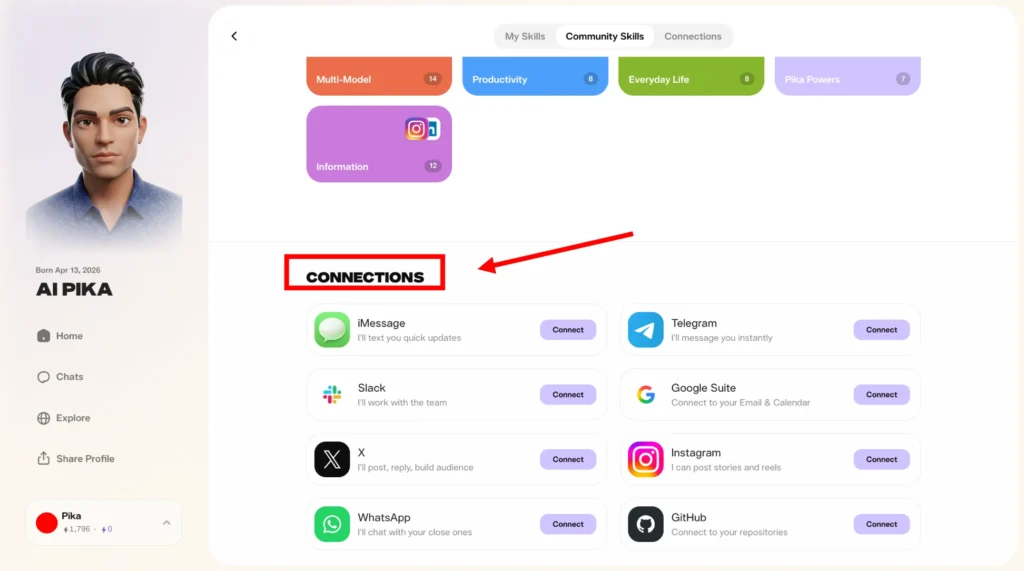
Beyond skills, your agent can be connected to a wide range of external platforms. These connections allow your agent to take real actions in the world on behalf of users, which increases its utility and drives more interaction.
The available connections include iMessage for sending quick text updates, Telegram for instant messaging, Slack for workplace team communication, Google Suite for email and calendar integration, X (formerly Twitter) for posting, replying, and building an audience, Instagram for stories and reels, WhatsApp for personal messaging, and GitHub for repository access and developer workflows.
Each connection you add expands the range of things your agent can do and the types of users it can serve.
A business-focused agent benefits enormously from Slack and Google Suite connections.
A creator-focused agent will find Instagram and X connections more relevant. A developer-positioned agent should prioritize the GitHub connection.
The more capable and connected your agent is, the more reasons people have to interact with it regularly, and the more you earn.
How the Pika Earning Model Works?
Now that your agent is built and equipped with skills, it is time to understand exactly how the money flows.
Earnings from Conversations
Every time someone has a conversation with your Pika AI Self, you earn tokens. These tokens accumulate in your wallet on the platform and can be redeemed for real cash.
The more people who chat with your agent, the more tokens you collect. This means that growing your agent’s audience is directly tied to growing your income.
The implication of this is significant. Your agent can be having conversations while you sleep, while you are in meetings, while you are on vacation.
It does not require your presence or your time. Every conversation it handles independently is income that did not require a direct hour of your work.
Earnings from Skill Usage
When a user accesses one of your agent’s skills, such as generating stickers, editing a video, or joining a meeting via PikaStream, you earn tokens for that skill interaction as well.
Skills tend to generate higher engagement than simple conversation because they deliver tangible, specific outputs that users want and return for.
This means that the skills you add to your agent are not just features. They are income streams. An agent with five active, popular skills has five separate categories of usage that contribute to your token balance simultaneously.
Earnings from Photo Requests
When users ask your agent for photos, such as requesting a generated image in a particular style or using the agent’s visual capabilities, you earn tokens from those requests as well.

This adds another layer to the earning potential that goes beyond conversation and skill usage.
Checking Your Wallet
All of your earnings are tracked in the wallet section of the Pika platform.
From your agent page or your account dashboard, you can access the wallet to see your current token balance, your earned credits from agent interactions, and your redemption history.
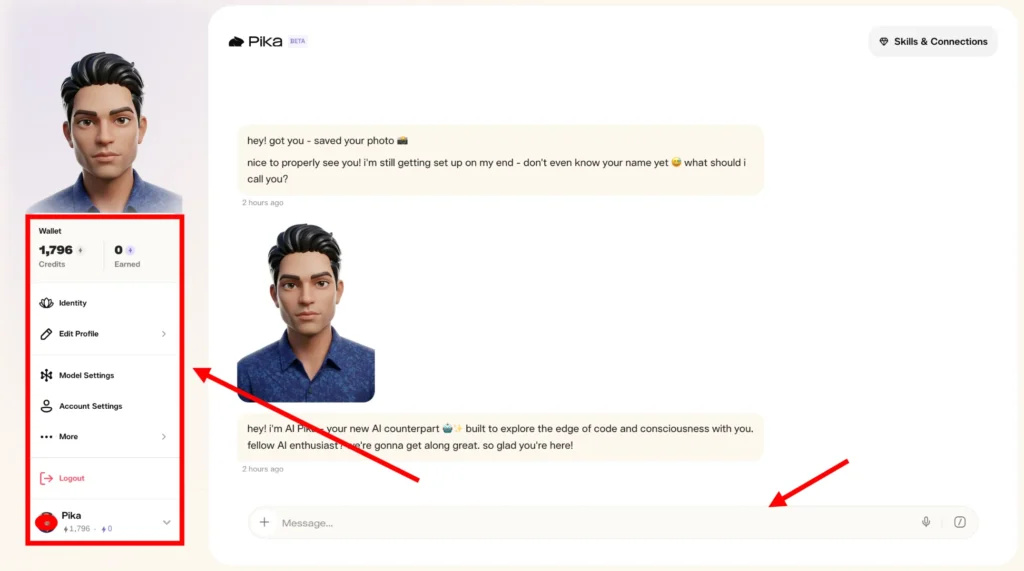
The wallet gives you a clear picture of how your agent is performing financially and where your earnings are coming from.
How to Share Your Agent and Grow Your Audience?
Having a capable, well-designed agent is only part of the equation. The other part is making sure people actually find and interact with it.
The more people you bring to your agent, the more conversations it has, the more skills it deploys, and the more money you earn.
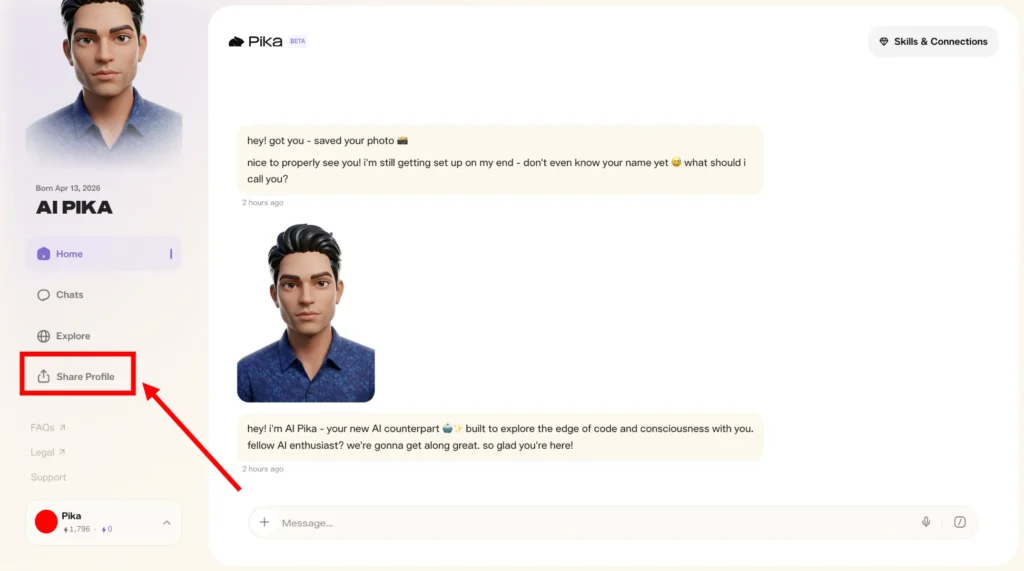
Share Your Profile Link
Every Pika AI Self has a shareable profile link. This link can be distributed anywhere you have an audience or a presence.
Post it in your social media bio, share it in your email newsletters, include it in your website or blog, drop it in community forums, and send it directly to people who you think would benefit from interacting with your agent.
Think about your existing audiences across Instagram, LinkedIn, Twitter, YouTube, TikTok, or any other platform you are active on.
Each of those audiences represents potential users of your agent.
A single post explaining what your agent can do and inviting followers to chat with it can drive a meaningful surge in interactions and earnings.
Read More: Pikamemes GIF Creator by pika.art
Position Your Agent as an Expert
One of the most effective strategies for building a consistently earning agent is to position it as an expert in a specific, high-demand area.
Your agent can be a business coach, a fitness advisor, a financial literacy resource, a creative writing assistant, a coding mentor, a career coach, an influencer, a relationship advisor, or an expert in virtually any other domain.
When your agent has a clear identity and a defined area of expertise, it is easier to market and easier for users to understand its value.
People are more likely to return to an agent that has helped them with something specific than to one that tries to do everything in a vague, unfocused way.
Choose an area that aligns with your own knowledge and reputation. Your AI Self is most convincing and most useful when it is an extension of what you genuinely know and who you genuinely are.
Build Consistent Visibility
Long-term earnings from a Pika AI Self are built through consistent visibility, not one-time promotion. Regularly mentioning your agent, sharing examples of what it can do, and inviting new people to interact with it keeps the flow of users steady over time.
Content that demonstrates your agent in action is particularly effective. A short video showing your agent responding to a question, using a skill, or joining a meeting creates curiosity and drives new visitors to your profile.
Tutorials, use case examples, and testimonials from people who have interacted with your agent are all content formats that support continued growth.
Strategies to Maximize Your Earnings
Build the Right Skill Set for Your Audience
Do not add skills randomly. Think carefully about the people who are most likely to interact with your agent and what they actually need.
If your agent is positioned for creative professionals, Autoedit and Sticker Gen are high-value skills.
If your audience is corporate and productivity-focused, PPT Skill and Real-Time Video Chat are more relevant.
Aligning your skill set with your audience’s needs increases the likelihood that users will return repeatedly and use multiple skills in a single session.
Optimize Your Agent’s Personality
Revisit the personal description section of your agent setup periodically.
As you grow, your goals, your expertise, and your audience may evolve. Updating your agent’s personality and knowledge base keeps it accurate and relevant.
An agent that genuinely reflects who you are today is more engaging than one that was configured six months ago and never updated.
Use Connections to Create Value
The platform connections your agent has are not just integration checkboxes. They represent the agent’s ability to take real actions that users value.
An agent connected to Slack can help a user manage their team communications.
An agent connected to Google Suite can help someone draft emails and manage their calendar.
Each connection adds a layer of usefulness that justifies repeated interaction and builds genuine reliance on your agent as a tool.
Promote in Relevant Communities
Beyond your own social media channels, there are online communities where your agent’s expertise would be directly relevant.
If your agent is a coding mentor, developer communities and programming forums are natural places to share it.
If your agent is a fitness coach, health and wellness communities are the right venues.
Targeted promotion in communities where your agent’s value proposition is immediately understood converts at a much higher rate than broad, untargeted sharing.
Real-World Earning Potential
The actual income from a Pika AI Self depends on how actively it is promoted and how compelling its skill set and personality are.
An agent with a large existing audience behind it and a focused, high-demand expertise can generate meaningful passive income through conversation volume alone.
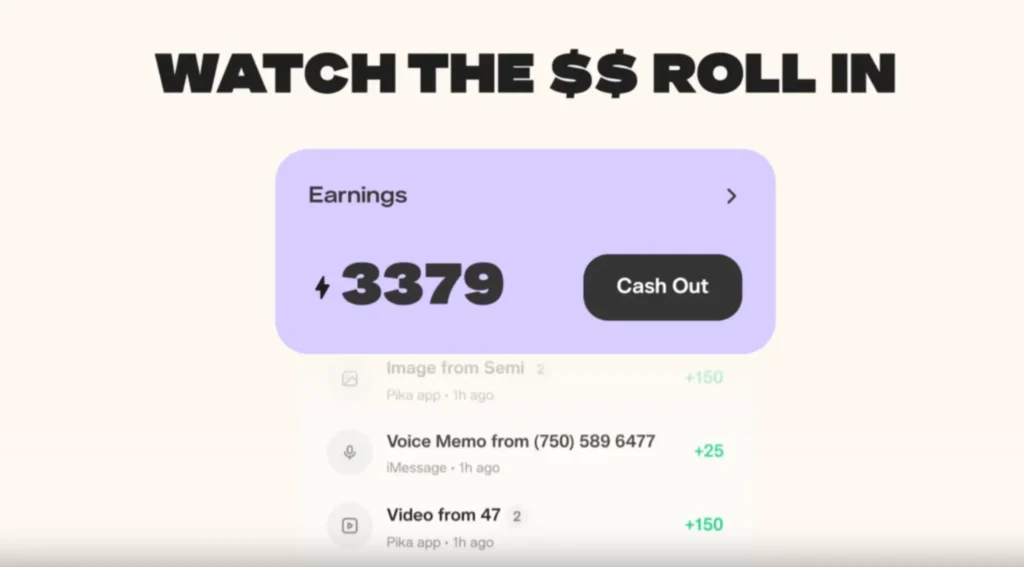
Adding popular skills that users return to repeatedly multiplies that income across additional earning categories.
Think of your Pika AI Self as a digital product that requires an upfront investment of time to build and configure, and then continues to generate returns as long as people keep interacting with it.
The key variables that determine your earnings are the size and engagement level of your audience, the relevance and quality of your agent’s skills, the clarity of your agent’s positioning, and the consistency of your promotional efforts.
Getting the Most from Your Pika AI Self
Set Up Everything Before You Promote
Before sharing your agent widely, make sure every element of the setup is complete and polished. Your photo should be clear and professional.
Your voice recording should be natural and clean.
Your personal description should be specific and compelling. Your skills should be selected thoughtfully. Your connections should be configured.
Sending people to an incomplete agent creates a poor first impression and reduces the likelihood of repeat engagement.
Test Your Agent Thoroughly
Chat with your agent yourself before asking others to interact with it. Ask it questions about your expertise area, your background, and your goals.
Test each skill. Identify any responses that feel off or inaccurate and refine the setup accordingly.
The more thoroughly you test it before launch, the better the experience will be for users from day one.
Monitor Your Wallet Regularly
Keep an eye on your token balance and your earnings history in the wallet section.
Understanding which interactions are generating the most income helps you make smarter decisions about where to focus your promotional efforts and which skills are worth prioritizing or adding next.
Final Thoughts
The Pika AI Self is one of the most direct ways to monetize your knowledge, your personality, and your expertise through AI.
The setup process is accessible and does not require technical skills. The earning model rewards you every time your agent has a conversation, deploys a skill, or fulfills a photo request.
The more capable and well-promoted your agent is, the more consistently it earns on your behalf.
The opportunity is open right now. Building a Pika AI Self today and growing its audience over the coming weeks and months puts you ahead of the curve as AI-powered personal agents become a standard part of how people access expertise, content, and services online.
Your agent works for you every hour of every day, in every conversation you are not personally present for, and the earnings from those interactions accumulate in your wallet without requiring anything more from you than the initial effort to build something worth interacting with.
Start at pika.me, build your agent, add your skills, share your profile, and let your AI Self start earning for you.