I’m going to show you how to sign out of your Higgsfield AI account. You can do it from the profile menu or from Manage Account.
If you are setting things up for the first time, see how to create a Higgsfield AI account. That way you can follow along.
Higgsfield AI Sign Out options
Here are the two quick ways I use. Pick the one that is closer to where you already are in the app.
Higgsfield AI Sign Out from the profile menu
Step 1: Hover over your account on the upper right. Step 2: Click the Sign Out button.

Read More: Smooth Videos Higgsfield Ai
Higgsfield AI Sign Out from Manage Account
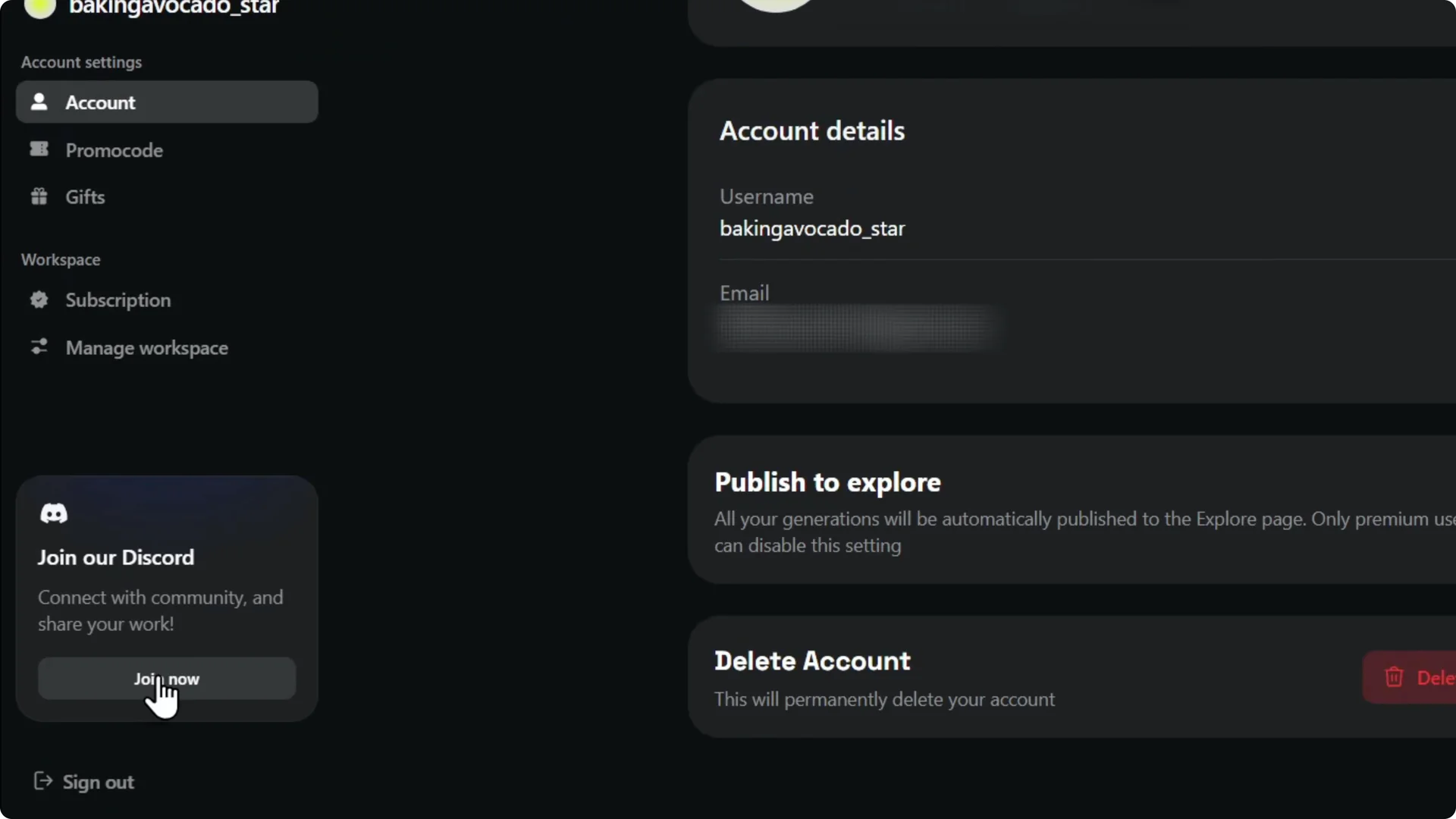
Step 1: Click Manage Account. Step 2: Scroll down on the lower left and select Sign Out.

Higgsfield AI Sign Out final thoughts
That is it. Very easy and very simple.
If you work with others, you can create a team in Higgsfield AI to keep things organized.